> ## Documentation Index
> Fetch the complete documentation index at: https://docs.vowen.ai/llms.txt
> Use this file to discover all available pages before exploring further.

# Command Mode

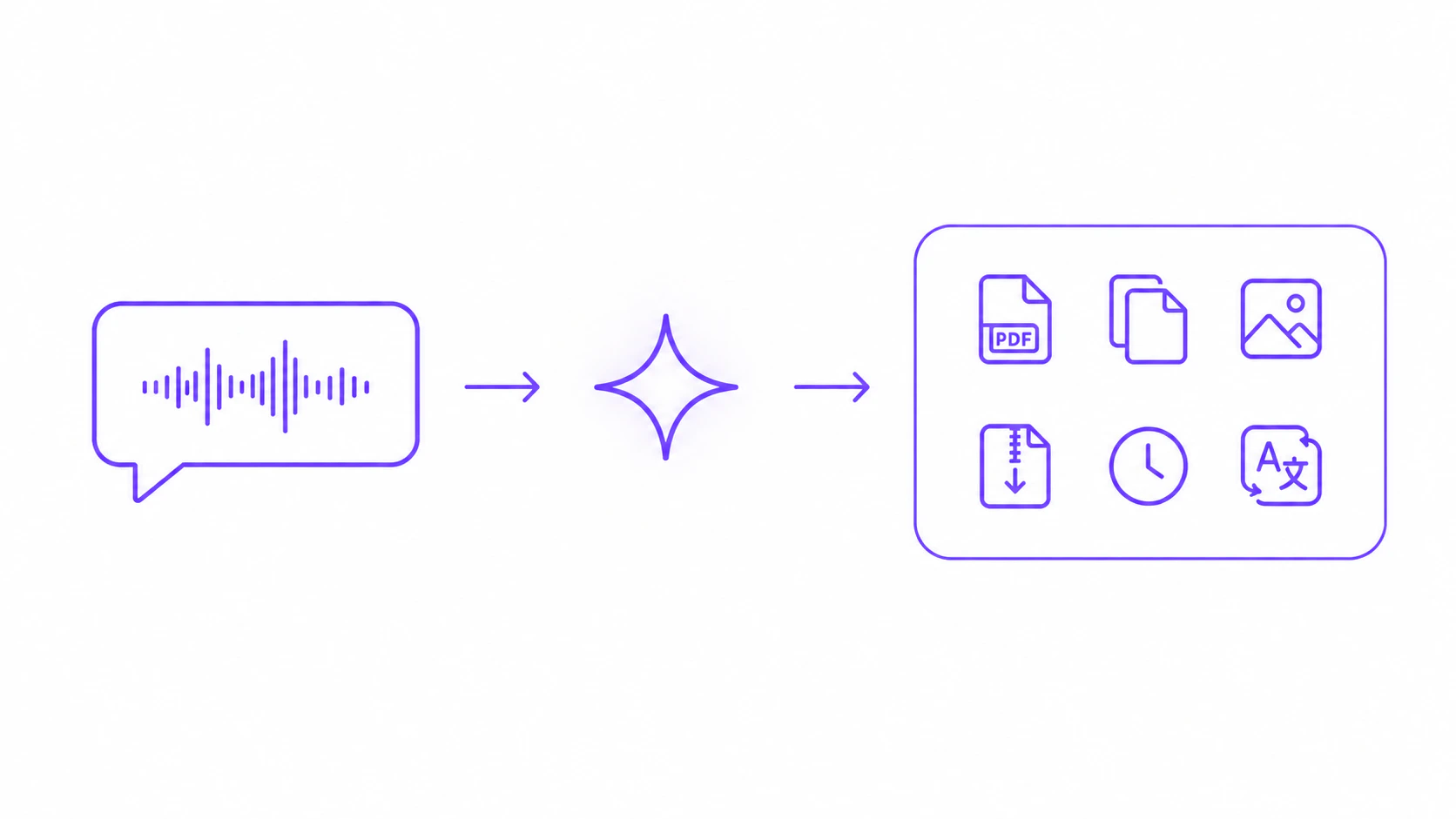
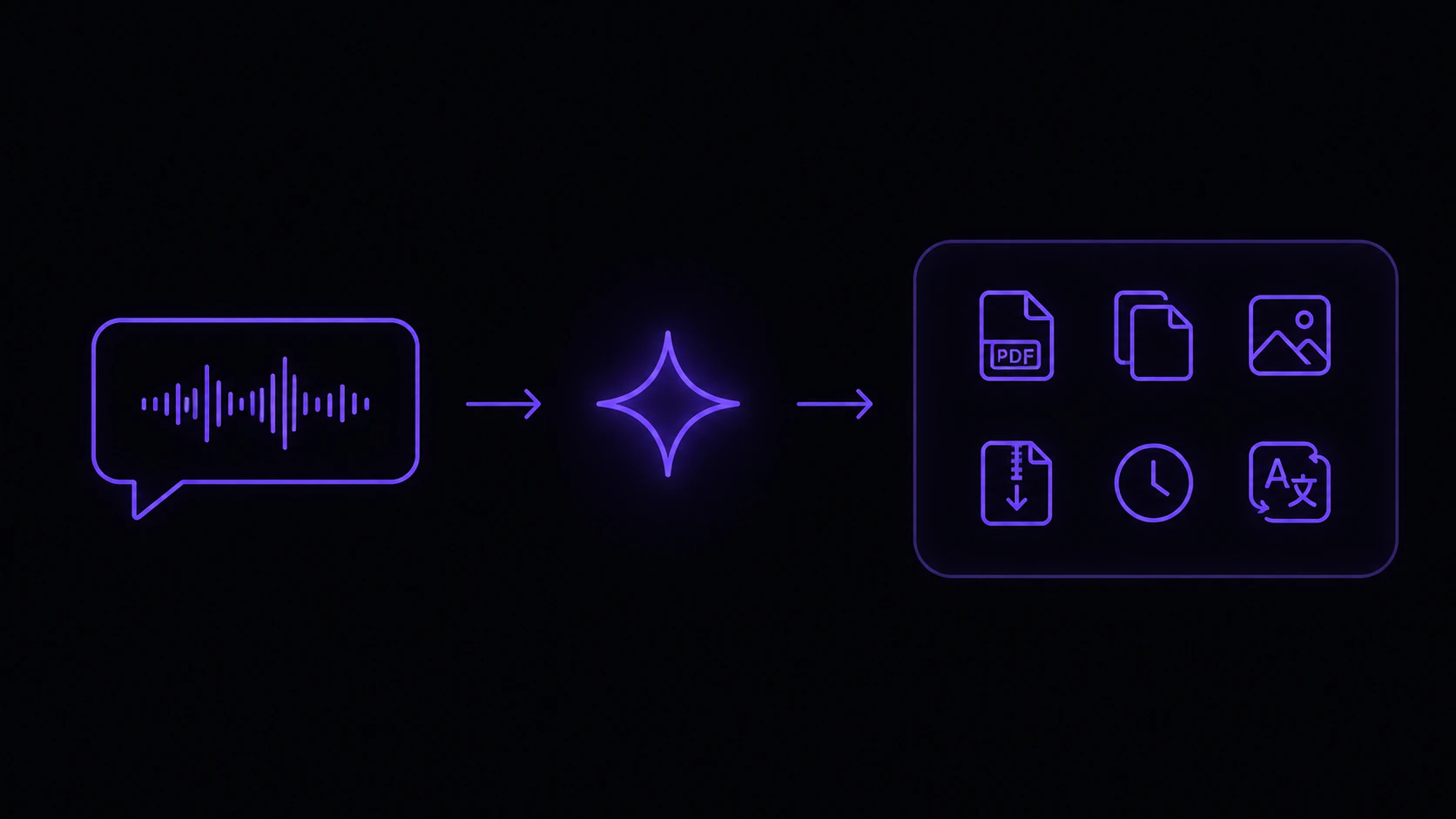
> Speak instructions to AI: transform text, convert files, run real actions.

<img className="block dark:hidden" style={{ marginTop: "-1rem" }} src="https://mintcdn.com/vowen/2NLLQOm5sszam2ni/images/command-mode-light.png?fit=max&auto=format&n=2NLLQOm5sszam2ni&q=85&s=e0517f2304bc056d7b6749885808c080" alt="Voice command flow: speech to AI to action" width="1672" height="941" data-path="images/command-mode-light.png" />

<img className="hidden dark:block" style={{ marginTop: "-1rem" }} src="https://mintcdn.com/vowen/2NLLQOm5sszam2ni/images/command-mode-dark.png?fit=max&auto=format&n=2NLLQOm5sszam2ni&q=85&s=27c52ea72a62502d78b93f3de27877b9" alt="Voice command flow: speech to AI to action" width="1672" height="941" data-path="images/command-mode-dark.png" />

<div style={{ marginBottom: "0.75rem" }}>
  <Info>Free plan includes 5 Command Mode runs per day. <a href="https://vowen.ai" className="font-semibold underline-offset-2" style={{ color: "#8b5cf6", backgroundColor: "rgba(139, 92, 246, 0.12)", border: "1px solid rgba(139, 92, 246, 0.35)", padding: "2px 8px", borderRadius: "6px", fontSize: "0.85em", textDecoration: "none", whiteSpace: "nowrap" }}>Pro</a> removes the cap.</Info>
</div>

## What is Command Mode?

Command Mode lets you speak **instructions** to an AI model instead of transcribing your words verbatim. It handles two distinct kinds of work:

* **Text transformations** on selected text. Summarize, rewrite, translate, fix grammar, adjust tone, draft replies, format as lists, and more.
* **Real actions** on files and your system. Convert images, audio, video, and config files. Merge PDFs. Compress images. Set timers. Extract color palettes from your screen. Open macOS settings panels.

Speak naturally and Vowen routes your command to the right action.

**Default shortcut:** `Alt + Shift` on both macOS and Windows. You can change this in [Settings > Shortcuts](/features/shortcuts), assign additional shortcuts, or use a mouse button.

## How It Works

<Steps>
  <Step title="Hold the Command Mode shortcut">
    Press and hold `Alt + Shift` (or your custom shortcut).
  </Step>

  <Step title="Speak your instruction">
    Tell the AI what you want done. Be specific and natural.
  </Step>

  <Step title="Release">
    Let go of the shortcut. The AI processes your command, and either the result is pasted into your focused app or an action runs (like converting a file or merging PDFs).
  </Step>
</Steps>

## Reviewing and Refining the Result

For text results, Command Mode shows a confirmation banner before anything is pasted, so you can review the output, copy it, refine it, or discard it.

* **Paste:** press `Tab` to paste the result into your focused app
* **Copy everything:** click the copy button in the banner's action bar
* **Copy part of it:** select any portion of the response text inside the banner and press `Cmd+C` (macOS) / `Ctrl+C` (Windows). Only the highlighted text is copied; with nothing selected, your clipboard is left untouched
* **Dismiss:** press `Esc` to close the banner without pasting

The banner renders Markdown (headings, lists, bold, code, links) when the response looks like Markdown, and keeps plain dictation as plain text. Any links in the output open in your default browser instead of taking over the banner.

### Follow-up questions

You don't have to start over to refine a result. While the banner is open, **hold the Command Mode shortcut again** and speak a follow-up like *"make it shorter"* or *"more formal."* Vowen sends your follow-up along with the original request and previous response as context, reusing the same selected text, screenshot, and tone — nothing is re-captured — and replaces the banner with the updated version.

* A **`Hold [shortcut] for follow-up`** hint appears in the banner whenever a Command Mode shortcut is assigned
* Once you have two or more versions, a version pager (`1/2`, with prev/next arrows) appears so you can cycle back through earlier versions. **`Tab` pastes whichever version you're currently viewing**, not necessarily the newest
* While a follow-up is processing (`Thinking`), press `Esc` to cancel it. The banner reverts to the previous reply and stays open; press `Esc` again to dismiss it

<Note>Follow-ups produce plain-text refinements. If a follow-up triggers a tool call (a file action, timer, and so on), the refinement session ends.</Note>

### Switching models on failure

If a Command Mode run or a [custom utility](/features/workflows) fails — including when a provider returns a rate-limit error — the banner shows a **"Switch to:"** row with a chip for each of your other configured AI providers. Click one to retry the same request against a different model. The retry reuses the original prompt (so a moved selection or clipboard won't break it), and the provider you pick becomes your new default.

## Context Awareness

Command Mode automatically pulls context from several places so the AI knows what you're talking about without you having to spell it out.

### Selected Text

If you have text selected on screen when you activate Command Mode, that selection is included as context. Phrases like "this", "it", "the text" automatically refer to the selected text. This is the most common way to give the AI something to operate on.

**Example workflow:**

1. Select a paragraph of text in any app
2. Hold `Alt + Shift`
3. Say "Make this more concise"
4. Release. The AI rewrites the selected text and replaces it.

### Selected Files

If you have one or more files selected (in Finder on macOS, or wherever your file picker lives), Command Mode passes the filenames to the AI. This is what unlocks the file-action tools below (compress this image, merge these PDFs, convert to webp, and so on).

### Screen Context

Command Mode can capture a screenshot and send it to the AI for visual context. This requires **two** things:

1. **Screen Recording permission** granted to Vowen (macOS only)
2. **Settings > Recording > Include screenshot** toggled on

When both are active, you can ask things like *"What's the error message on screen?"* or *"Draft a reply to this email."*

#### Drag to capture a region

By default the screenshot captures your whole screen. If you'd rather pick exactly what the AI sees, turn on **Drag to capture region** (in **Settings > AI Setup**, alongside the screenshot option). With it enabled, starting a Command Mode recording shows a transparent overlay — click and drag to select one or more rectangles, and each region is added as context for that command. This is useful for pointing the AI at a single chart, error dialog, or paragraph instead of the entire desktop. The overlay needs the same Screen Recording permission as full-screen capture, and it stays open for multiple selections until you finish the command or press `Esc`.

### Memory

Your saved [Memory](/features/memory) notes are automatically included as context. The AI knows your preferences, writing style, and frequently-referenced information.

**Example:** If you have a "My Writing Style" note in Memory, say *"Rewrite this in my style"* and the AI will reference it.

### Connectors

If you've linked any [Connectors](/integrations/connectors) (Pro, experimental), Command Mode can look things up in your apps and on your Mac while it works — for example reading a Linear issue, a Notion page, or your Calendar — when your request calls for it.

### Other automatic context

Command Mode also passes the following to the AI on every call:

* **Vocabulary** entries (top 10) from your [Dictionary](/features/dictionary), so the AI recognizes domain-specific terms
* **Active app name** and the matching **Tone directive** (if [Tones](/ai-features/tones) is enabled), so output adapts to the app you're working in
* **Language code** from your transcription settings, so the AI responds in your language

## Actions

Beyond text manipulation, Command Mode can trigger real actions on files and the system. Speak any of these naturally and Vowen will execute the matching tool.

### Image conversion

<div className="my-4 rounded-2xl border border-zinc-200 dark:border-zinc-800 p-6">
  <div className="text-sm text-zinc-600 dark:text-zinc-400 mb-4 leading-relaxed">
    Convert images between formats with a single voice command. Select one or more images in Finder, speak the target format, and Vowen drops the converted files next to the originals. Supports PNG, JPG, WEBP, AVIF, GIF, TIFF, HEIC, HEIF, and JFIF.
  </div>

  <div className="font-mono text-sm text-zinc-800 dark:text-zinc-200 bg-zinc-100/60 dark:bg-zinc-900/60 rounded-lg px-3 py-2 inline-block mb-5">
    "Convert this image from JPG to PNG"
  </div>

  <div style={{ position: "relative", background: "#000", borderRadius: "0.5rem", overflow: "hidden" }}>
    <video
      muted
      playsInline
      preload="metadata"
      poster="/videos/image-conversion-demo-poster.jpg"
      style={{ width: "100%", display: "block", cursor: "pointer" }}
      onLoadedMetadata={(e) => { try { e.currentTarget.currentTime = 1; } catch (err) {} }}
      onClick={(e) => {
    const v = e.currentTarget;
    if (v.paused) { v.muted = false; v.play(); } else { v.pause(); }
  }}
      onPlay={(e) => {
    const parent = e.currentTarget.parentElement;
    const playBtn = parent.querySelector('[data-play-btn]');
    if (playBtn) { playBtn.style.opacity = '0'; playBtn.style.pointerEvents = 'none'; }
    const muteBtn = parent.querySelector('[data-mute-btn]');
    if (muteBtn) {
      muteBtn.querySelector('[data-icon-muted]').style.display = 'none';
      muteBtn.querySelector('[data-icon-unmuted]').style.display = 'block';
    }
  }}
      onPause={(e) => {
    const playBtn = e.currentTarget.parentElement.querySelector('[data-play-btn]');
    if (playBtn) { playBtn.style.opacity = '1'; playBtn.style.pointerEvents = 'auto'; }
  }}
    >
      <source src="https://mintcdn.com/vowen/2NLLQOm5sszam2ni/videos/image-conversion-demo.mp4?fit=max&auto=format&n=2NLLQOm5sszam2ni&q=85&s=4b22dce354dff2ceaf829a94a04a4d72" type="video/mp4" data-path="videos/image-conversion-demo.mp4" />
    </video>

    <button
      data-play-btn
      aria-label="Play video"
      onClick={(e) => {
    const v = e.currentTarget.parentElement.querySelector('video');
    v.muted = false; v.play();
  }}
      style={{ position: "absolute", top: "50%", left: "50%", transform: "translate(-50%, -50%)", width: "72px", height: "72px", borderRadius: "9999px", background: "rgba(0,0,0,0.55)", border: "2px solid rgba(255,255,255,0.9)", cursor: "pointer", display: "flex", alignItems: "center", justifyContent: "center", transition: "opacity 0.2s ease", padding: 0 }}
    >
      <svg width="28" height="28" viewBox="0 0 24 24" fill="white" style={{ marginLeft: "4px" }}>
        <path d="M8 5v14l11-7z" />
      </svg>
    </button>

    <button
      data-mute-btn
      aria-label="Toggle mute"
      onClick={(e) => {
    e.stopPropagation();
    const v = e.currentTarget.parentElement.querySelector('video');
    v.muted = !v.muted;
    e.currentTarget.querySelector('[data-icon-muted]').style.display = v.muted ? 'block' : 'none';
    e.currentTarget.querySelector('[data-icon-unmuted]').style.display = v.muted ? 'none' : 'block';
  }}
      style={{ position: "absolute", top: "0.75rem", right: "0.75rem", background: "rgba(0,0,0,0.55)", border: "none", borderRadius: "9999px", width: "36px", height: "36px", cursor: "pointer", display: "flex", alignItems: "center", justifyContent: "center", padding: 0 }}
    >
      <svg data-icon-muted width="16" height="16" viewBox="0 0 24 24" fill="white" style={{ display: "block" }}>
        <path d="M16.5 12c0-1.77-1.02-3.29-2.5-4.03v2.21l2.45 2.45c.03-.2.05-.41.05-.63zm2.5 0c0 .94-.2 1.82-.54 2.64l1.51 1.51C20.63 14.91 21 13.5 21 12c0-4.28-2.99-7.86-7-8.77v2.06c2.89.86 5 3.54 5 6.71zM4.27 3L3 4.27 7.73 9H3v6h4l5 5v-6.73l4.25 4.25c-.67.52-1.42.93-2.25 1.17v2.06c1.38-.31 2.63-.95 3.69-1.81L19.73 21 21 19.73l-9-9L4.27 3zM12 4L9.91 6.09 12 8.18V4z" />
      </svg>

      <svg data-icon-unmuted width="16" height="16" viewBox="0 0 24 24" fill="white" style={{ display: "none" }}>
        <path d="M3 9v6h4l5 5V4L7 9H3zm13.5 3c0-1.77-1.02-3.29-2.5-4.03v8.05c1.48-.73 2.5-2.25 2.5-4.02zM14 3.23v2.06c2.89.86 5 3.54 5 6.71s-2.11 5.85-5 6.71v2.06c4.01-.91 7-4.49 7-8.77s-2.99-7.86-7-8.77z" />
      </svg>
    </button>
  </div>
</div>

### Config file conversion

<div className="my-4 rounded-2xl border border-zinc-200 dark:border-zinc-800 p-6">
  <div className="text-sm text-zinc-600 dark:text-zinc-400 mb-4 leading-relaxed">
    Switch a config file between JSON, YAML, TOML, and XML with one voice command. Select the source file in Finder, speak the target format, and Vowen writes the converted file alongside the original. Conversion is bidirectional across all four formats.
  </div>

  <div className="font-mono text-sm text-zinc-800 dark:text-zinc-200 bg-zinc-100/60 dark:bg-zinc-900/60 rounded-lg px-3 py-2 inline-block mb-5">
    "Convert this file from JSON to YAML"
  </div>

  <div style={{ position: "relative", background: "#000", borderRadius: "0.5rem", overflow: "hidden" }}>
    <video
      muted
      playsInline
      preload="metadata"
      poster="/videos/config-conversion-demo-poster.jpg"
      style={{ width: "100%", display: "block", cursor: "pointer" }}
      onLoadedMetadata={(e) => { try { e.currentTarget.currentTime = 1; } catch (err) {} }}
      onClick={(e) => {
    const v = e.currentTarget;
    if (v.paused) { v.muted = false; v.play(); } else { v.pause(); }
  }}
      onPlay={(e) => {
    const parent = e.currentTarget.parentElement;
    const playBtn = parent.querySelector('[data-play-btn]');
    if (playBtn) { playBtn.style.opacity = '0'; playBtn.style.pointerEvents = 'none'; }
    const muteBtn = parent.querySelector('[data-mute-btn]');
    if (muteBtn) {
      muteBtn.querySelector('[data-icon-muted]').style.display = 'none';
      muteBtn.querySelector('[data-icon-unmuted]').style.display = 'block';
    }
  }}
      onPause={(e) => {
    const playBtn = e.currentTarget.parentElement.querySelector('[data-play-btn]');
    if (playBtn) { playBtn.style.opacity = '1'; playBtn.style.pointerEvents = 'auto'; }
  }}
    >
      <source src="https://mintcdn.com/vowen/2NLLQOm5sszam2ni/videos/config-conversion-demo.mp4?fit=max&auto=format&n=2NLLQOm5sszam2ni&q=85&s=ec18ec40817b4e9169c9bdaea3f35bf4" type="video/mp4" data-path="videos/config-conversion-demo.mp4" />
    </video>

    <button
      data-play-btn
      aria-label="Play video"
      onClick={(e) => {
    const v = e.currentTarget.parentElement.querySelector('video');
    v.muted = false; v.play();
  }}
      style={{ position: "absolute", top: "50%", left: "50%", transform: "translate(-50%, -50%)", width: "72px", height: "72px", borderRadius: "9999px", background: "rgba(0,0,0,0.55)", border: "2px solid rgba(255,255,255,0.9)", cursor: "pointer", display: "flex", alignItems: "center", justifyContent: "center", transition: "opacity 0.2s ease", padding: 0 }}
    >
      <svg width="28" height="28" viewBox="0 0 24 24" fill="white" style={{ marginLeft: "4px" }}>
        <path d="M8 5v14l11-7z" />
      </svg>
    </button>

    <button
      data-mute-btn
      aria-label="Toggle mute"
      onClick={(e) => {
    e.stopPropagation();
    const v = e.currentTarget.parentElement.querySelector('video');
    v.muted = !v.muted;
    e.currentTarget.querySelector('[data-icon-muted]').style.display = v.muted ? 'block' : 'none';
    e.currentTarget.querySelector('[data-icon-unmuted]').style.display = v.muted ? 'none' : 'block';
  }}
      style={{ position: "absolute", top: "0.75rem", right: "0.75rem", background: "rgba(0,0,0,0.55)", border: "none", borderRadius: "9999px", width: "36px", height: "36px", cursor: "pointer", display: "flex", alignItems: "center", justifyContent: "center", padding: 0 }}
    >
      <svg data-icon-muted width="16" height="16" viewBox="0 0 24 24" fill="white" style={{ display: "block" }}>
        <path d="M16.5 12c0-1.77-1.02-3.29-2.5-4.03v2.21l2.45 2.45c.03-.2.05-.41.05-.63zm2.5 0c0 .94-.2 1.82-.54 2.64l1.51 1.51C20.63 14.91 21 13.5 21 12c0-4.28-2.99-7.86-7-8.77v2.06c2.89.86 5 3.54 5 6.71zM4.27 3L3 4.27 7.73 9H3v6h4l5 5v-6.73l4.25 4.25c-.67.52-1.42.93-2.25 1.17v2.06c1.38-.31 2.63-.95 3.69-1.81L19.73 21 21 19.73l-9-9L4.27 3zM12 4L9.91 6.09 12 8.18V4z" />
      </svg>

      <svg data-icon-unmuted width="16" height="16" viewBox="0 0 24 24" fill="white" style={{ display: "none" }}>
        <path d="M3 9v6h4l5 5V4L7 9H3zm13.5 3c0-1.77-1.02-3.29-2.5-4.03v8.05c1.48-.73 2.5-2.25 2.5-4.02zM14 3.23v2.06c2.89.86 5 3.54 5 6.71s-2.11 5.85-5 6.71v2.06c4.01-.91 7-4.49 7-8.77s-2.99-7.86-7-8.77z" />
      </svg>
    </button>
  </div>
</div>

### Audio conversion

<div className="my-4 rounded-2xl border border-zinc-200 dark:border-zinc-800 p-6">
  <div className="text-sm text-zinc-600 dark:text-zinc-400 mb-4 leading-relaxed">
    Convert audio files between formats with a voice command. Vowen supports MP3, WAV, AAC, FLAC, OGG, M4A, and WMA. It can also extract the audio track from any video file if you select one.
  </div>

  <div className="font-mono text-sm text-zinc-800 dark:text-zinc-200 bg-zinc-100/60 dark:bg-zinc-900/60 rounded-lg px-3 py-2 inline-block mb-5">
    "Convert this audio from WAV to MP3"
  </div>

  <div style={{ position: "relative", background: "#000", borderRadius: "0.5rem", overflow: "hidden" }}>
    <video
      muted
      playsInline
      preload="metadata"
      poster="/videos/audio-conversion-demo-poster.jpg"
      style={{ width: "100%", display: "block", cursor: "pointer" }}
      onLoadedMetadata={(e) => { try { e.currentTarget.currentTime = 1; } catch (err) {} }}
      onClick={(e) => {
    const v = e.currentTarget;
    if (v.paused) { v.muted = false; v.play(); } else { v.pause(); }
  }}
      onPlay={(e) => {
    const parent = e.currentTarget.parentElement;
    const playBtn = parent.querySelector('[data-play-btn]');
    if (playBtn) { playBtn.style.opacity = '0'; playBtn.style.pointerEvents = 'none'; }
    const muteBtn = parent.querySelector('[data-mute-btn]');
    if (muteBtn) {
      muteBtn.querySelector('[data-icon-muted]').style.display = 'none';
      muteBtn.querySelector('[data-icon-unmuted]').style.display = 'block';
    }
  }}
      onPause={(e) => {
    const playBtn = e.currentTarget.parentElement.querySelector('[data-play-btn]');
    if (playBtn) { playBtn.style.opacity = '1'; playBtn.style.pointerEvents = 'auto'; }
  }}
    >
      <source src="https://mintcdn.com/vowen/2NLLQOm5sszam2ni/videos/audio-conversion-demo.mp4?fit=max&auto=format&n=2NLLQOm5sszam2ni&q=85&s=471409b49c15065363e6f450922a973c" type="video/mp4" data-path="videos/audio-conversion-demo.mp4" />
    </video>

    <button
      data-play-btn
      aria-label="Play video"
      onClick={(e) => {
    const v = e.currentTarget.parentElement.querySelector('video');
    v.muted = false; v.play();
  }}
      style={{ position: "absolute", top: "50%", left: "50%", transform: "translate(-50%, -50%)", width: "72px", height: "72px", borderRadius: "9999px", background: "rgba(0,0,0,0.55)", border: "2px solid rgba(255,255,255,0.9)", cursor: "pointer", display: "flex", alignItems: "center", justifyContent: "center", transition: "opacity 0.2s ease", padding: 0 }}
    >
      <svg width="28" height="28" viewBox="0 0 24 24" fill="white" style={{ marginLeft: "4px" }}>
        <path d="M8 5v14l11-7z" />
      </svg>
    </button>

    <button
      data-mute-btn
      aria-label="Toggle mute"
      onClick={(e) => {
    e.stopPropagation();
    const v = e.currentTarget.parentElement.querySelector('video');
    v.muted = !v.muted;
    e.currentTarget.querySelector('[data-icon-muted]').style.display = v.muted ? 'block' : 'none';
    e.currentTarget.querySelector('[data-icon-unmuted]').style.display = v.muted ? 'none' : 'block';
  }}
      style={{ position: "absolute", top: "0.75rem", right: "0.75rem", background: "rgba(0,0,0,0.55)", border: "none", borderRadius: "9999px", width: "36px", height: "36px", cursor: "pointer", display: "flex", alignItems: "center", justifyContent: "center", padding: 0 }}
    >
      <svg data-icon-muted width="16" height="16" viewBox="0 0 24 24" fill="white" style={{ display: "block" }}>
        <path d="M16.5 12c0-1.77-1.02-3.29-2.5-4.03v2.21l2.45 2.45c.03-.2.05-.41.05-.63zm2.5 0c0 .94-.2 1.82-.54 2.64l1.51 1.51C20.63 14.91 21 13.5 21 12c0-4.28-2.99-7.86-7-8.77v2.06c2.89.86 5 3.54 5 6.71zM4.27 3L3 4.27 7.73 9H3v6h4l5 5v-6.73l4.25 4.25c-.67.52-1.42.93-2.25 1.17v2.06c1.38-.31 2.63-.95 3.69-1.81L19.73 21 21 19.73l-9-9L4.27 3zM12 4L9.91 6.09 12 8.18V4z" />
      </svg>

      <svg data-icon-unmuted width="16" height="16" viewBox="0 0 24 24" fill="white" style={{ display: "none" }}>
        <path d="M3 9v6h4l5 5V4L7 9H3zm13.5 3c0-1.77-1.02-3.29-2.5-4.03v8.05c1.48-.73 2.5-2.25 2.5-4.02zM14 3.23v2.06c2.89.86 5 3.54 5 6.71s-2.11 5.85-5 6.71v2.06c4.01-.91 7-4.49 7-8.77s-2.99-7.86-7-8.77z" />
      </svg>
    </button>
  </div>
</div>

### Video conversion

<div className="my-4 rounded-2xl border border-zinc-200 dark:border-zinc-800 p-6">
  <div className="text-sm text-zinc-600 dark:text-zinc-400 mb-4 leading-relaxed">
    Convert video files between formats with a voice command. Vowen supports MP4, AVI, MOV, MKV, WEBM, FLV, and WMV. Useful for switching macOS screen recordings (`.mov`) into the universally compatible `.mp4`.
  </div>

  <div className="font-mono text-sm text-zinc-800 dark:text-zinc-200 bg-zinc-100/60 dark:bg-zinc-900/60 rounded-lg px-3 py-2 inline-block mb-5">
    "Convert this video from MOV to MP4"
  </div>

  <div style={{ position: "relative", background: "#000", borderRadius: "0.5rem", overflow: "hidden" }}>
    <video
      muted
      playsInline
      preload="metadata"
      poster="/videos/video-conversion-demo-poster.jpg"
      style={{ width: "100%", display: "block", cursor: "pointer" }}
      onLoadedMetadata={(e) => { try { e.currentTarget.currentTime = 1; } catch (err) {} }}
      onClick={(e) => {
    const v = e.currentTarget;
    if (v.paused) { v.muted = false; v.play(); } else { v.pause(); }
  }}
      onPlay={(e) => {
    const parent = e.currentTarget.parentElement;
    const playBtn = parent.querySelector('[data-play-btn]');
    if (playBtn) { playBtn.style.opacity = '0'; playBtn.style.pointerEvents = 'none'; }
    const muteBtn = parent.querySelector('[data-mute-btn]');
    if (muteBtn) {
      muteBtn.querySelector('[data-icon-muted]').style.display = 'none';
      muteBtn.querySelector('[data-icon-unmuted]').style.display = 'block';
    }
  }}
      onPause={(e) => {
    const playBtn = e.currentTarget.parentElement.querySelector('[data-play-btn]');
    if (playBtn) { playBtn.style.opacity = '1'; playBtn.style.pointerEvents = 'auto'; }
  }}
    >
      <source src="https://mintcdn.com/vowen/2NLLQOm5sszam2ni/videos/video-conversion-demo.mp4?fit=max&auto=format&n=2NLLQOm5sszam2ni&q=85&s=780d6a3de17fef48cc5f274813fe7242" type="video/mp4" data-path="videos/video-conversion-demo.mp4" />
    </video>

    <button
      data-play-btn
      aria-label="Play video"
      onClick={(e) => {
    const v = e.currentTarget.parentElement.querySelector('video');
    v.muted = false; v.play();
  }}
      style={{ position: "absolute", top: "50%", left: "50%", transform: "translate(-50%, -50%)", width: "72px", height: "72px", borderRadius: "9999px", background: "rgba(0,0,0,0.55)", border: "2px solid rgba(255,255,255,0.9)", cursor: "pointer", display: "flex", alignItems: "center", justifyContent: "center", transition: "opacity 0.2s ease", padding: 0 }}
    >
      <svg width="28" height="28" viewBox="0 0 24 24" fill="white" style={{ marginLeft: "4px" }}>
        <path d="M8 5v14l11-7z" />
      </svg>
    </button>

    <button
      data-mute-btn
      aria-label="Toggle mute"
      onClick={(e) => {
    e.stopPropagation();
    const v = e.currentTarget.parentElement.querySelector('video');
    v.muted = !v.muted;
    e.currentTarget.querySelector('[data-icon-muted]').style.display = v.muted ? 'block' : 'none';
    e.currentTarget.querySelector('[data-icon-unmuted]').style.display = v.muted ? 'none' : 'block';
  }}
      style={{ position: "absolute", top: "0.75rem", right: "0.75rem", background: "rgba(0,0,0,0.55)", border: "none", borderRadius: "9999px", width: "36px", height: "36px", cursor: "pointer", display: "flex", alignItems: "center", justifyContent: "center", padding: 0 }}
    >
      <svg data-icon-muted width="16" height="16" viewBox="0 0 24 24" fill="white" style={{ display: "block" }}>
        <path d="M16.5 12c0-1.77-1.02-3.29-2.5-4.03v2.21l2.45 2.45c.03-.2.05-.41.05-.63zm2.5 0c0 .94-.2 1.82-.54 2.64l1.51 1.51C20.63 14.91 21 13.5 21 12c0-4.28-2.99-7.86-7-8.77v2.06c2.89.86 5 3.54 5 6.71zM4.27 3L3 4.27 7.73 9H3v6h4l5 5v-6.73l4.25 4.25c-.67.52-1.42.93-2.25 1.17v2.06c1.38-.31 2.63-.95 3.69-1.81L19.73 21 21 19.73l-9-9L4.27 3zM12 4L9.91 6.09 12 8.18V4z" />
      </svg>

      <svg data-icon-unmuted width="16" height="16" viewBox="0 0 24 24" fill="white" style={{ display: "none" }}>
        <path d="M3 9v6h4l5 5V4L7 9H3zm13.5 3c0-1.77-1.02-3.29-2.5-4.03v8.05c1.48-.73 2.5-2.25 2.5-4.02zM14 3.23v2.06c2.89.86 5 3.54 5 6.71s-2.11 5.85-5 6.71v2.06c4.01-.91 7-4.49 7-8.77s-2.99-7.86-7-8.77z" />
      </svg>
    </button>
  </div>
</div>

### Merge PDFs

<div className="my-4 rounded-2xl border border-zinc-200 dark:border-zinc-800 p-6">
  <div className="text-sm text-zinc-600 dark:text-zinc-400 mb-4 leading-relaxed">
    Combine multiple PDF files into a single document with a voice command. Select two or more PDFs in Finder in the order you want them combined, ask Vowen to merge, and a new PDF appears alongside the originals.
  </div>

  <div className="font-mono text-sm text-zinc-800 dark:text-zinc-200 bg-zinc-100/60 dark:bg-zinc-900/60 rounded-lg px-3 py-2 inline-block mb-5">
    "Merge these PDFs"
  </div>

  <div style={{ position: "relative", background: "#000", borderRadius: "0.5rem", overflow: "hidden" }}>
    <video
      muted
      playsInline
      preload="metadata"
      poster="/videos/merge-pdfs-demo-poster.jpg"
      style={{ width: "100%", display: "block", cursor: "pointer" }}
      onLoadedMetadata={(e) => { try { e.currentTarget.currentTime = 1; } catch (err) {} }}
      onClick={(e) => {
    const v = e.currentTarget;
    if (v.paused) { v.muted = false; v.play(); } else { v.pause(); }
  }}
      onPlay={(e) => {
    const parent = e.currentTarget.parentElement;
    const playBtn = parent.querySelector('[data-play-btn]');
    if (playBtn) { playBtn.style.opacity = '0'; playBtn.style.pointerEvents = 'none'; }
    const muteBtn = parent.querySelector('[data-mute-btn]');
    if (muteBtn) {
      muteBtn.querySelector('[data-icon-muted]').style.display = 'none';
      muteBtn.querySelector('[data-icon-unmuted]').style.display = 'block';
    }
  }}
      onPause={(e) => {
    const playBtn = e.currentTarget.parentElement.querySelector('[data-play-btn]');
    if (playBtn) { playBtn.style.opacity = '1'; playBtn.style.pointerEvents = 'auto'; }
  }}
    >
      <source src="https://mintcdn.com/vowen/2NLLQOm5sszam2ni/videos/merge-pdfs-demo.mp4?fit=max&auto=format&n=2NLLQOm5sszam2ni&q=85&s=382c09a6fe073d16eb6ebf4b3f732b11" type="video/mp4" data-path="videos/merge-pdfs-demo.mp4" />
    </video>

    <button
      data-play-btn
      aria-label="Play video"
      onClick={(e) => {
    const v = e.currentTarget.parentElement.querySelector('video');
    v.muted = false; v.play();
  }}
      style={{ position: "absolute", top: "50%", left: "50%", transform: "translate(-50%, -50%)", width: "72px", height: "72px", borderRadius: "9999px", background: "rgba(0,0,0,0.55)", border: "2px solid rgba(255,255,255,0.9)", cursor: "pointer", display: "flex", alignItems: "center", justifyContent: "center", transition: "opacity 0.2s ease", padding: 0 }}
    >
      <svg width="28" height="28" viewBox="0 0 24 24" fill="white" style={{ marginLeft: "4px" }}>
        <path d="M8 5v14l11-7z" />
      </svg>
    </button>

    <button
      data-mute-btn
      aria-label="Toggle mute"
      onClick={(e) => {
    e.stopPropagation();
    const v = e.currentTarget.parentElement.querySelector('video');
    v.muted = !v.muted;
    e.currentTarget.querySelector('[data-icon-muted]').style.display = v.muted ? 'block' : 'none';
    e.currentTarget.querySelector('[data-icon-unmuted]').style.display = v.muted ? 'none' : 'block';
  }}
      style={{ position: "absolute", top: "0.75rem", right: "0.75rem", background: "rgba(0,0,0,0.55)", border: "none", borderRadius: "9999px", width: "36px", height: "36px", cursor: "pointer", display: "flex", alignItems: "center", justifyContent: "center", padding: 0 }}
    >
      <svg data-icon-muted width="16" height="16" viewBox="0 0 24 24" fill="white" style={{ display: "block" }}>
        <path d="M16.5 12c0-1.77-1.02-3.29-2.5-4.03v2.21l2.45 2.45c.03-.2.05-.41.05-.63zm2.5 0c0 .94-.2 1.82-.54 2.64l1.51 1.51C20.63 14.91 21 13.5 21 12c0-4.28-2.99-7.86-7-8.77v2.06c2.89.86 5 3.54 5 6.71zM4.27 3L3 4.27 7.73 9H3v6h4l5 5v-6.73l4.25 4.25c-.67.52-1.42.93-2.25 1.17v2.06c1.38-.31 2.63-.95 3.69-1.81L19.73 21 21 19.73l-9-9L4.27 3zM12 4L9.91 6.09 12 8.18V4z" />
      </svg>

      <svg data-icon-unmuted width="16" height="16" viewBox="0 0 24 24" fill="white" style={{ display: "none" }}>
        <path d="M3 9v6h4l5 5V4L7 9H3zm13.5 3c0-1.77-1.02-3.29-2.5-4.03v8.05c1.48-.73 2.5-2.25 2.5-4.02zM14 3.23v2.06c2.89.86 5 3.54 5 6.71s-2.11 5.85-5 6.71v2.06c4.01-.91 7-4.49 7-8.77s-2.99-7.86-7-8.77z" />
      </svg>
    </button>
  </div>
</div>

### Image compression

<div className="my-4 rounded-2xl border border-zinc-200 dark:border-zinc-800 p-6">
  <div className="text-sm text-zinc-600 dark:text-zinc-400 mb-4 leading-relaxed">
    Shrink image file sizes without changing format. Select an image in Finder, name a target quality (or just ask to compress), and Vowen writes a smaller version next to the original. Supports JPG, PNG, WEBP, AVIF, HEIC, GIF, and TIFF.
  </div>

  <div className="font-mono text-sm text-zinc-800 dark:text-zinc-200 bg-zinc-100/60 dark:bg-zinc-900/60 rounded-lg px-3 py-2 inline-block mb-5">
    "Compress this image to 70 percent"
  </div>

  <div style={{ position: "relative", background: "#000", borderRadius: "0.5rem", overflow: "hidden" }}>
    <video
      muted
      playsInline
      preload="metadata"
      poster="/videos/image-compression-demo-poster.jpg"
      style={{ width: "100%", display: "block", cursor: "pointer" }}
      onLoadedMetadata={(e) => { try { e.currentTarget.currentTime = 1; } catch (err) {} }}
      onClick={(e) => {
    const v = e.currentTarget;
    if (v.paused) { v.muted = false; v.play(); } else { v.pause(); }
  }}
      onPlay={(e) => {
    const parent = e.currentTarget.parentElement;
    const playBtn = parent.querySelector('[data-play-btn]');
    if (playBtn) { playBtn.style.opacity = '0'; playBtn.style.pointerEvents = 'none'; }
    const muteBtn = parent.querySelector('[data-mute-btn]');
    if (muteBtn) {
      muteBtn.querySelector('[data-icon-muted]').style.display = 'none';
      muteBtn.querySelector('[data-icon-unmuted]').style.display = 'block';
    }
  }}
      onPause={(e) => {
    const playBtn = e.currentTarget.parentElement.querySelector('[data-play-btn]');
    if (playBtn) { playBtn.style.opacity = '1'; playBtn.style.pointerEvents = 'auto'; }
  }}
    >
      <source src="https://mintcdn.com/vowen/2NLLQOm5sszam2ni/videos/image-compression-demo.mp4?fit=max&auto=format&n=2NLLQOm5sszam2ni&q=85&s=f8c05954be84a7aaaae0f56f76d71e0a" type="video/mp4" data-path="videos/image-compression-demo.mp4" />
    </video>

    <button
      data-play-btn
      aria-label="Play video"
      onClick={(e) => {
    const v = e.currentTarget.parentElement.querySelector('video');
    v.muted = false; v.play();
  }}
      style={{ position: "absolute", top: "50%", left: "50%", transform: "translate(-50%, -50%)", width: "72px", height: "72px", borderRadius: "9999px", background: "rgba(0,0,0,0.55)", border: "2px solid rgba(255,255,255,0.9)", cursor: "pointer", display: "flex", alignItems: "center", justifyContent: "center", transition: "opacity 0.2s ease", padding: 0 }}
    >
      <svg width="28" height="28" viewBox="0 0 24 24" fill="white" style={{ marginLeft: "4px" }}>
        <path d="M8 5v14l11-7z" />
      </svg>
    </button>

    <button
      data-mute-btn
      aria-label="Toggle mute"
      onClick={(e) => {
    e.stopPropagation();
    const v = e.currentTarget.parentElement.querySelector('video');
    v.muted = !v.muted;
    e.currentTarget.querySelector('[data-icon-muted]').style.display = v.muted ? 'block' : 'none';
    e.currentTarget.querySelector('[data-icon-unmuted]').style.display = v.muted ? 'none' : 'block';
  }}
      style={{ position: "absolute", top: "0.75rem", right: "0.75rem", background: "rgba(0,0,0,0.55)", border: "none", borderRadius: "9999px", width: "36px", height: "36px", cursor: "pointer", display: "flex", alignItems: "center", justifyContent: "center", padding: 0 }}
    >
      <svg data-icon-muted width="16" height="16" viewBox="0 0 24 24" fill="white" style={{ display: "block" }}>
        <path d="M16.5 12c0-1.77-1.02-3.29-2.5-4.03v2.21l2.45 2.45c.03-.2.05-.41.05-.63zm2.5 0c0 .94-.2 1.82-.54 2.64l1.51 1.51C20.63 14.91 21 13.5 21 12c0-4.28-2.99-7.86-7-8.77v2.06c2.89.86 5 3.54 5 6.71zM4.27 3L3 4.27 7.73 9H3v6h4l5 5v-6.73l4.25 4.25c-.67.52-1.42.93-2.25 1.17v2.06c1.38-.31 2.63-.95 3.69-1.81L19.73 21 21 19.73l-9-9L4.27 3zM12 4L9.91 6.09 12 8.18V4z" />
      </svg>

      <svg data-icon-unmuted width="16" height="16" viewBox="0 0 24 24" fill="white" style={{ display: "none" }}>
        <path d="M3 9v6h4l5 5V4L7 9H3zm13.5 3c0-1.77-1.02-3.29-2.5-4.03v8.05c1.48-.73 2.5-2.25 2.5-4.02zM14 3.23v2.06c2.89.86 5 3.54 5 6.71s-2.11 5.85-5 6.71v2.06c4.01-.91 7-4.49 7-8.77s-2.99-7.86-7-8.77z" />
      </svg>
    </button>
  </div>
</div>

### Timer

<div className="my-4 rounded-2xl border border-zinc-200 dark:border-zinc-800 p-6">
  <div className="text-xs font-semibold uppercase tracking-wide text-violet-600 dark:text-violet-400 mb-2">macOS only</div>

  <div className="text-sm text-zinc-600 dark:text-zinc-400 mb-4 leading-relaxed">
    Set a countdown timer with a voice command. A floating timer window appears on your screen and beeps when the countdown finishes. Accepts seconds, minutes, or hours up to 24 hours.
  </div>

  <div className="font-mono text-sm text-zinc-800 dark:text-zinc-200 bg-zinc-100/60 dark:bg-zinc-900/60 rounded-lg px-3 py-2 inline-block mb-5">
    "Set a 10 minute timer"
  </div>

  <div style={{ position: "relative", background: "#000", borderRadius: "0.5rem", overflow: "hidden" }}>
    <video
      muted
      playsInline
      preload="metadata"
      poster="/videos/timer-demo-poster.jpg"
      style={{ width: "100%", display: "block", cursor: "pointer" }}
      onLoadedMetadata={(e) => { try { e.currentTarget.currentTime = 1; } catch (err) {} }}
      onClick={(e) => {
    const v = e.currentTarget;
    if (v.paused) { v.muted = false; v.play(); } else { v.pause(); }
  }}
      onPlay={(e) => {
    const parent = e.currentTarget.parentElement;
    const playBtn = parent.querySelector('[data-play-btn]');
    if (playBtn) { playBtn.style.opacity = '0'; playBtn.style.pointerEvents = 'none'; }
    const muteBtn = parent.querySelector('[data-mute-btn]');
    if (muteBtn) {
      muteBtn.querySelector('[data-icon-muted]').style.display = 'none';
      muteBtn.querySelector('[data-icon-unmuted]').style.display = 'block';
    }
  }}
      onPause={(e) => {
    const playBtn = e.currentTarget.parentElement.querySelector('[data-play-btn]');
    if (playBtn) { playBtn.style.opacity = '1'; playBtn.style.pointerEvents = 'auto'; }
  }}
    >
      <source src="https://mintcdn.com/vowen/2NLLQOm5sszam2ni/videos/timer-demo.mp4?fit=max&auto=format&n=2NLLQOm5sszam2ni&q=85&s=bf7222ea792e396ee7ded14297f104df" type="video/mp4" data-path="videos/timer-demo.mp4" />
    </video>

    <button
      data-play-btn
      aria-label="Play video"
      onClick={(e) => {
    const v = e.currentTarget.parentElement.querySelector('video');
    v.muted = false; v.play();
  }}
      style={{ position: "absolute", top: "50%", left: "50%", transform: "translate(-50%, -50%)", width: "72px", height: "72px", borderRadius: "9999px", background: "rgba(0,0,0,0.55)", border: "2px solid rgba(255,255,255,0.9)", cursor: "pointer", display: "flex", alignItems: "center", justifyContent: "center", transition: "opacity 0.2s ease", padding: 0 }}
    >
      <svg width="28" height="28" viewBox="0 0 24 24" fill="white" style={{ marginLeft: "4px" }}>
        <path d="M8 5v14l11-7z" />
      </svg>
    </button>

    <button
      data-mute-btn
      aria-label="Toggle mute"
      onClick={(e) => {
    e.stopPropagation();
    const v = e.currentTarget.parentElement.querySelector('video');
    v.muted = !v.muted;
    e.currentTarget.querySelector('[data-icon-muted]').style.display = v.muted ? 'block' : 'none';
    e.currentTarget.querySelector('[data-icon-unmuted]').style.display = v.muted ? 'none' : 'block';
  }}
      style={{ position: "absolute", top: "0.75rem", right: "0.75rem", background: "rgba(0,0,0,0.55)", border: "none", borderRadius: "9999px", width: "36px", height: "36px", cursor: "pointer", display: "flex", alignItems: "center", justifyContent: "center", padding: 0 }}
    >
      <svg data-icon-muted width="16" height="16" viewBox="0 0 24 24" fill="white" style={{ display: "block" }}>
        <path d="M16.5 12c0-1.77-1.02-3.29-2.5-4.03v2.21l2.45 2.45c.03-.2.05-.41.05-.63zm2.5 0c0 .94-.2 1.82-.54 2.64l1.51 1.51C20.63 14.91 21 13.5 21 12c0-4.28-2.99-7.86-7-8.77v2.06c2.89.86 5 3.54 5 6.71zM4.27 3L3 4.27 7.73 9H3v6h4l5 5v-6.73l4.25 4.25c-.67.52-1.42.93-2.25 1.17v2.06c1.38-.31 2.63-.95 3.69-1.81L19.73 21 21 19.73l-9-9L4.27 3zM12 4L9.91 6.09 12 8.18V4z" />
      </svg>

      <svg data-icon-unmuted width="16" height="16" viewBox="0 0 24 24" fill="white" style={{ display: "none" }}>
        <path d="M3 9v6h4l5 5V4L7 9H3zm13.5 3c0-1.77-1.02-3.29-2.5-4.03v8.05c1.48-.73 2.5-2.25 2.5-4.02zM14 3.23v2.06c2.89.86 5 3.54 5 6.71s-2.11 5.85-5 6.71v2.06c4.01-.91 7-4.49 7-8.77s-2.99-7.86-7-8.77z" />
      </svg>
    </button>
  </div>
</div>

### Translation

<div className="my-4 rounded-2xl border border-zinc-200 dark:border-zinc-800 p-6">
  <div className="text-sm text-zinc-600 dark:text-zinc-400 mb-4 leading-relaxed">
    Translate selected text into any language with a voice command. Highlight the text, speak the target language, and Vowen replaces the selection with the translation. The source language is auto-detected, so you don't need to specify it.
  </div>

  <div className="font-mono text-sm text-zinc-800 dark:text-zinc-200 bg-zinc-100/60 dark:bg-zinc-900/60 rounded-lg px-3 py-2 inline-block mb-5">
    "Translate this to Spanish"
  </div>

  <div style={{ position: "relative", background: "#000", borderRadius: "0.5rem", overflow: "hidden" }}>
    <video
      muted
      playsInline
      preload="metadata"
      poster="/videos/translation-demo-poster.jpg"
      style={{ width: "100%", display: "block", cursor: "pointer" }}
      onLoadedMetadata={(e) => { try { e.currentTarget.currentTime = 1; } catch (err) {} }}
      onClick={(e) => {
    const v = e.currentTarget;
    if (v.paused) { v.muted = false; v.play(); } else { v.pause(); }
  }}
      onPlay={(e) => {
    const parent = e.currentTarget.parentElement;
    const playBtn = parent.querySelector('[data-play-btn]');
    if (playBtn) { playBtn.style.opacity = '0'; playBtn.style.pointerEvents = 'none'; }
    const muteBtn = parent.querySelector('[data-mute-btn]');
    if (muteBtn) {
      muteBtn.querySelector('[data-icon-muted]').style.display = 'none';
      muteBtn.querySelector('[data-icon-unmuted]').style.display = 'block';
    }
  }}
      onPause={(e) => {
    const playBtn = e.currentTarget.parentElement.querySelector('[data-play-btn]');
    if (playBtn) { playBtn.style.opacity = '1'; playBtn.style.pointerEvents = 'auto'; }
  }}
    >
      <source src="https://mintcdn.com/vowen/2NLLQOm5sszam2ni/videos/translation-demo.mp4?fit=max&auto=format&n=2NLLQOm5sszam2ni&q=85&s=a06ad3e8f3c90445e833a27931aab01a" type="video/mp4" data-path="videos/translation-demo.mp4" />
    </video>

    <button
      data-play-btn
      aria-label="Play video"
      onClick={(e) => {
    const v = e.currentTarget.parentElement.querySelector('video');
    v.muted = false; v.play();
  }}
      style={{ position: "absolute", top: "50%", left: "50%", transform: "translate(-50%, -50%)", width: "72px", height: "72px", borderRadius: "9999px", background: "rgba(0,0,0,0.55)", border: "2px solid rgba(255,255,255,0.9)", cursor: "pointer", display: "flex", alignItems: "center", justifyContent: "center", transition: "opacity 0.2s ease", padding: 0 }}
    >
      <svg width="28" height="28" viewBox="0 0 24 24" fill="white" style={{ marginLeft: "4px" }}>
        <path d="M8 5v14l11-7z" />
      </svg>
    </button>

    <button
      data-mute-btn
      aria-label="Toggle mute"
      onClick={(e) => {
    e.stopPropagation();
    const v = e.currentTarget.parentElement.querySelector('video');
    v.muted = !v.muted;
    e.currentTarget.querySelector('[data-icon-muted]').style.display = v.muted ? 'block' : 'none';
    e.currentTarget.querySelector('[data-icon-unmuted]').style.display = v.muted ? 'none' : 'block';
  }}
      style={{ position: "absolute", top: "0.75rem", right: "0.75rem", background: "rgba(0,0,0,0.55)", border: "none", borderRadius: "9999px", width: "36px", height: "36px", cursor: "pointer", display: "flex", alignItems: "center", justifyContent: "center", padding: 0 }}
    >
      <svg data-icon-muted width="16" height="16" viewBox="0 0 24 24" fill="white" style={{ display: "block" }}>
        <path d="M16.5 12c0-1.77-1.02-3.29-2.5-4.03v2.21l2.45 2.45c.03-.2.05-.41.05-.63zm2.5 0c0 .94-.2 1.82-.54 2.64l1.51 1.51C20.63 14.91 21 13.5 21 12c0-4.28-2.99-7.86-7-8.77v2.06c2.89.86 5 3.54 5 6.71zM4.27 3L3 4.27 7.73 9H3v6h4l5 5v-6.73l4.25 4.25c-.67.52-1.42.93-2.25 1.17v2.06c1.38-.31 2.63-.95 3.69-1.81L19.73 21 21 19.73l-9-9L4.27 3zM12 4L9.91 6.09 12 8.18V4z" />
      </svg>

      <svg data-icon-unmuted width="16" height="16" viewBox="0 0 24 24" fill="white" style={{ display: "none" }}>
        <path d="M3 9v6h4l5 5V4L7 9H3zm13.5 3c0-1.77-1.02-3.29-2.5-4.03v8.05c1.48-.73 2.5-2.25 2.5-4.02zM14 3.23v2.06c2.89.86 5 3.54 5 6.71s-2.11 5.85-5 6.71v2.06c4.01-.91 7-4.49 7-8.77s-2.99-7.86-7-8.77z" />
      </svg>
    </button>
  </div>
</div>

### Open macOS settings

<div className="my-4 rounded-2xl border border-zinc-200 dark:border-zinc-800 p-6">
  <div className="text-xs font-semibold uppercase tracking-wide text-violet-600 dark:text-violet-400 mb-2">macOS only</div>

  <div className="text-sm text-zinc-600 dark:text-zinc-400 mb-4 leading-relaxed">
    Jump straight to a specific macOS System Settings panel with a voice command. Useful for getting to microphone, accessibility, sound, displays, network, and other settings without clicking through menus.
  </div>

  <div className="font-mono text-sm text-zinc-800 dark:text-zinc-200 bg-zinc-100/60 dark:bg-zinc-900/60 rounded-lg px-3 py-2 inline-block mb-5">
    "Open microphone settings"
  </div>

  <div style={{ position: "relative", background: "#000", borderRadius: "0.5rem", overflow: "hidden" }}>
    <video
      muted
      playsInline
      preload="metadata"
      poster="/videos/open-settings-demo-poster.jpg"
      style={{ width: "100%", display: "block", cursor: "pointer" }}
      onLoadedMetadata={(e) => { try { e.currentTarget.currentTime = 1; } catch (err) {} }}
      onClick={(e) => {
    const v = e.currentTarget;
    if (v.paused) { v.muted = false; v.play(); } else { v.pause(); }
  }}
      onPlay={(e) => {
    const parent = e.currentTarget.parentElement;
    const playBtn = parent.querySelector('[data-play-btn]');
    if (playBtn) { playBtn.style.opacity = '0'; playBtn.style.pointerEvents = 'none'; }
    const muteBtn = parent.querySelector('[data-mute-btn]');
    if (muteBtn) {
      muteBtn.querySelector('[data-icon-muted]').style.display = 'none';
      muteBtn.querySelector('[data-icon-unmuted]').style.display = 'block';
    }
  }}
      onPause={(e) => {
    const playBtn = e.currentTarget.parentElement.querySelector('[data-play-btn]');
    if (playBtn) { playBtn.style.opacity = '1'; playBtn.style.pointerEvents = 'auto'; }
  }}
    >
      <source src="https://mintcdn.com/vowen/2NLLQOm5sszam2ni/videos/open-settings-demo.mp4?fit=max&auto=format&n=2NLLQOm5sszam2ni&q=85&s=eb0d33594087d754439322610103597c" type="video/mp4" data-path="videos/open-settings-demo.mp4" />
    </video>

    <button
      data-play-btn
      aria-label="Play video"
      onClick={(e) => {
    const v = e.currentTarget.parentElement.querySelector('video');
    v.muted = false; v.play();
  }}
      style={{ position: "absolute", top: "50%", left: "50%", transform: "translate(-50%, -50%)", width: "72px", height: "72px", borderRadius: "9999px", background: "rgba(0,0,0,0.55)", border: "2px solid rgba(255,255,255,0.9)", cursor: "pointer", display: "flex", alignItems: "center", justifyContent: "center", transition: "opacity 0.2s ease", padding: 0 }}
    >
      <svg width="28" height="28" viewBox="0 0 24 24" fill="white" style={{ marginLeft: "4px" }}>
        <path d="M8 5v14l11-7z" />
      </svg>
    </button>

    <button
      data-mute-btn
      aria-label="Toggle mute"
      onClick={(e) => {
    e.stopPropagation();
    const v = e.currentTarget.parentElement.querySelector('video');
    v.muted = !v.muted;
    e.currentTarget.querySelector('[data-icon-muted]').style.display = v.muted ? 'block' : 'none';
    e.currentTarget.querySelector('[data-icon-unmuted]').style.display = v.muted ? 'none' : 'block';
  }}
      style={{ position: "absolute", top: "0.75rem", right: "0.75rem", background: "rgba(0,0,0,0.55)", border: "none", borderRadius: "9999px", width: "36px", height: "36px", cursor: "pointer", display: "flex", alignItems: "center", justifyContent: "center", padding: 0 }}
    >
      <svg data-icon-muted width="16" height="16" viewBox="0 0 24 24" fill="white" style={{ display: "block" }}>
        <path d="M16.5 12c0-1.77-1.02-3.29-2.5-4.03v2.21l2.45 2.45c.03-.2.05-.41.05-.63zm2.5 0c0 .94-.2 1.82-.54 2.64l1.51 1.51C20.63 14.91 21 13.5 21 12c0-4.28-2.99-7.86-7-8.77v2.06c2.89.86 5 3.54 5 6.71zM4.27 3L3 4.27 7.73 9H3v6h4l5 5v-6.73l4.25 4.25c-.67.52-1.42.93-2.25 1.17v2.06c1.38-.31 2.63-.95 3.69-1.81L19.73 21 21 19.73l-9-9L4.27 3zM12 4L9.91 6.09 12 8.18V4z" />
      </svg>

      <svg data-icon-unmuted width="16" height="16" viewBox="0 0 24 24" fill="white" style={{ display: "none" }}>
        <path d="M3 9v6h4l5 5V4L7 9H3zm13.5 3c0-1.77-1.02-3.29-2.5-4.03v8.05c1.48-.73 2.5-2.25 2.5-4.02zM14 3.23v2.06c2.89.86 5 3.54 5 6.71s-2.11 5.85-5 6.71v2.06c4.01-.91 7-4.49 7-8.77s-2.99-7.86-7-8.77z" />
      </svg>
    </button>
  </div>
</div>

### Color palette

<div className="my-4 rounded-2xl border border-zinc-200 dark:border-zinc-800 p-6">
  <div className="text-xs font-semibold uppercase tracking-wide text-violet-600 dark:text-violet-400 mb-2">macOS only</div>

  <div className="text-sm text-zinc-600 dark:text-zinc-400 mb-4 leading-relaxed">
    Capture the colors on your screen with a voice command. Vowen takes a screenshot, extracts the dominant colors, and shows them as swatches with hex codes in a popup. Useful for sampling palettes from websites, design tools, or any visual reference.
  </div>

  <div className="font-mono text-sm text-zinc-800 dark:text-zinc-200 bg-zinc-100/60 dark:bg-zinc-900/60 rounded-lg px-3 py-2 inline-block mb-5">
    "Get the color palette on the screen"
  </div>

  <div style={{ position: "relative", background: "#000", borderRadius: "0.5rem", overflow: "hidden" }}>
    <video
      muted
      playsInline
      preload="metadata"
      poster="/videos/color-palette-demo-poster.jpg"
      style={{ width: "100%", display: "block", cursor: "pointer" }}
      onLoadedMetadata={(e) => { try { e.currentTarget.currentTime = 1; } catch (err) {} }}
      onClick={(e) => {
    const v = e.currentTarget;
    if (v.paused) { v.muted = false; v.play(); } else { v.pause(); }
  }}
      onPlay={(e) => {
    const parent = e.currentTarget.parentElement;
    const playBtn = parent.querySelector('[data-play-btn]');
    if (playBtn) { playBtn.style.opacity = '0'; playBtn.style.pointerEvents = 'none'; }
    const muteBtn = parent.querySelector('[data-mute-btn]');
    if (muteBtn) {
      muteBtn.querySelector('[data-icon-muted]').style.display = 'none';
      muteBtn.querySelector('[data-icon-unmuted]').style.display = 'block';
    }
  }}
      onPause={(e) => {
    const playBtn = e.currentTarget.parentElement.querySelector('[data-play-btn]');
    if (playBtn) { playBtn.style.opacity = '1'; playBtn.style.pointerEvents = 'auto'; }
  }}
    >
      <source src="https://mintcdn.com/vowen/2NLLQOm5sszam2ni/videos/color-palette-demo.mp4?fit=max&auto=format&n=2NLLQOm5sszam2ni&q=85&s=e55acf3138be9bce2d3b6752c27df970" type="video/mp4" data-path="videos/color-palette-demo.mp4" />
    </video>

    <button
      data-play-btn
      aria-label="Play video"
      onClick={(e) => {
    const v = e.currentTarget.parentElement.querySelector('video');
    v.muted = false; v.play();
  }}
      style={{ position: "absolute", top: "50%", left: "50%", transform: "translate(-50%, -50%)", width: "72px", height: "72px", borderRadius: "9999px", background: "rgba(0,0,0,0.55)", border: "2px solid rgba(255,255,255,0.9)", cursor: "pointer", display: "flex", alignItems: "center", justifyContent: "center", transition: "opacity 0.2s ease", padding: 0 }}
    >
      <svg width="28" height="28" viewBox="0 0 24 24" fill="white" style={{ marginLeft: "4px" }}>
        <path d="M8 5v14l11-7z" />
      </svg>
    </button>

    <button
      data-mute-btn
      aria-label="Toggle mute"
      onClick={(e) => {
    e.stopPropagation();
    const v = e.currentTarget.parentElement.querySelector('video');
    v.muted = !v.muted;
    e.currentTarget.querySelector('[data-icon-muted]').style.display = v.muted ? 'block' : 'none';
    e.currentTarget.querySelector('[data-icon-unmuted]').style.display = v.muted ? 'none' : 'block';
  }}
      style={{ position: "absolute", top: "0.75rem", right: "0.75rem", background: "rgba(0,0,0,0.55)", border: "none", borderRadius: "9999px", width: "36px", height: "36px", cursor: "pointer", display: "flex", alignItems: "center", justifyContent: "center", padding: 0 }}
    >
      <svg data-icon-muted width="16" height="16" viewBox="0 0 24 24" fill="white" style={{ display: "block" }}>
        <path d="M16.5 12c0-1.77-1.02-3.29-2.5-4.03v2.21l2.45 2.45c.03-.2.05-.41.05-.63zm2.5 0c0 .94-.2 1.82-.54 2.64l1.51 1.51C20.63 14.91 21 13.5 21 12c0-4.28-2.99-7.86-7-8.77v2.06c2.89.86 5 3.54 5 6.71zM4.27 3L3 4.27 7.73 9H3v6h4l5 5v-6.73l4.25 4.25c-.67.52-1.42.93-2.25 1.17v2.06c1.38-.31 2.63-.95 3.69-1.81L19.73 21 21 19.73l-9-9L4.27 3zM12 4L9.91 6.09 12 8.18V4z" />
      </svg>

      <svg data-icon-unmuted width="16" height="16" viewBox="0 0 24 24" fill="white" style={{ display: "none" }}>
        <path d="M3 9v6h4l5 5V4L7 9H3zm13.5 3c0-1.77-1.02-3.29-2.5-4.03v8.05c1.48-.73 2.5-2.25 2.5-4.02zM14 3.23v2.06c2.89.86 5 3.54 5 6.71s-2.11 5.85-5 6.71v2.06c4.01-.91 7-4.49 7-8.77s-2.99-7.86-7-8.77z" />
      </svg>
    </button>
  </div>
</div>

## Text-only commands

For pure text transformations (no files or actions), select text in any app and speak the instruction. The AI rewrites the selection in place.

<div className="my-6 flex flex-col md:flex-row gap-4 items-stretch">
  <div className="flex-1 rounded-xl border border-zinc-200 dark:border-zinc-800 p-4">
    <div className="text-xs uppercase tracking-wide text-zinc-500 mb-2 font-semibold">Selected text</div>
    <div className="text-sm text-zinc-700 dark:text-zinc-300 leading-relaxed">Just wrapped up the Q3 review. We're tracking well on the product launch, engineering fixed the major bugs from last sprint, marketing is preparing the press kit for next month, and support tickets are down 20%. Sarah will lead the launch coordination going forward.</div>
  </div>

  <div className="flex flex-col items-center justify-center gap-2 px-2 md:w-56 md:shrink-0">
    <div className="text-2xl text-violet-500 dark:text-violet-400">→</div>
    <div className="text-xs uppercase tracking-wide text-violet-600 dark:text-violet-400 font-semibold">Summarize</div>
    <div className="font-mono text-xs text-zinc-500 dark:text-zinc-500 text-center">"Summarize this"</div>
  </div>

  <div className="flex-1 rounded-xl border border-zinc-200 dark:border-zinc-800 p-4 bg-violet-500/5">
    <div className="text-xs uppercase tracking-wide text-violet-600 dark:text-violet-400 mb-2 font-semibold">Result</div>
    <div className="text-sm text-zinc-800 dark:text-zinc-200 leading-relaxed">Q3 review highlights:<br />• Product launch on track<br />• Engineering bugs resolved<br />• Marketing preparing press kit<br />• Support tickets down 20%<br />• Sarah leads launch coordination</div>
  </div>
</div>

<div className="my-6 flex flex-col md:flex-row gap-4 items-stretch">
  <div className="flex-1 rounded-xl border border-zinc-200 dark:border-zinc-800 p-4">
    <div className="text-xs uppercase tracking-wide text-zinc-500 mb-2 font-semibold">Selected text</div>
    <div className="text-sm text-zinc-700 dark:text-zinc-300 leading-relaxed">i should of sent this email yesterday but i forgot, your absolutely right we need to fix this asap, me and the team is on it.</div>
  </div>

  <div className="flex flex-col items-center justify-center gap-2 px-2 md:w-56 md:shrink-0">
    <div className="text-2xl text-violet-500 dark:text-violet-400">→</div>
    <div className="text-xs uppercase tracking-wide text-violet-600 dark:text-violet-400 font-semibold">Fix grammar</div>
    <div className="font-mono text-xs text-zinc-500 dark:text-zinc-500 text-center">"Fix the grammar"</div>
  </div>

  <div className="flex-1 rounded-xl border border-zinc-200 dark:border-zinc-800 p-4 bg-violet-500/5">
    <div className="text-xs uppercase tracking-wide text-violet-600 dark:text-violet-400 mb-2 font-semibold">Result</div>
    <div className="text-sm text-zinc-800 dark:text-zinc-200 leading-relaxed">I should have sent this email yesterday but I forgot. You're absolutely right, we need to fix this ASAP. The team and I are on it.</div>
  </div>
</div>

<div className="my-6 flex flex-col md:flex-row gap-4 items-stretch">
  <div className="flex-1 rounded-xl border border-zinc-200 dark:border-zinc-800 p-4">
    <div className="text-xs uppercase tracking-wide text-zinc-500 mb-2 font-semibold">Selected text</div>
    <div className="text-sm text-zinc-700 dark:text-zinc-300 leading-relaxed">hey can u look at the PR I sent? lmk what u think, no rush but ideally before EOD</div>
  </div>

  <div className="flex flex-col items-center justify-center gap-2 px-2 md:w-56 md:shrink-0">
    <div className="text-2xl text-violet-500 dark:text-violet-400">→</div>
    <div className="text-xs uppercase tracking-wide text-violet-600 dark:text-violet-400 font-semibold">Make formal</div>
    <div className="font-mono text-xs text-zinc-500 dark:text-zinc-500 text-center">"Make this more formal"</div>
  </div>

  <div className="flex-1 rounded-xl border border-zinc-200 dark:border-zinc-800 p-4 bg-violet-500/5">
    <div className="text-xs uppercase tracking-wide text-violet-600 dark:text-violet-400 mb-2 font-semibold">Result</div>
    <div className="text-sm text-zinc-800 dark:text-zinc-200 leading-relaxed">Hi, could you please review the pull request I sent? Let me know your thoughts. There is no immediate rush, but ideally before end of day.</div>
  </div>
</div>

<div className="my-6 flex flex-col md:flex-row gap-4 items-stretch">
  <div className="flex-1 rounded-xl border border-zinc-200 dark:border-zinc-800 p-4">
    <div className="text-xs uppercase tracking-wide text-zinc-500 mb-2 font-semibold">Selected text</div>
    <div className="text-sm text-zinc-700 dark:text-zinc-300 leading-relaxed">for next week we need to confirm the venue book the catering send the invites finalize the agenda and prepare the slides</div>
  </div>

  <div className="flex flex-col items-center justify-center gap-2 px-2 md:w-56 md:shrink-0">
    <div className="text-2xl text-violet-500 dark:text-violet-400">→</div>
    <div className="text-xs uppercase tracking-wide text-violet-600 dark:text-violet-400 font-semibold">Format as list</div>
    <div className="font-mono text-xs text-zinc-500 dark:text-zinc-500 text-center">"Turn these into bullet points"</div>
  </div>

  <div className="flex-1 rounded-xl border border-zinc-200 dark:border-zinc-800 p-4 bg-violet-500/5">
    <div className="text-xs uppercase tracking-wide text-violet-600 dark:text-violet-400 mb-2 font-semibold">Result</div>
    <div className="text-sm text-zinc-800 dark:text-zinc-200 leading-relaxed">For next week:<br />• Confirm the venue<br />• Book the catering<br />• Send the invites<br />• Finalize the agenda<br />• Prepare the slides</div>
  </div>
</div>

<div className="my-6 flex flex-col md:flex-row gap-4 items-stretch">
  <div className="flex-1 rounded-xl border border-zinc-200 dark:border-zinc-800 p-4">
    <div className="text-xs uppercase tracking-wide text-zinc-500 mb-2 font-semibold">Selected text</div>
    <div className="text-sm text-zinc-700 dark:text-zinc-300 leading-relaxed">Hi, I noticed the report you sent was missing the section on customer retention. Could you add it and resend? Thanks, Jamie</div>
  </div>

  <div className="flex flex-col items-center justify-center gap-2 px-2 md:w-56 md:shrink-0">
    <div className="text-2xl text-violet-500 dark:text-violet-400">→</div>
    <div className="text-xs uppercase tracking-wide text-violet-600 dark:text-violet-400 font-semibold">Draft a reply</div>
    <div className="font-mono text-xs text-zinc-500 dark:text-zinc-500 text-center">"Write a reply to this"</div>
  </div>

  <div className="flex-1 rounded-xl border border-zinc-200 dark:border-zinc-800 p-4 bg-violet-500/5">
    <div className="text-xs uppercase tracking-wide text-violet-600 dark:text-violet-400 mb-2 font-semibold">Result</div>
    <div className="text-sm text-zinc-800 dark:text-zinc-200 leading-relaxed">Hi Jamie,<br /><br />Apologies for the oversight. I'll add the customer retention section and send the updated report by end of day.<br /><br />Thanks for catching that!</div>
  </div>
</div>

## Multilingual support

Command Mode works in every language Vowen's transcription supports. Speak a command in Spanish, Hindi, French, Japanese — Command Mode understands the instruction and runs the task in that language. File conversions, timers, translations, formatting, drafting replies — all of it works regardless of the language you spoke.

For best results on non-English commands:

* Pair a multilingual speech model (Whisper Large v3, Groq Whisper, or any of the cloud providers) with a capable multilingual AI model (GPT-4o, Claude Sonnet, Gemini Pro)
* Smaller open-weight models can struggle to follow instructions in low-resource languages
* Translation commands (`translate_text` tool) auto-detect both source and target languages

## Requirements

* An [AI provider must be configured](/ai-features/ai-setup)
* Use a capable instruction-following model. Recommended: **GPT-4o**, **Claude Sonnet**, **Gemini Pro**, or **Groq Llama 3.1 8B+** if you want a free option
* Command Mode is enabled by default. Toggle or rebind in [Settings > Shortcuts](/features/shortcuts)

<Tip>Smaller models can produce inconsistent results in Command Mode, especially for tool calls and non-English commands. If commands behave unpredictably, switch to a larger model first.</Tip>

***

<Card title="Set up an AI provider" icon="key" href="/ai-features/ai-setup">
  Connect Groq, OpenAI, Anthropic, Gemini, or any of 10+ supported providers.
</Card>

Running into issues with Command Mode? See [AI & API Issues](/troubleshooting/ai-issues).