
Nothing happens when I press the Command Mode shortcut
Symptoms: You press Alt + Shift (the default on both platforms) and nothing at all happens. No banner, no sound, no indicator, no error message.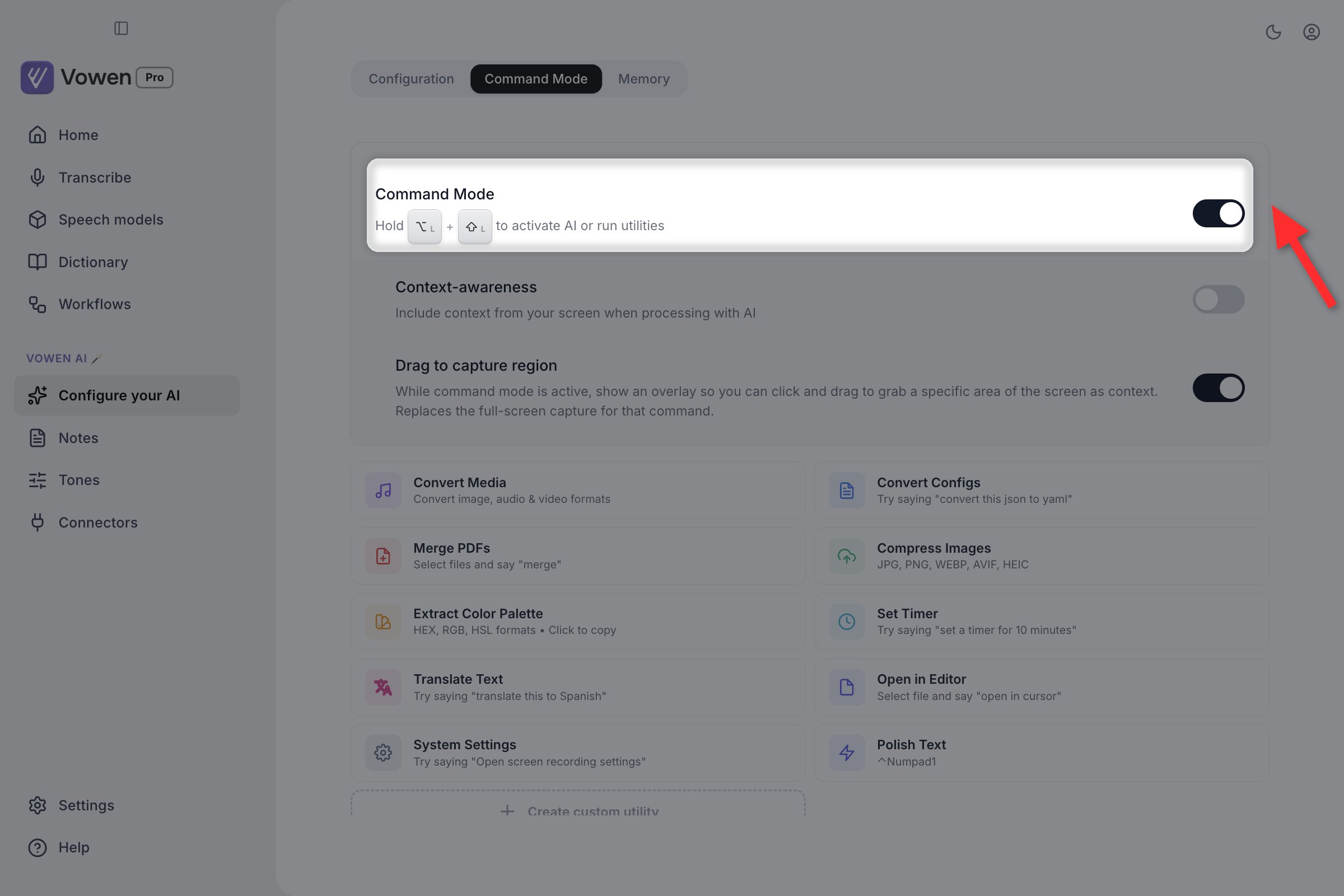
Command Mode is off by default. Its master switch is on the Command Mode tab of Configure your AI.
1
Open Configure your AI
Left sidebar, under Vowen AI.
2
Open the Command Mode tab
The page has three tabs: Configuration, Command Mode and Memory.
3
Turn on the Command Mode checkbox
It is the toggle at the top of the tab, labeled Command Mode.
Two things can make the toggle unavailable:
- No AI provider connected. The toggle is not rendered at all. In its place is a locked card with a Connect an AI provider button. Connect one on the Configuration tab first.
- Free plan, daily cap reached. The checkbox is disabled until the cap resets.
AI enhancement failed, but my text is still there
Symptoms: A banner reading “AI Enhancement Failed” appears, with a message ending in “Processed as-is, no AI enhancement was applied.”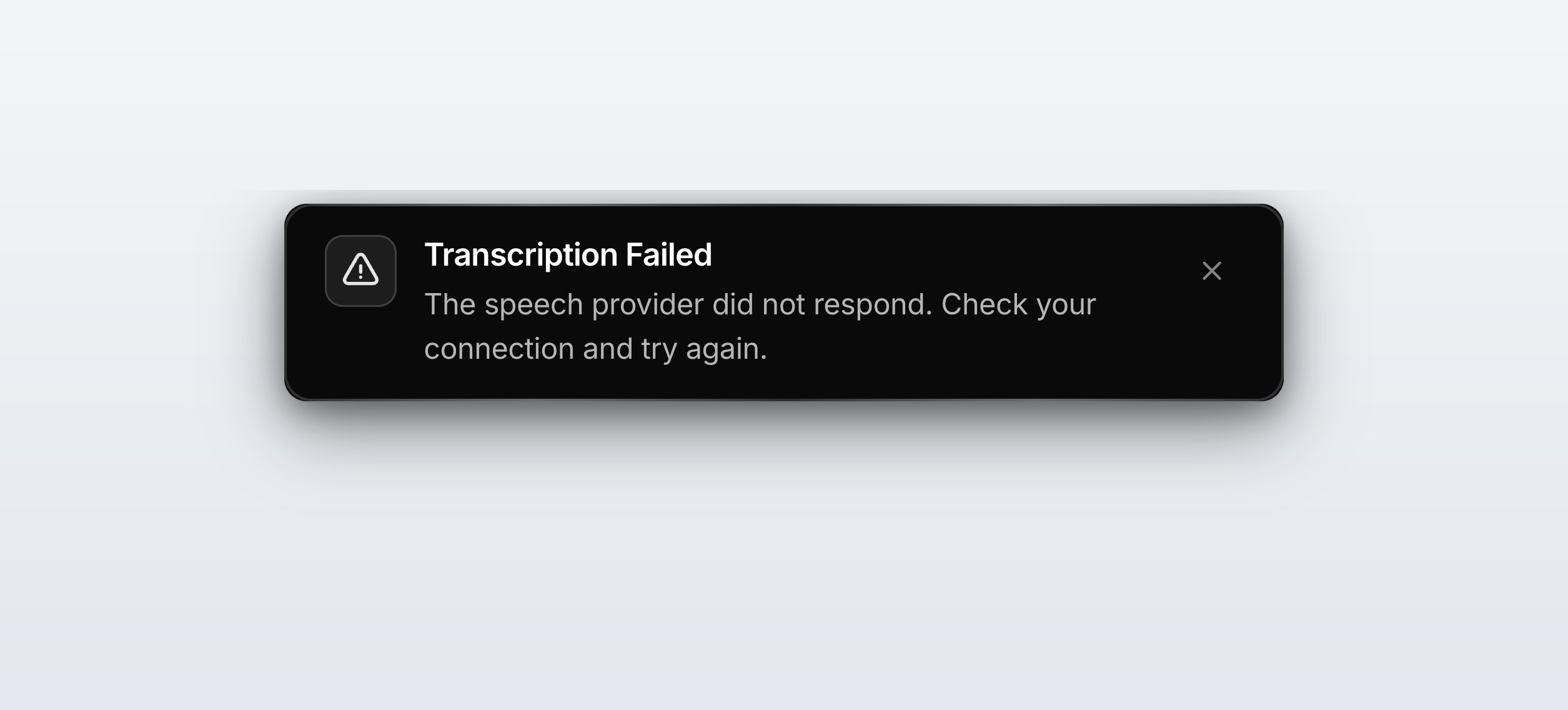
A failure surfaces as a banner rather than silence, and your transcription is kept.
- A provider can return a successful response with no usable content, for example a model that spends its whole response on reasoning tokens and produces no answer. Vowen catches that and treats it as a failure, so the raw transcript survives instead of the dictation and the clipboard both being wiped.
- A model that answers your transcript conversationally instead of cleaning it, or echoes part of the prompt back, is also rejected. This check requires two independent signals before it fires, so a correct enhancement is never thrown away by mistake.
The chips are hidden when the provider was chosen by a Tone rather than your global setting, and when no other provider is connected. Connect a second provider if you want a one-click fallback.
API key not working
Symptoms
- “Connection failed” when verifying
- Enhancement does nothing
- Errors mentioning authentication
Fix
- Copy the key fresh from the provider’s dashboard
- Check for leading or trailing whitespace
- Confirm the account is active on the provider’s site
- Some providers require a payment method on file even for free tiers
- If the failure is instant and reads as a network error rather than an auth error, turn on Settings > Developer > Prefer IPv4 Connections. Networks that advertise IPv6 without routing it produce exactly this symptom.
AI enhancement is slow
Symptoms
- Long delay between releasing the shortcut and the text appearing
- It works, but takes several seconds
Causes and fixes
Vowen tunes reasoning effort automatically per model family, and you have no control over it. Gemini 2.5 Flash gets no thinking budget, 2.5 Pro gets the minimum its API allows, and Gemini 3.x models are pinned to minimal or low reasoning depending on tier. This was measured as both faster and more faithful for enhancement, since reasoning tokens on a cleanup task mostly produce rewrites you did not ask for.
Rate limit errors
Symptoms
- Works for a few dictations, then stops
- An error mentioning “rate limit” or “quota exceeded”
Fix
- Wait. Most provider rate limits reset within one to five minutes.
- Alternate providers. Gemini and Groq both have usable free tiers.
- Turn off enhancement for quick informal dictations, either globally or per shortcut.
- Upgrade with the provider for higher limits.
The Command Mode daily cap is a Vowen limit, not a provider limit, and its error message says so explicitly. It is 5 runs per day on the Free plan. Pro removes it entirely.
Command Mode returns errors
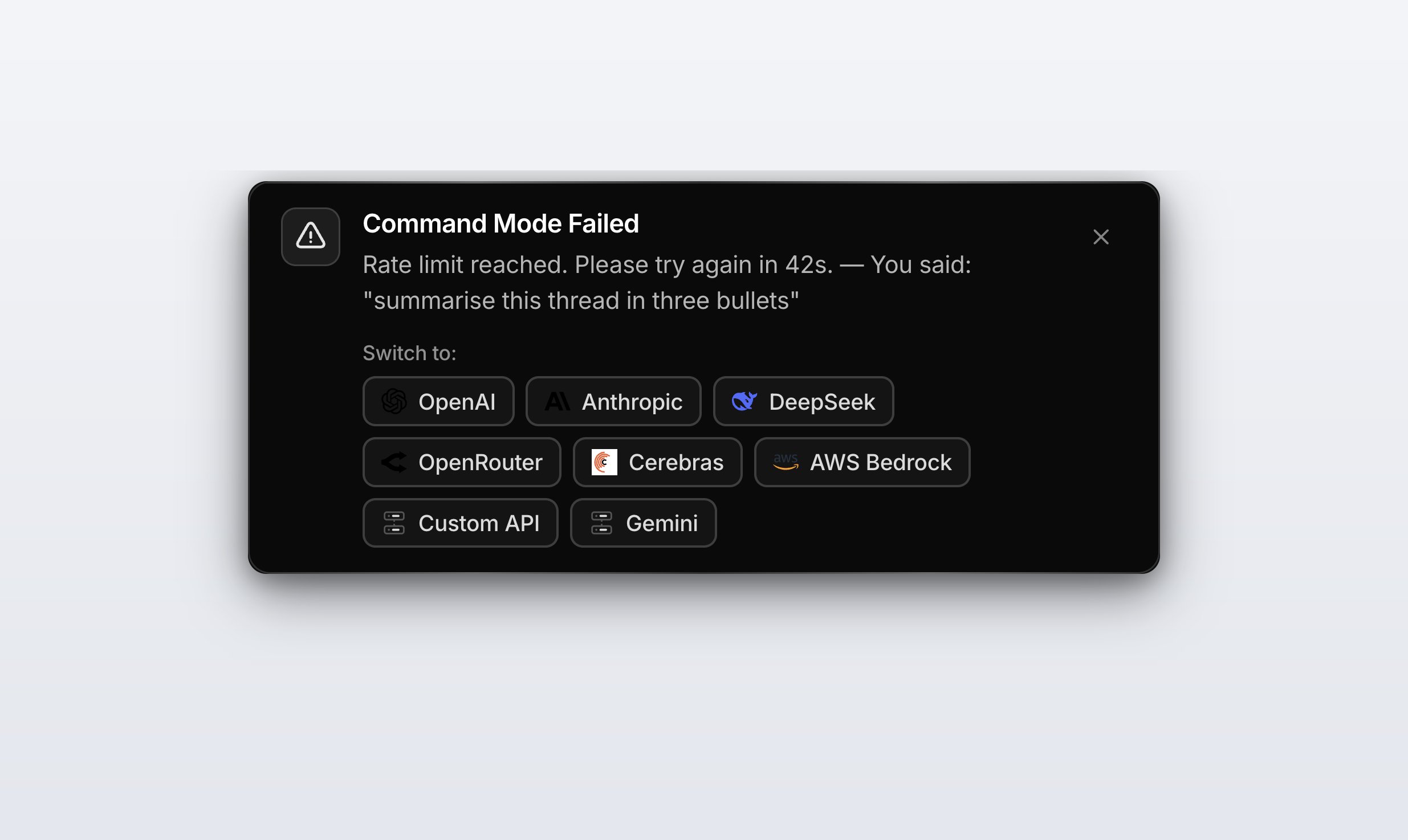
The failure banner lists every other provider you have connected, so a retry is one click.
Symptoms
- Command Mode transcribes but produces no AI output
- Errors, or results that ignore what you asked for
Fix
- Confirm Command Mode is actually on. See the first section of this page.
- Hold the shortcut for the full duration of your command, or switch that shortcut to Tap mode in Settings > Shortcuts.
- Try a model that is strong at instruction following. Claude Sonnet 4.6, GPT-5.4, or Gemini 2.5 Pro.
- If the command needed information from a connected app, remember that MCP and Connector tools are read-only. Command Mode can look things up in your connected apps, but it can never write to them.
- If you asked it to act on your screen, check that context-awareness is on at Configure your AI > Command Mode > Context-awareness. It is off by default.
AI not following instructions
Symptoms
- Custom instructions are ignored
- The output is formatted in a way you did not ask for
Fix
- Keep instructions short and concrete
- Check that instructions are not contradicting each other
- Move to a more capable model. Claude Sonnet 4.6, GPT-5.4 or higher, Gemini 2.5 Pro. The smallest and fastest models trade instruction-following for latency.
- Rephrase. Different wording often lands differently.
Custom AI instructions for dictation are free on every plan. Only the custom instructions for meeting-note summaries are Pro.
Output is being rewritten or paraphrased
Symptoms
- Enhancement rephrases your sentences instead of cleaning them up
- Your wording is replaced with synonyms, or the structure is changed
Fix
The system prompt forbids this, but smaller open-weight models rewrite anyway.- Switch to a stronger model. Claude Sonnet 4.6, GPT-5.4, or Gemini 2.5 Pro.
- Add a custom instruction such as “Do not rewrite or rephrase. Only fix errors.”
- If a Tone is active for the app you are in, check its instructions. A tone can override your global provider and prompt.
AI adds words you did not say
Symptoms
- The enhanced output contains phrases or facts you never spoke
Fix
Switch to a larger or more capable model. This is a small-model failure mode, and the system prompt already forbids it. Please also report the exact model and provider on Discord so the prompt can be hardened against it.If enhancement invented something because it was working from a bad transcript, fixing the speech model is the real solution. See Transcription Quality.
Model names in the app do not match what I read elsewhere
Open Configure your AI > Configuration and read the dropdown for your provider. That is always the current truth. The list is fetched from a catalog rather than hardcoded, and it changes as providers ship and retire models. Every provider’s list has one entry marked (Recommended), which is the sensible default for dictation enhancement.Related pages
AI setup
Connecting providers and choosing a model.
Command Mode
What Command Mode can do, and how to trigger it.