Every setting in Vowen, what it does, its default, and which plan it needs.
Every default below is the value Vowen ships with, before anyone has changed anything.Settings live in three places:
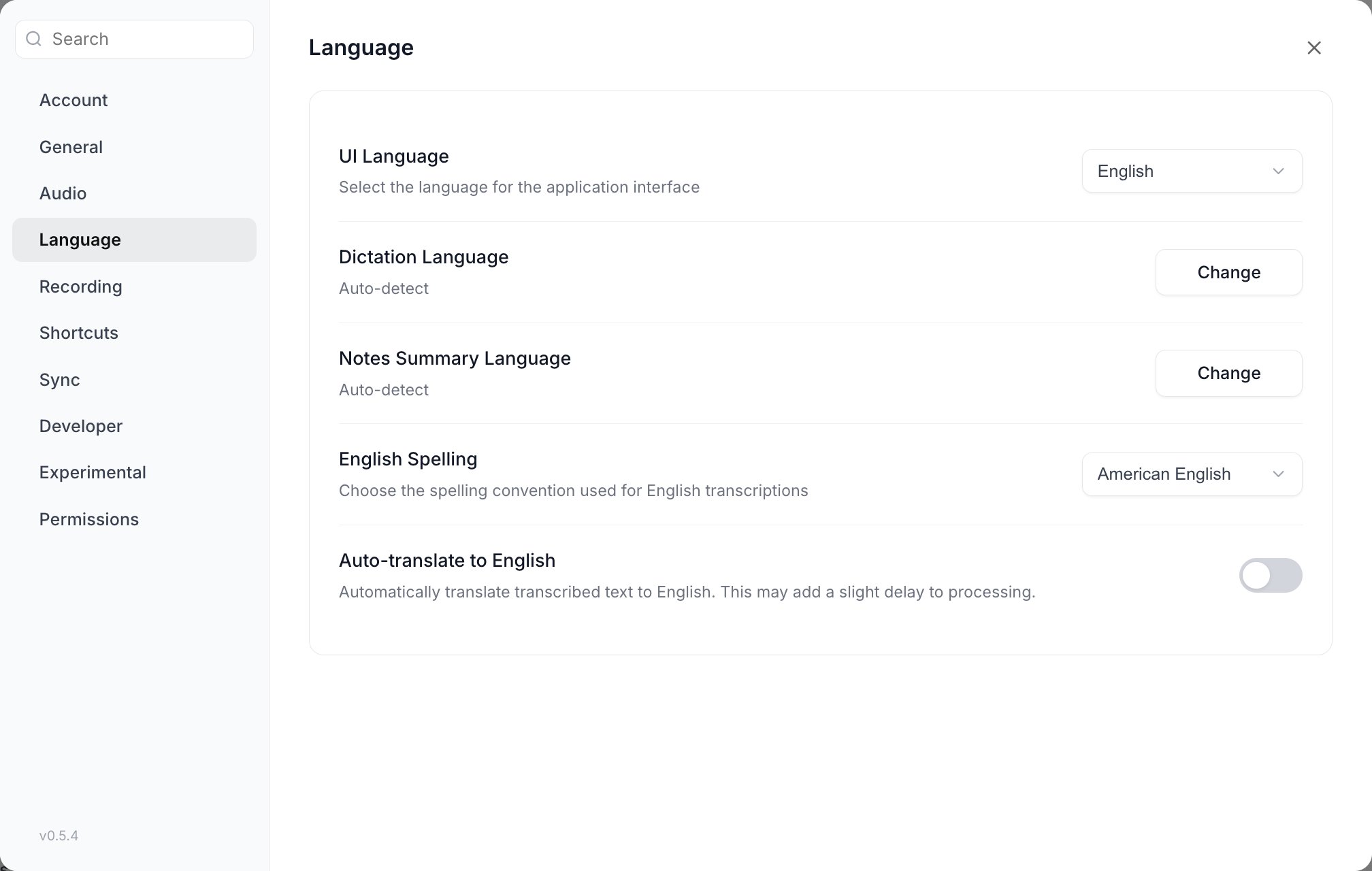
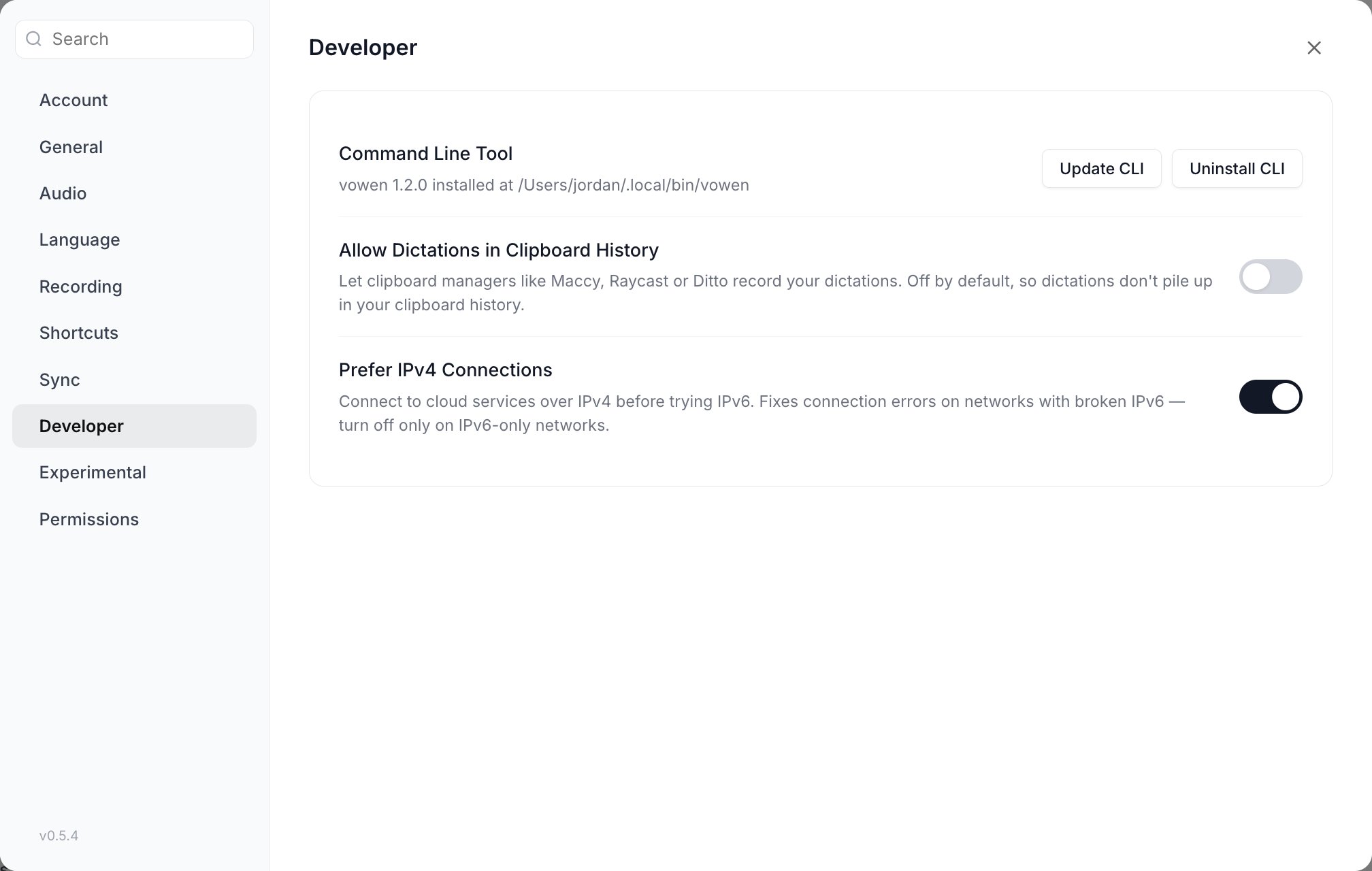
The Settings modal, opened from Settings in the left sidebar footer or with
Cmd + ,. Ten sections: Account, General, Audio, Language,
Recording, Shortcuts, Sync, Developer, Experimental, Permissions.
Top-level sidebar pages: Speech models, Dictionary, Voice Shortcuts, and the Vowen AI group
(Configure your AI, Notes, Tones, Connectors). These are pages, not settings sections.
Per-page settings modals: the gear icon on Notes and on Transcribe opens a modal
scoped to that page.
The Plan column names the tier that unlocks a row. See
Plan limits for the full comparison.
General, in the order the rows appear: updates and startup first, then the text insertion group, then sound, history and filler words.
Setting
What it does
Default
Plan
Software Updates
Runs an update check on demand
n/a
Free
Open at Login
Launches Vowen when you log into your computer
Off
Free
Hide Dock Icon
macOS only. Removes the Dock icon; the app stays in the menu bar
Off
Free
Start Minimized to Tray
Windows only. Starts with no window, tray icon only
Off
Free
Auto-paste transcription
Pastes the finished transcription into the focused field
On
Free
Text Insertion Method
macOS and Windows. Paste method uses the clipboard; Direct insertion types character by character and never touches the clipboard. Disabled while Auto-paste is off
Paste method
Free
Auto Enter
Presses Enter after pasting. Disabled while Auto-paste is off
Off
Free
Restore clipboard after paste
Puts your previous clipboard contents back after pasting
On
Free
Sound Effects
Plays a cue when recording starts and stops
On
Free
Save transcriptions to history
Writes dictation entries to History. Word count and activity are tracked either way
On
Free
Remove filler words
Strips “uh”, “um”, “hmm” and the rest of the filler list from transcriptions
On
Free
Auto-add corrections to Dictionary (Beta)
macOS and Windows. When you edit transcribed text, offers to add the correction to your Dictionary. Requires a connected AI provider
Off
Pro
Resource efficient mode
Loads the model only when you dictate instead of keeping it in memory, trading a little speed for lower memory use. Only shown for Whisper models, and for Parakeet on Windows
Off
Free
Light and dark theme is the sun/moon button in the window toolbar, not a row in General.
Recording. Indicator style and position are picture pickers rather than toggles; everything below them controls what happens while a recording runs.
Setting
What it does
Default
Plan
Indicator style
macOS only. Renders the recording indicator as a floating Pill or inside the notch
Pill
Free
Recording Indicator Position
Top, Bottom, or Don’t show
Top
Free
Show idle pill
Keeps a minimised bar at the screen edge while idle. Hover to expand and start recording
Off
Free
Save audio recordings
Keeps the .wav files in ~/Documents/Vowen Recordings
Off
Free
When recording starts
macOS and Windows. Do nothing, Mute system audio, or Pause the playing media session. Mute and Pause are mutually exclusive
Do nothing
Do nothing is Free. Mute and Pause are Pro
Mute system audio during recording
Checkbox shown instead of the three cards on platforms other than macOS and Windows
Off
Pro
Real-time transcription preview
Streams live text below the recording indicator. Requires a streaming-capable model; the row is blurred with an explanation when the current model cannot stream
Each row has an enable toggle and a click-to-record binding box. Transcription and Command Mode
also carry a Hold/Tap pill.
Setting
What it does
Default
Plan
Transcription Shortcut
Starts and stops dictation
macOS Fn, Windows Ctrl + Shift. Enabled
Free
Command Mode Shortcut
Starts a Command Mode recording
Alt + Shift on both platforms. Enabled
Free
Hands-Free Mode
Press to start, press again to stop
macOS Fn + Control, Windows Ctrl + H. Enabled
Free
Start New Note
Opens the Start Taking Notes modal
macOS Cmd + Shift + N, Windows Alt + N. Disabled
Free
Paste Last Transcription
Re-pastes your most recent transcription
macOS Cmd + Shift + L, Windows Ctrl + Shift + L. Disabled
Free
Cancel Recording
Discards the recording in progress
Escape on both platforms. Enabled
Free
Add another shortcut
Adds an alternative binding to Transcription, Command Mode or Hands-Free
None
Pro
The meeting panel binding is not on this page. It lives in Notes settings > Recording
Defaults, because it only works while the floating indicator is on and a meeting is running.
Full detail: Shortcuts.
Status rows, not toggles. Each shows Granted, Checking, or an Open Settings button that
deep-links into System Settings. Status is re-checked whenever the window regains focus.
The Notes page lists your meeting notes. Its gear icon opens the Notes settings modal,
documented below. The split button next to it starts a recording and lets you pick the
default summary template.
Control
What it does
Default
Plan
Start Taking Notes
Begins a meeting-notes session. Disabled once the free note quota is reached
Every row here is a default for new recordings. Leaving a row on “Use global default” makes it
inherit the matching global setting rather than copying it.
Setting
What it does
Default
Plan
Transcription Model
Speech-to-text engine used for meetings
Inherits the global model
Free
Language
Spoken language for meeting transcription
Inherits the global dictation language
Free
Microphone
Meetings normally follow the global microphone ranking. Customize gives meetings their own ranking; Use global discards it
Inherits the global ranking
Free
AI Summary Model
LLM that writes the post-meeting summary
Inherits the global provider
Free
Show real-time transcription preview
Streams live text into the note page while recording
Off
Pro
Meeting panel shortcut
Opens the floating meeting panel. Greyed out while the floating indicator is off
macOS Cmd + \, Windows Ctrl + \. Enabled
Free
Identify speakers
Speaker diarization. Only shown when the effective model is diarization-capable. The toggle carries no Pro badge, but speakers are only identified on Pro
Off
Pro
Merge speaker segments
Joins consecutive turns from the same speaker. Only shown while Identify speakers is on
Off
Pro
Number of speakers
Pins a known speaker count. Auto-detect, or 2 to 6
Auto-detect
Pro
Summary citations
Cites the transcript inline; clicking a citation cues the audio at that moment
Off
Pro
Show floating indicator while recording
The meeting pill with pause, stop and quick notes. Turning it off also disables the meeting panel shortcut
Folders whose new audio and video files are transcribed automatically. Each folder carries its own model, language, diarization, speaker count, timestamp and notification rules; anything left unset inherits the Transcribe defaults
None
Pro
Adding a folder seeds it against the files already present. It does not backfill them.