
The Pro plan unlocks Cloud Sync so your settings, notes, and transcripts stay in step across devices.
Overview
Cloud Sync keeps your Vowen data synchronized across machines using your own cloud storage. Vowen writes plain JSON files into aVowen Sync folder inside the storage folder your provider’s desktop app already maintains, and your provider’s own client moves them between machines. Vowen never stores your data on our servers, and never sees your cloud account credentials, because it never talks to a cloud API at all.
The provider’s desktop app must be installed and signed in. Vowen detects the folder on disk, so if the app is not installed, the provider card reads “Not detected”.
Supported providers
Every device must use the same provider and the same account. A device syncing through iCloud and another through Google Drive will never see each other’s data.
Setup
1
Install and sign in to your provider's desktop app
iCloud Drive, Google Drive for Desktop, Dropbox, or OneDrive. Vowen only reads the folder that app maintains.
2
Open Sync settings
Go to Settings > Sync.
3
Connect a provider
Detected providers show a Connect button. Undetected ones show “Not detected” and a hint telling you what to install.
4
Choose what syncs
Once connected, the Sync transcription data switch appears. It is on by default. Turn it off if you want only your configuration to travel.
5
Sync
Press Sync Now for the first sync, or turn on Auto-sync in the background.
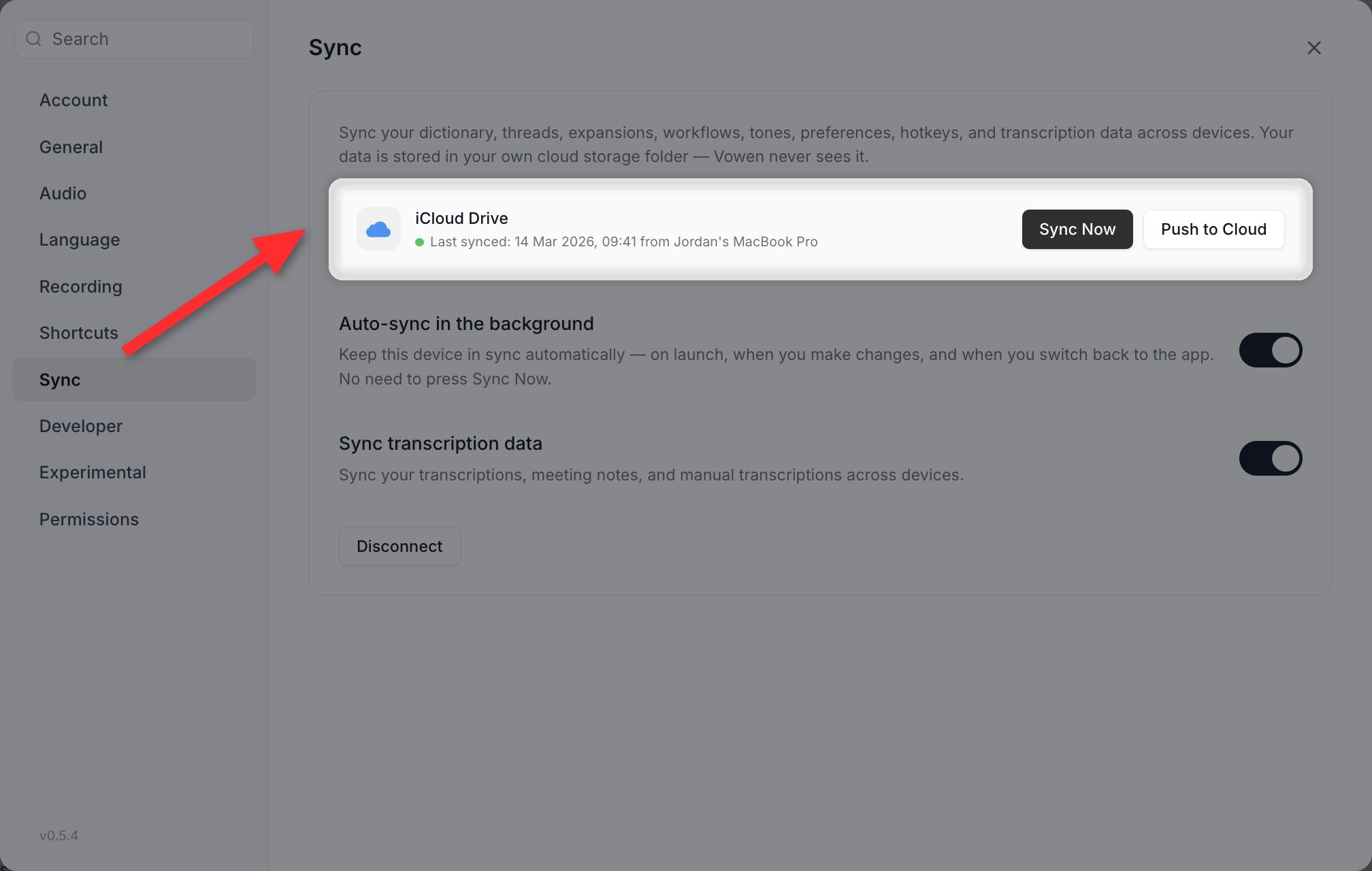
Settings > Sync. Pick a provider, then choose what travels with it.
Choosing your OneDrive account
If you are signed in to more than one OneDrive account on the same machine, a OneDrive account dropdown appears once OneDrive is selected. Pick the account you want; your data goes into aVowen Sync folder inside it. After switching accounts, press Sync Now to set up sync in the new location. Data in the previous account’s folder is left untouched.
What gets synced
Always synced
These categories sync whenever Cloud Sync is on. Each one is a folder insideVowen Sync.
Optional
One switch, labeled Sync transcription data, covers all three history types:- Transcription history (your dictation log)
- Meeting notes
- Manual transcriptions
Never synced
Also excluded:- Audio and video recordings. Only the text and metadata travel. File paths are stripped before upload and reattached from each device’s own copy, so a note synced to a second machine has its transcript and summary but no playable media.
- Downloaded speech models. Each device downloads its own.
- API keys. Preferences sync from an allowlist that contains no credential of any kind. Your provider keys stay in encrypted local storage.
- Your licence key, which lives in its own file outside settings.
- Device-specific settings, such as your selected microphone.
Cloud folder layout
TheVowen Sync folder is deliberately browsable. Most categories store one file per device, so no two devices ever write the same file:
.sync/ folder holds one deletion ledger per device.
Automatic sync
Turn on Auto-sync in the background in Settings > Sync. It is off by default; without it, sync only runs when you press Sync Now. With it on, sync is triggered by:
All of these funnel through a single lock, so triggers can never overlap.
The connection status shows the last sync time and which device pushed. Manual Sync Now shows you a preview of every incoming add, update and delete before applying it; background auto-sync applies without asking.
Conflict resolution
Conflicts are resolved per item, not per file and not per category. Editing your dictionary on one machine and your tones on another is not a conflict at all; nor is editing two different dictionary words. Each item carries a stamp recording when the fleet last observed it change. The stamp has three parts: a wall-clock timestamp, a counter that every device raises to match the highest it has seen, and the id of the device that wrote it. Comparison runs through all three in order, so the result is a total order that every device computes identically. Whichever device syncs last does not change the outcome, and merging is order-independent. Deletions are explicit tombstones. A device records one only when it observes an item disappear from its own data, or from a healthy cloud listing. A device is never allowed to infer a deletion from another device simply not having the item, which is what keeps a machine that has been offline for a month from wiping everything created since. When an edit and a delete land at exactly the same moment, the edit wins. Before any merge is applied, Vowen takes a compressed backup of your local stores and records what the cycle did in a log file, both under your Vowen data directory.Devices and licensing
Every device participating in Cloud Sync needs an active Pro licence.How many machines one licence key covers is a property of the licence, enforced by our payments provider, not by Cloud Sync. Cloud Sync itself places no cap on how many devices you connect. See Pricing for the current licence terms.
Privacy
- Data is stored in your own cloud storage account, in a folder you can open and read.
- Vowen never contacts a cloud provider’s API. It reads and writes files on your disk and lets the provider’s own client move them.
- Vowen has no access to your cloud files beyond the
Vowen Syncfolder. - You can disconnect at any time. Disconnecting stops syncing and clears local sync state; the files already in your cloud folder are left in place.