
Custom Instructions for dictation are free on every plan. There is nothing to upgrade for.
Overview
Custom Instructions guide how the AI handles your text. Vowen appends them to the system prompt used during AI Enhancement and Command Mode, marks them as the highest-priority section, and they override the base cleanup rules wherever the two conflict. They are applied silently. The prompt forbids the model from echoing, quoting, summarising, or acknowledging your instructions, so nothing like “(per the rules above)” ever lands in your document.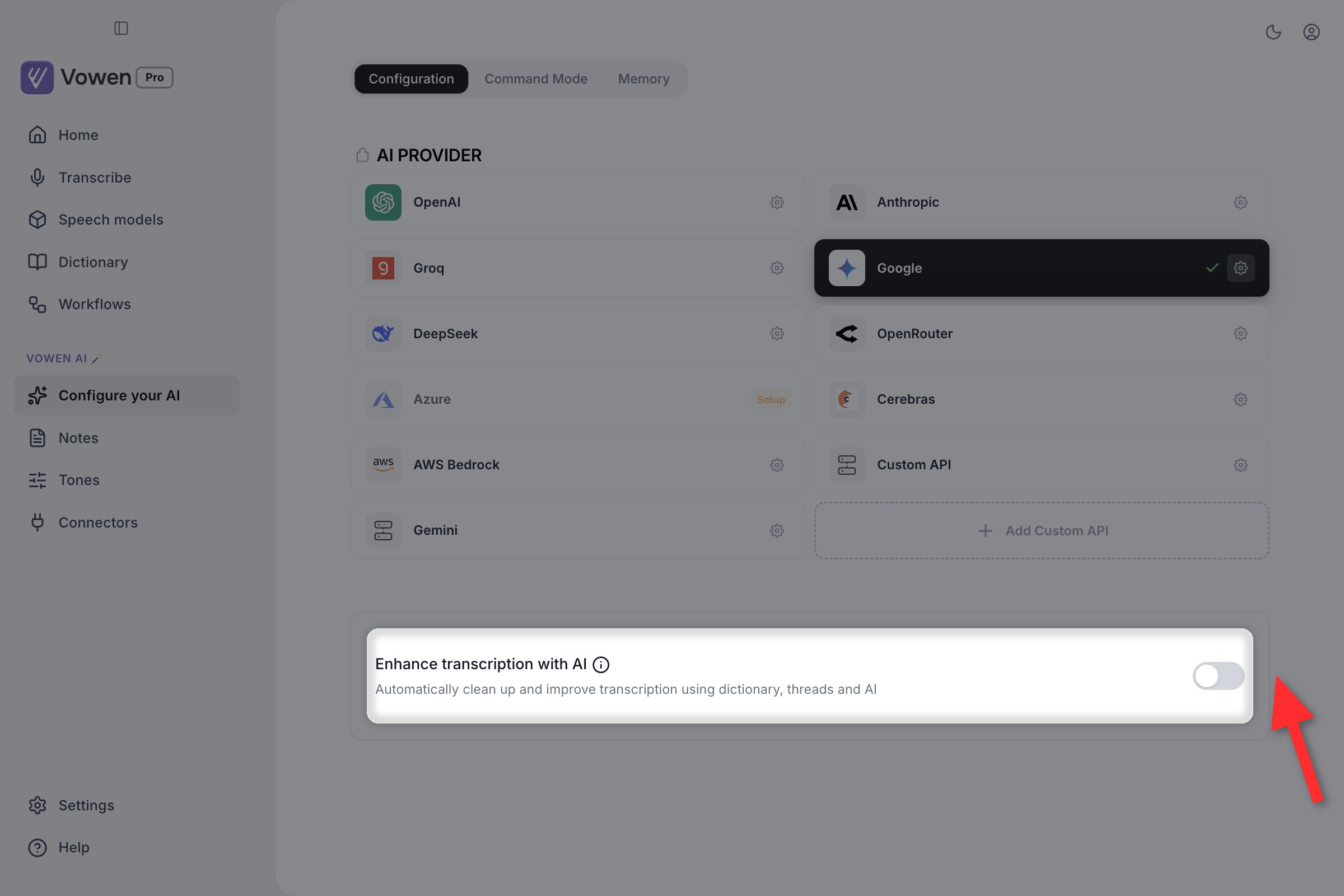
The global field lives on Configure your AI, directly beneath Enhance transcription with AI. It only appears once enhancement is on and a provider is connected.
The three prompt inputs
Three inputs shape the prompt. You configure two of them; the third runs on its own.Global
Configure your AI > Configuration > Custom Instructions
A toggle plus a text area, directly beneath Enhance transcription with AI. Applies to every transcription regardless of app or mode. Click Save Changes to apply.
Per-Tone
Tones > [Tone] > Instructions
Applies only while that Tone is active, matched on the focused app, the website you’re on, or the Tone’s own shortcut. See Tones.
Dictionary (automatic)
No setting to configure
Your Dictionary entries are injected into every prompt as a context block, so the model spells your names and jargon your way.
The automatic dictionary block
You never write this one. Vowen builds it from your Dictionary and attaches it to every AI call:
The terms are the most recently added ones, not the alphabetically first. The Dictionary is stored alphabetically, so taking “the first 20” would only ever show the model the start of the alphabet, and a term you added yesterday would never reach the prompt.
The model is told to replace a transcript word only when it is an obvious phonetic mis-hearing of an entry, and to leave normal correctly-spelled words alone. An entry for the name “Mark” must not turn “mark the calendar” into “Mark the calendar.”
Memory is not a prompt input here. Your saved Memory items reach Command Mode and Custom Utilities only. They are never sent to AI Enhancement, never to meeting summaries, and never to Ask AI.
Meeting-note custom instructions are a different setting. The instructions on this page shape dictation. Custom instructions for meeting-note summaries live in Notes settings and are a Pro feature.
What to include
Formatting Preferences
- “Use bullet points for lists”
- “Use Oxford commas”
- “Keep paragraphs to 2-3 sentences”
- “Format dates as DD/MM/YYYY”
Name Corrections
- “My name is spelled ‘Ijuel’ not ‘EOL’”
- “The product is ‘PostgreSQL’ not ‘post-gress’”
- “Refer to my company as ‘Acme Corp’ not ‘acmee’ or ‘akmay’”
Style Directives
- “Write in active voice”
- “Avoid exclamation marks”
- “Use American English spelling”
- “Keep sentences under 20 words”
Content Rules
- “Never add greetings or sign-offs”
- “Don’t convert technical terms to plain English”
- “Preserve code-related terms exactly as spoken”
Examples in action
Date and number formatting
Instructions: “Format dates as DD MMM YYYY (e.g., ‘12 May 2026’). Spell out numbers one to nine; use digits for 10 and above. Add a comma in numbers ≥ 1,000.” How it helps: Locks every transcription to a consistent number and date style without you reformatting manually, which is especially useful for reports, status updates, and metrics summaries.Default output
We launched on May 12 2026 and got 2500 signups in the first 3 days. 3 of the integrations broke and there were 15 customer complaints.
It writes
We launched on 12 May 2026 and got 2,500 signups in the first three days. Three of the integrations broke and there were 15 customer complaints.
British English spelling
Instructions: “Use British English spelling throughout: color, organisation, realize, favour, behavior, center, theatre, program. Maintain British conventions everywhere, including in word endings (‘-ise’ not ‘-ize’).” How it helps: Locks every transcription to British conventions without you having to manually fix US spellings each time.Default output
The organization’s color scheme didn’t favor the team’s behavior; we’ll need to realize a new design centered on user feedback.
It writes
The organisation’s color scheme didn’t favour the team’s behavior; we’ll need to realize a new design centered on user feedback.
Brand and jargon preservation
Instructions: “Always spell brand and product names correctly: PostgreSQL (not ‘post-gress’ or ‘postgres q l’), Anthropic (not ‘antropic’), TypeScript (not ‘type script’), Cloudflare (one word, capital C). Preserve exact technical terms as spoken.” How it helps: Stops the AI from “correcting” technical vocabulary it doesn’t recognize, so brand names and product names land right every time.You speak
We’re migrating from post-gress to a new antropic-backed system, with type script and cloud flare in front.
It writes
We’re migrating from PostgreSQL to a new Anthropic-backed system, with TypeScript and Cloudflare in front.
Active voice rewrite
Instructions: “Convert passive voice to active voice. Identify the actor and restructure the sentence so they’re the subject. Keep the original meaning intact.” How it helps: Makes spoken thoughts read more direct and decisive on the page, which is especially useful for status updates, reports, and PRs.You speak
The bug was identified by the QA team after the deployment was completed by engineering, and a fix has been proposed by the senior developer.
It writes
The QA team identified the bug after engineering completed the deployment, and the senior developer has proposed a fix.
Tips
- Be specific. “Use bullet points” works better than “format nicely”
- Test your instructions with a few transcriptions and adjust
- Don’t over-constrain. Too many rules confuse the smallest, cheapest model tiers
- For a single recurring spelling, add it to your Dictionary instead. It reaches the prompt automatically and costs you no instruction budget
- Instruction-following is the thing to pay for if a rule keeps getting ignored. Claude Sonnet 4.6, GPT-5.4, and Gemini 3.5 Flash all hold a longer rule list than the nano and lite tiers
Set up an AI provider
Connect Groq, OpenAI, Anthropic, Gemini, or any of 10 supported providers.