
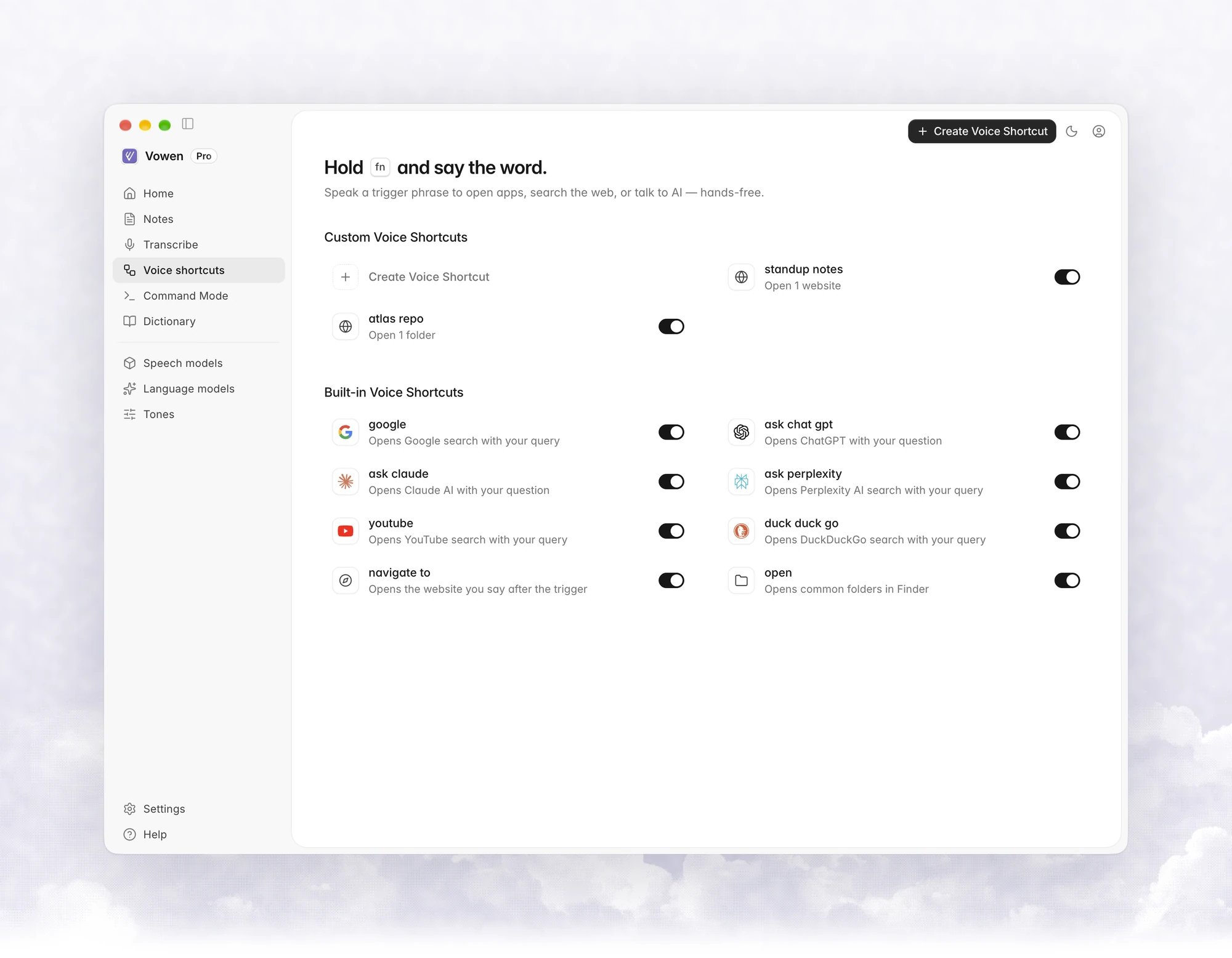
Built-in voice shortcuts
Eight are turned on by default. Say the trigger, then your query, with nothing in between: “google best pizza near me”, not “search Google for best pizza near me”. You can turn each one off on the Voice shortcuts page.
Search queries get your Dictionary misspelling fixes before the search runs.
Open Folder
Open Folder
Recognizes Documents, Downloads, Desktop, Pictures, Music, Movies (Videos on Windows) and Home, plus Applications on macOS. Singular and plural both work, and a trailing word is ignored, so “open downloads folder” works.If nothing matches, Vowen pastes the text as normal dictation.
How triggers are matched
Vowen compares what you said with every enabled trigger in three passes:- Exact start. The transcript starts with the trigger.
- Fillers and variants. Leading words such as “can you”, “could you”, “please”, “hey”, “okay”, “ok”, “um”, “uh”, “so”, “well” and “like” are removed, then Vowen compares again. Built-ins also know common mishearings, so “ask clawed”, “ask chat gbt”, “hey google” and “you tube” still work.
- Close match. The start of the transcript is at least 75% similar to the trigger or one of its variants.
How to create a voice shortcut
1
Click Create Voice Shortcut
The button is in the toolbar of the Voice shortcuts page.
2
Enter the trigger
Type the phrase you will say.
3
Add actions
Pick an action from the chips under Action. A voice shortcut can combine several actions.
4
Save
The summary at the bottom (This voice shortcut will:) lists what it does.
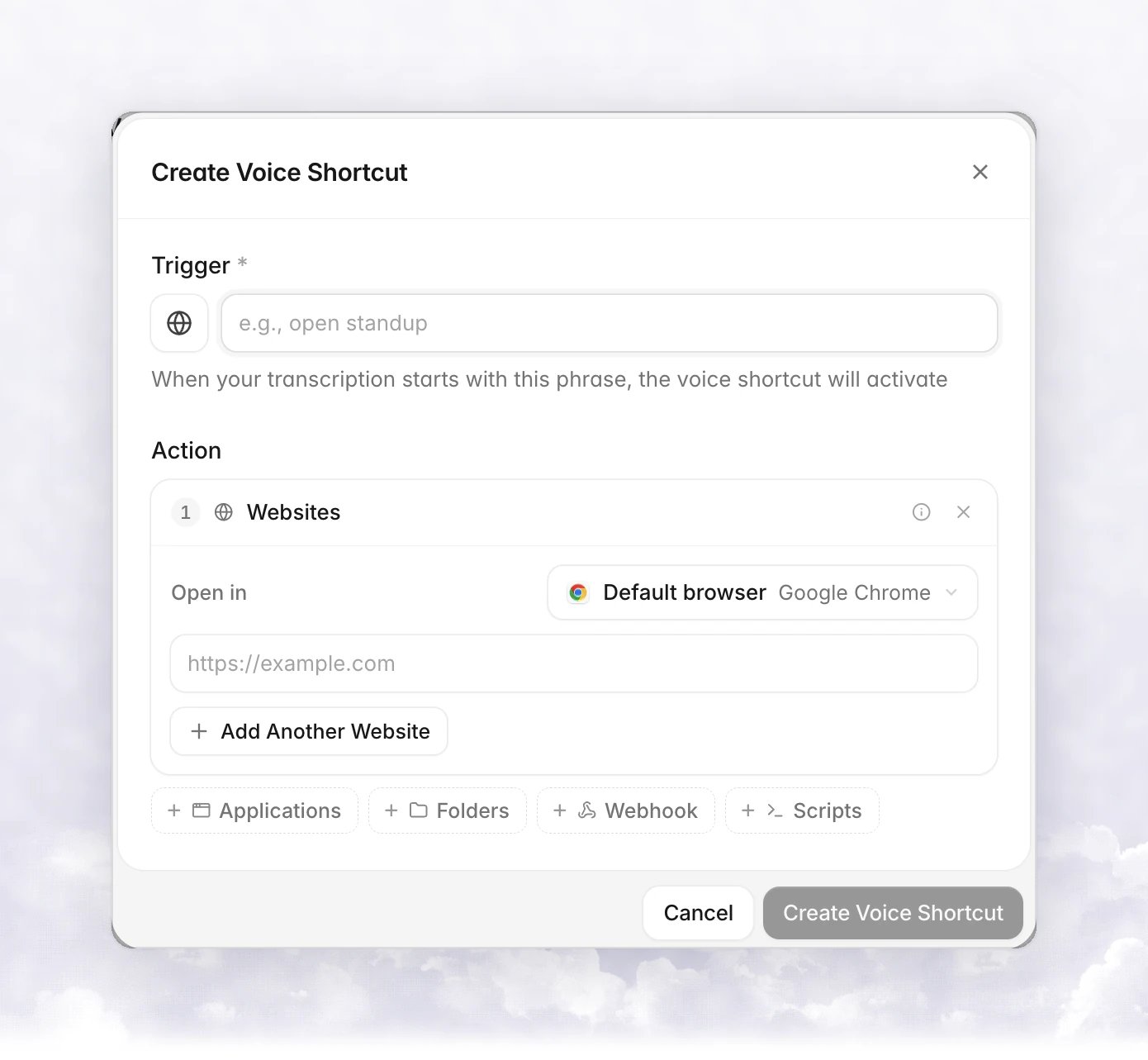
Actions
There is no separate “search” action. The built-in searches are Websites actions with a search URL, and you can build your own the same way.
Use
{{text}} in a website URL, a webhook URL, header or body, or a script, and Vowen inserts what you said after the trigger. For example, the trigger search amazon with the URL amazon.com/s?k={{text}} turns “search amazon noise cancelling headphones” into an Amazon results page. URLs without a scheme get https://.
Choose a browser and profile
Each voice shortcut has an Open in menu for its websites. Default browser uses your system default. Pick a browser to open that one instead.
When the browser supports profiles, a Profile menu lists the profiles it has. Safari has no profile option.
Finding browsers and profiles never triggers a permission prompt.
If the browser or profile is gone, or opening it fails, the page opens in your default browser instead. A browser that is no longer installed shows Not installed — your default browser will be used.
On Windows, other browsers can be found through the Start menu, but without profile support.
Open apps
The Applications action lists the apps installed on your computer. Turn on Open with a specific folder to give each app a folder to open, for example your editor on a project. Apps that can’t take a folder open normally. On Windows, both desktop apps and Microsoft Store apps are listed. Store apps can’t be opened with a folder.Scripts
Scripts are a Pro action.- macOS: scripts run with
/bin/bash. - Windows: a Shell menu offers the shells Vowen finds: Windows PowerShell (5.1, the default), PowerShell 7+ (
pwsh, if installed) and Command Prompt. The menu only appears when more than one shell is found.