
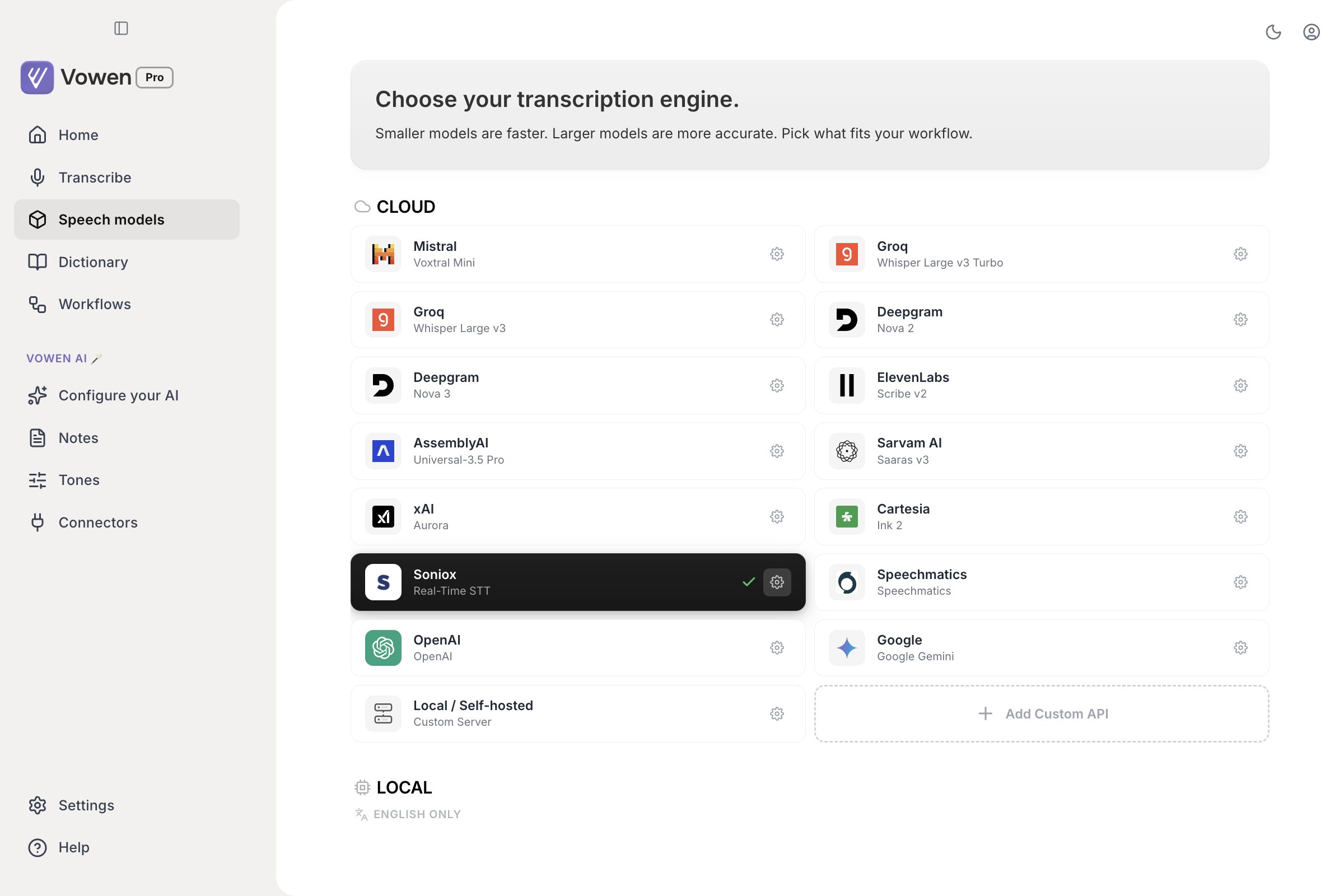
The Speech models page. Cloud providers come first, then the Local sections. The dark card with a tick is your active model.
Quick recommendations
Local models
Local models run entirely on your machine and need no internet connection. Nothing is bundled with the installer. You download every local model on demand from the Speech models page. See Model Download & Management. Sizes below are the download sizes as the app reports them.Parakeet
NVIDIA’s Parakeet family. Vowen ships four separate Parakeet models, not one. Each is a different set of weights with its own language coverage and its own capabilities.Nemotron (macOS, Apple Silicon)
NVIDIA Nemotron Speech models. Both stream natively, and unlike Parakeet their live preview arrives already punctuated and capitalized. It reads as finished text while you are still speaking, instead of arriving as a lowercase run-on that gets fixed at the end.Whisper
OpenAI’s Whisper, running locally on your own machine. 99 languages on the multilingual variants.Start-up cost
Ordinary dictations pay no model load cost. On macOS and Windows alike, a local model is loaded once and stays ready between dictations. You do pay a one-time wait the first time a given model runs on your Mac, while it is optimized for your specific chip. That takes roughly 20 seconds, and noticeably longer the very first time. During that window the indicator shows “Optimizing Parakeet model”, and a dictation you start anyway is saved for retry rather than transcribed. See the download page for what to expect.Cloud models
Cloud models send audio to a third-party API. They need an internet connection and an API key that you supply. Vowen never charges you for cloud transcription; you pay the provider directly, and most have a free tier. Counts below are the languages Vowen offers in the dictation language picker for that model. See Languages for the lists themselves.OpenAI runs gpt-live-transcribe and gpt-transcribe
OpenAI runs gpt-live-transcribe and gpt-transcribe
gpt-4o-transcribe in Vowen. Dictation uses either gpt-live-transcribe (streams while you speak) or gpt-transcribe (transcribes after you stop), depending on the toggle described in Per-model options. File transcription always uses gpt-transcribe, except when speaker identification is on, which switches to gpt-4o-transcribe-diarize. That is the only OpenAI model that emits speaker labels, and the only one that accepts no vocabulary hints at all.AssemblyAI ships Universal-3.5 Pro
AssemblyAI ships Universal-3.5 Pro
Gemini has two engines behind one entry
Gemini has two engines behind one entry
Soniox
Soniox
Cartesia Ink 2
Cartesia Ink 2
Groq has no native diarization
Groq has no native diarization
Setting up a cloud model
Open Speech models
Pick a provider
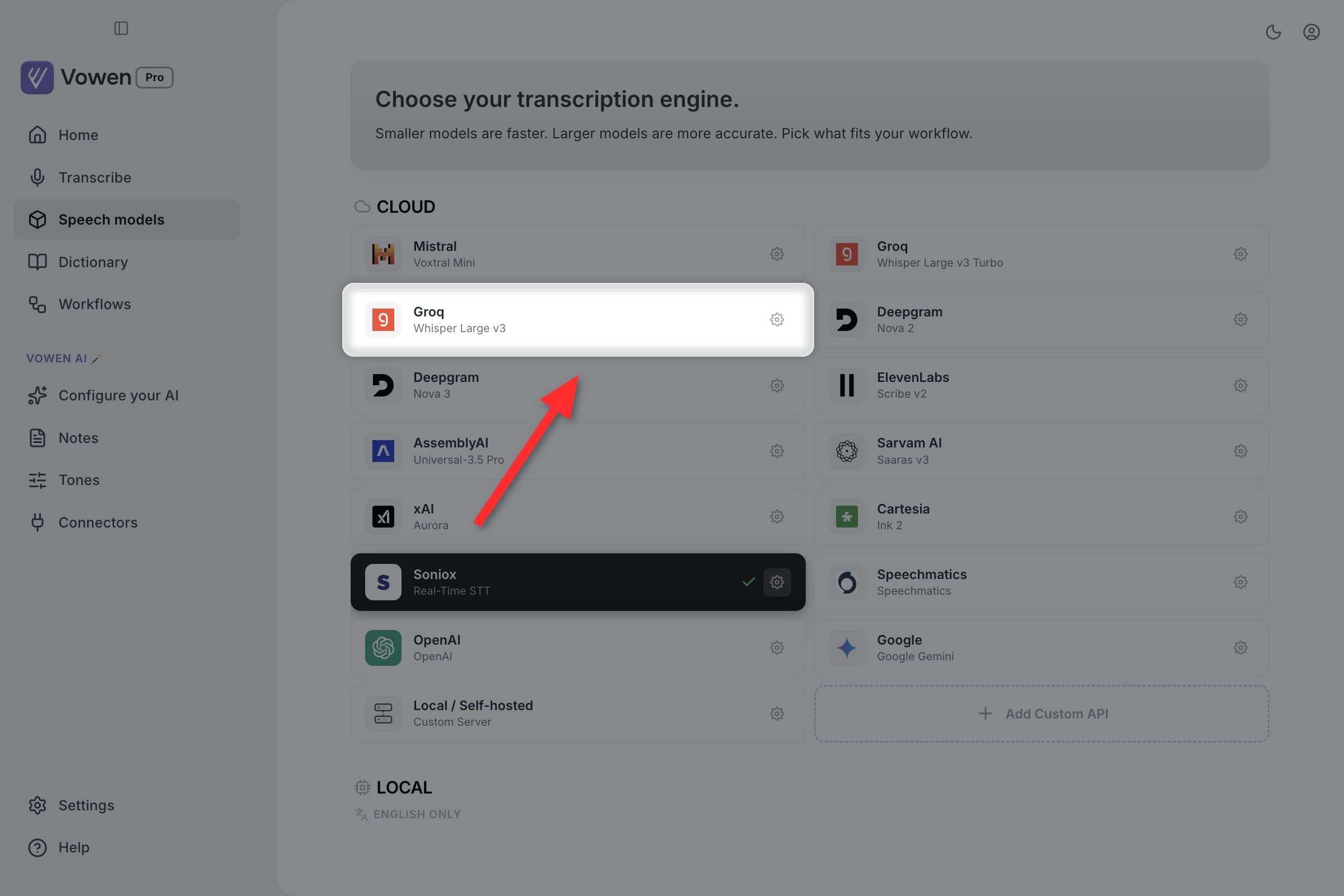
Click any card in the Cloud section to open its configuration panel.
Paste an API key
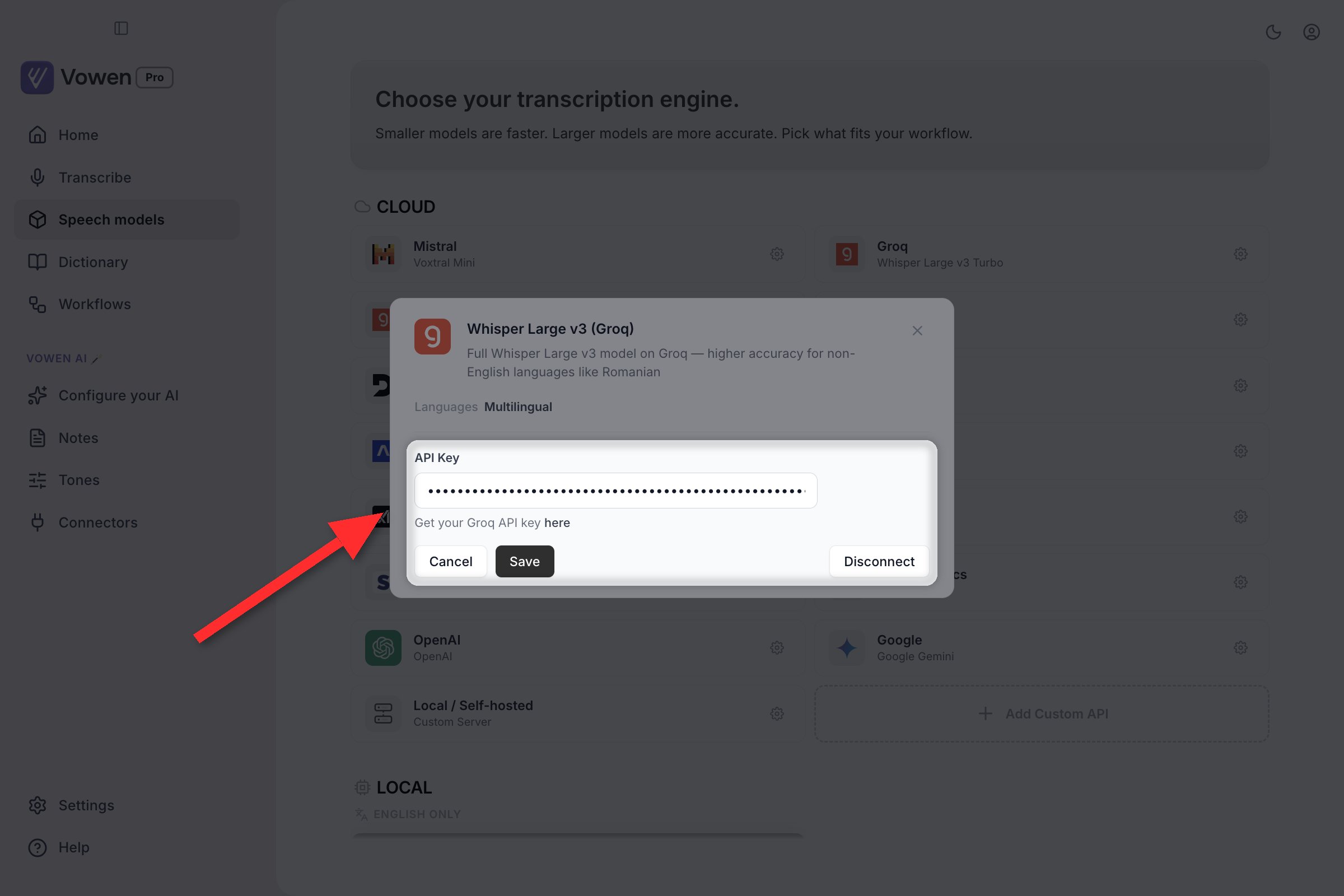
The panel opens inline, underneath the card. Paste the key and click Save.
Save
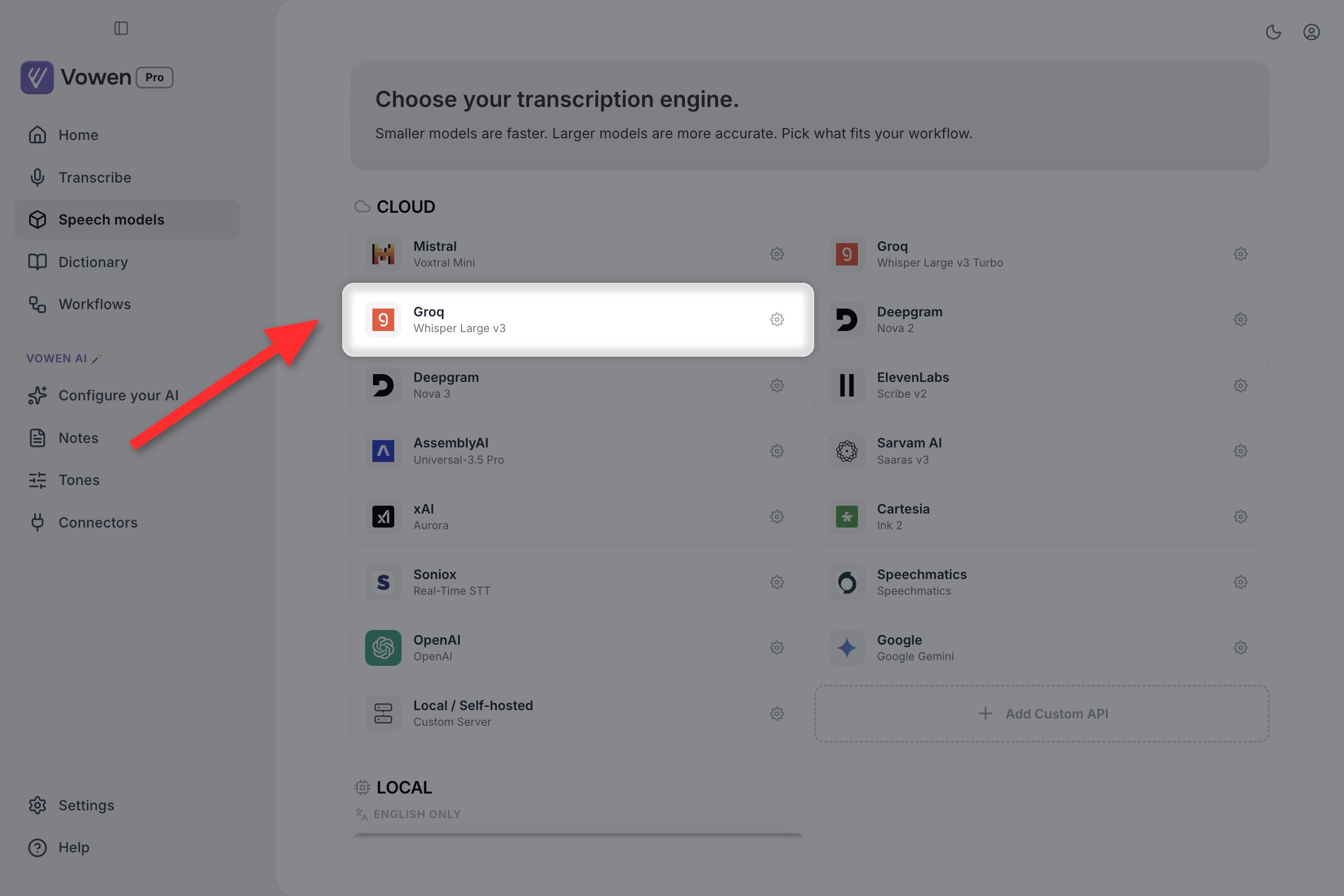
A provider you have set up keeps a gear on its card. The gear reopens the key panel; clicking the card itself switches to that model.
Per-model options
Two providers expose extra controls in the same panel where you paste the API key. For OpenAI, Dictation model is a two-way toggle:gpt-transcribe.
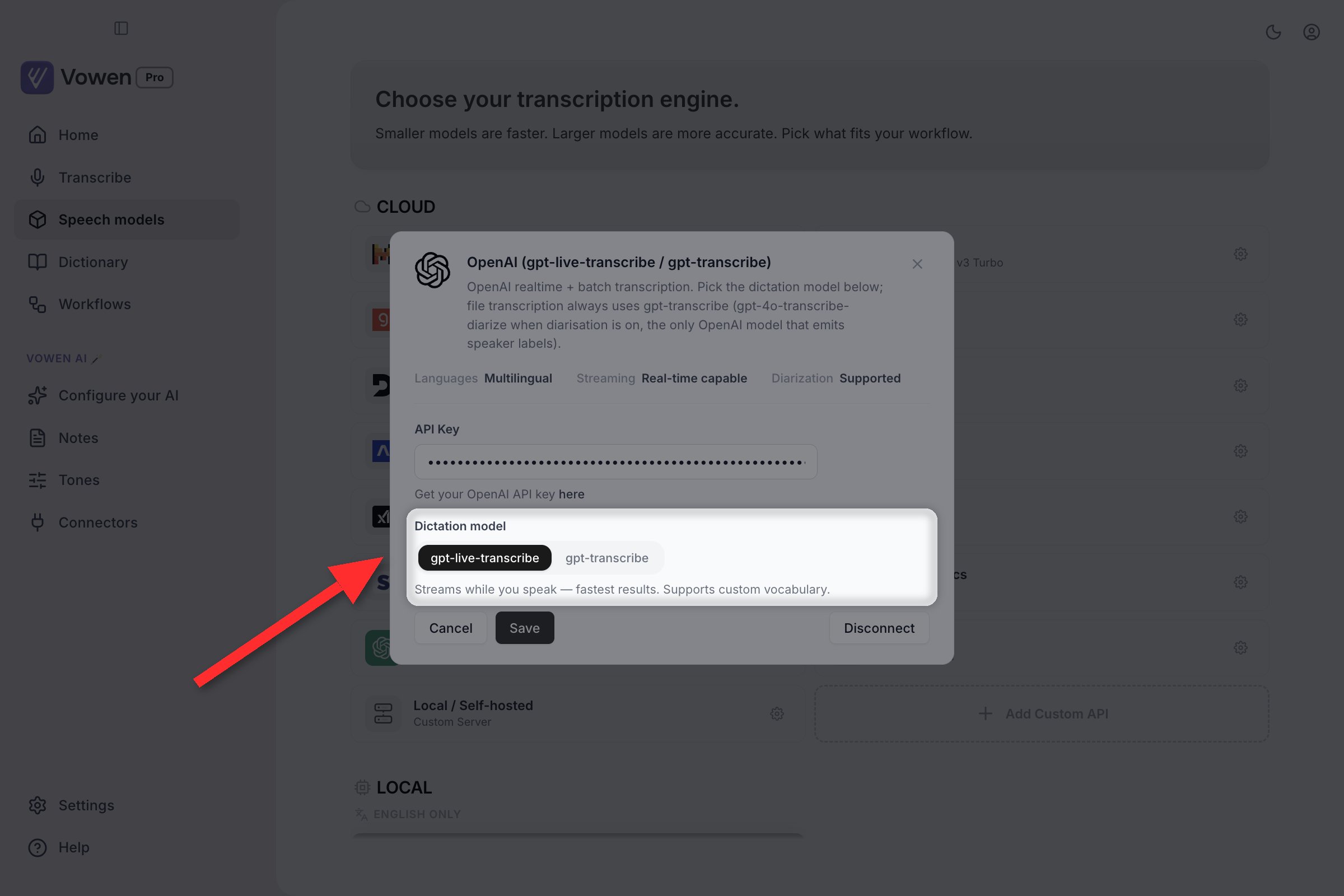
OpenAI's Dictation model toggle, in the same panel as the API key.
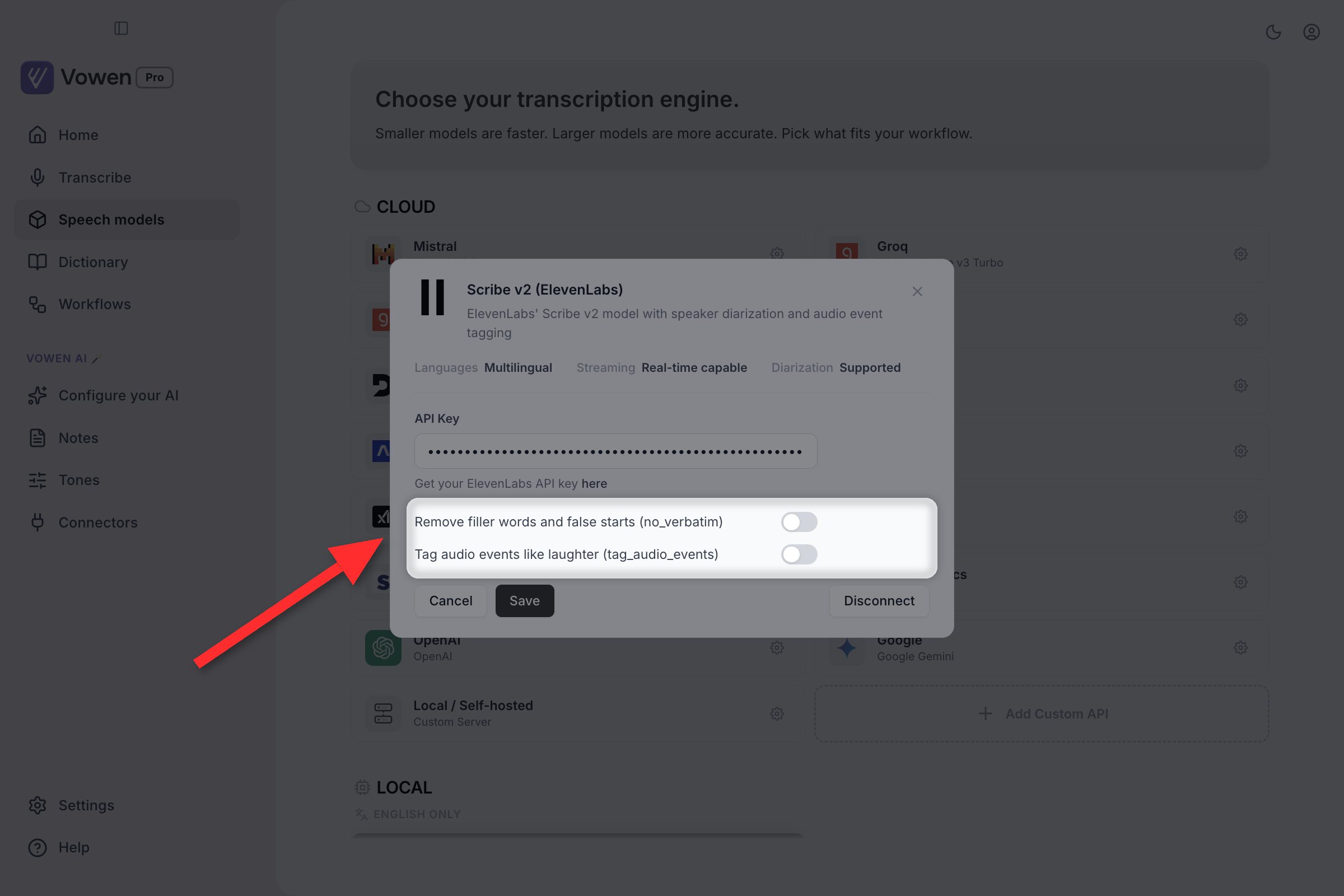
ElevenLabs adds its two toggles below the key field. Both are off unless you turn them on.
Custom speech servers
Point Vowen at any OpenAI-compatible transcription endpoint: a local whisper.cpp server, LocalAI, Ollama, FastFlowLM, a vLLM Whisper deployment, or a hosted service that speaks the same API. A custom server needs a Server URL. A Model Name and an API Key are both optional; leave them blank when your server does not require them. Vowen checks that the URL is reachable before saving, so a typo fails immediately instead of surfacing at your next dictation. Once saved, a custom server behaves like any other cloud model: it renders as its own card on the Speech models page, appears in every model picker, and can be selected from the tray.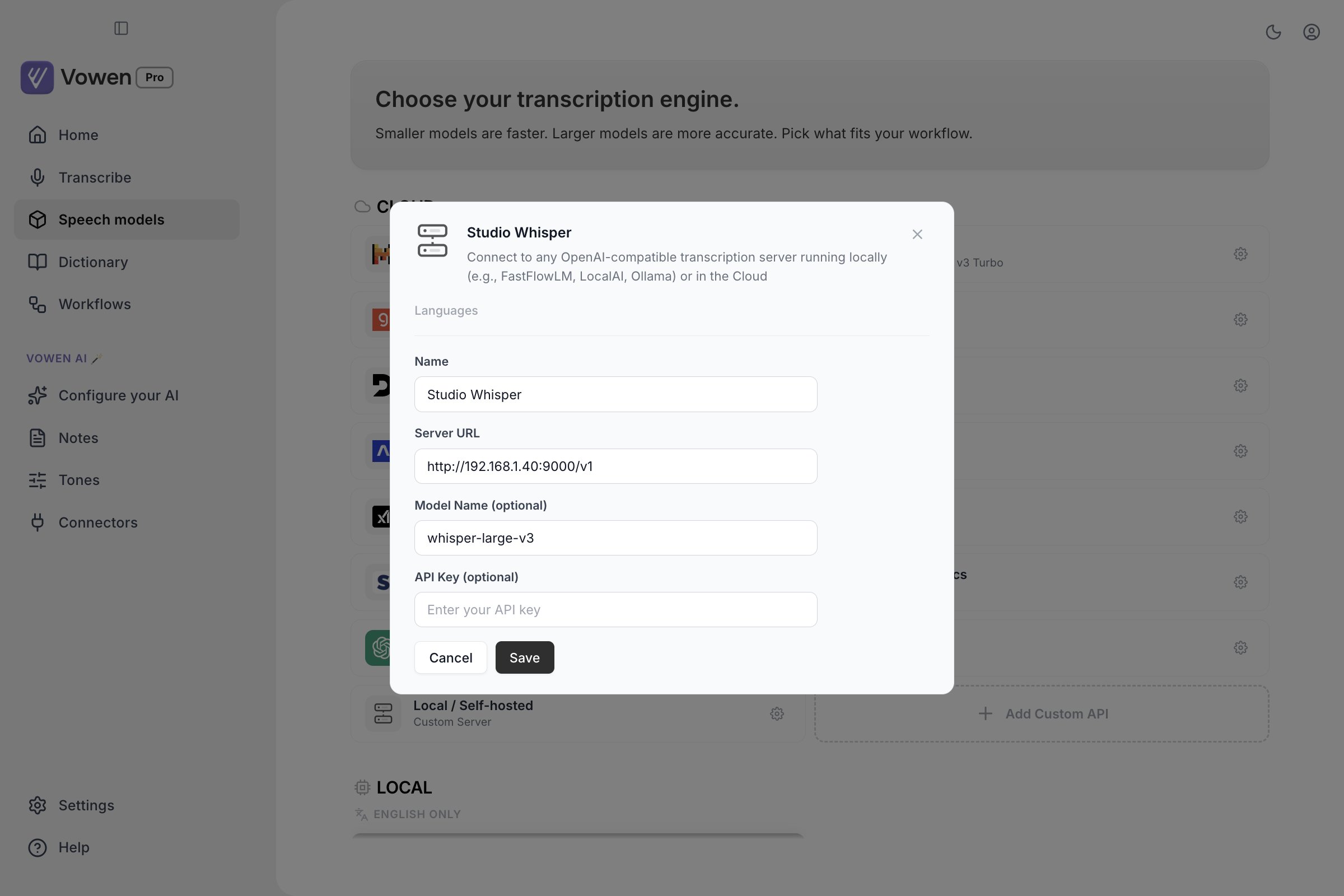
The form: a name, the server URL, and optionally a model name and key.
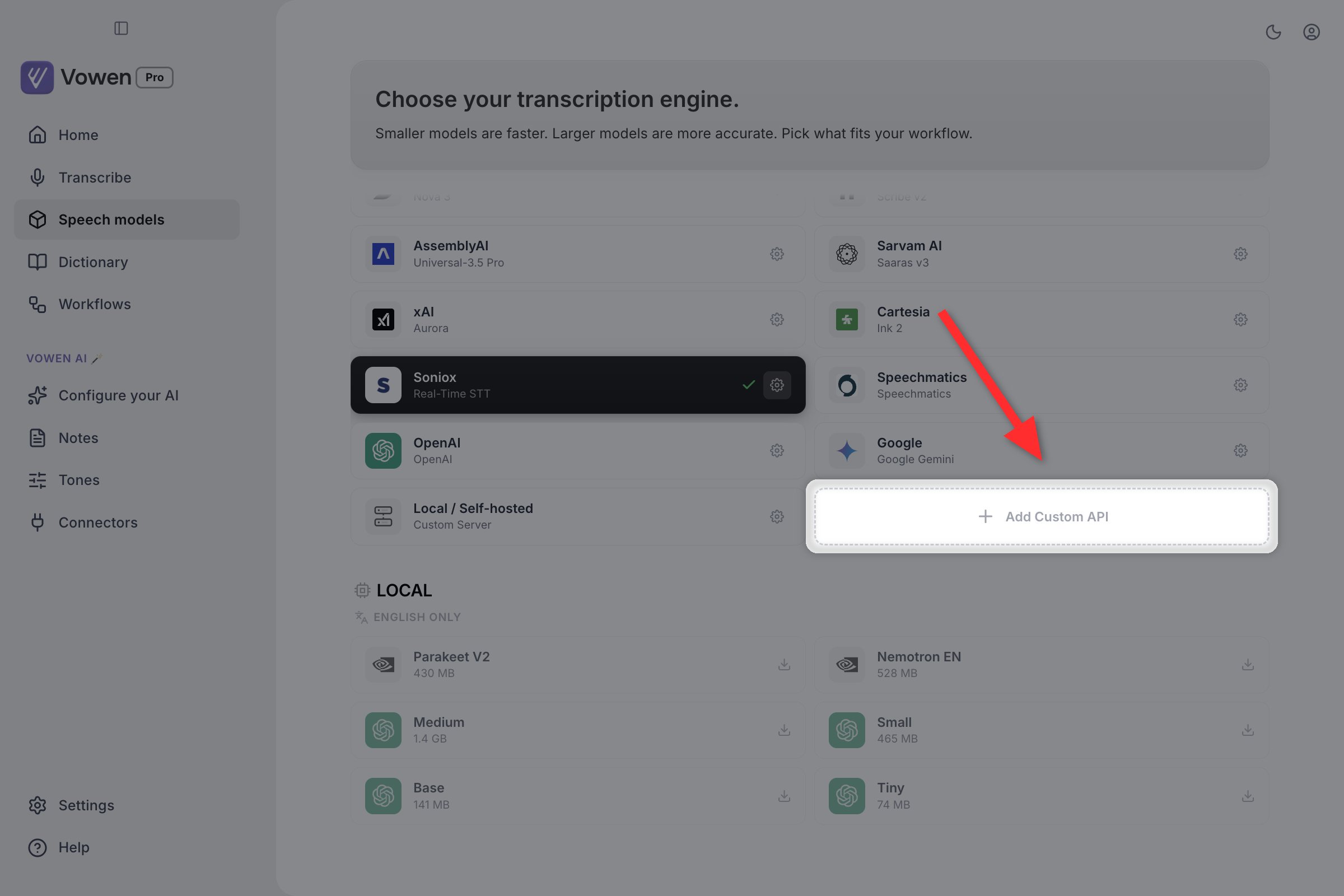
Add Custom API sits at the end of the Cloud section, beside the built-in Local / Self-hosted card.
Speaker identification
Not every model can label who said what. These can, for pre-recorded audio and meeting notes: Cloud: Nova 2 and Nova 3 (Deepgram), Scribe v2 (ElevenLabs), Universal-3.5 Pro (AssemblyAI), Voxtral Mini (Mistral), Aurora (xAI), Speechmatics, OpenAI, Gemini. Local, on macOS and Windows: Parakeet V2, Parakeet V3, and every Whisper model. Groq’s two Whisper models also qualify, because Vowen runs the same on-device speaker pipeline over their output. Nemotron, Parakeet Japanese, Parakeet Mandarin, Cartesia Ink 2, Saaras v3 and custom servers do not offer speaker labels. Speaker identification is a Pro feature. Full detail in Diarization.Real-time preview
Live text under the recording indicator needs a streaming-capable model. Every cloud model in the table above except the two Groq entries and custom servers can stream. Locally, Parakeet V2, Parakeet V3, Nemotron EN and Nemotron Multilingual stream on macOS; Parakeet streaming is not available on Windows. Turn it on in Settings > Recording > Real-time transcription preview. The row is greyed out until your active model can stream.GPU acceleration (Windows)
If you have an NVIDIA GPU, Vowen can download a CUDA acceleration module that dramatically speeds up local Whisper transcription.- Windows only. macOS is already accelerated and needs nothing extra; Linux is not supported.
- Requires an RTX 2000 series or newer NVIDIA GPU.
- The download is about 631 MB. No separate CUDA toolkit install is needed.