
macOS Permissions
Vowen uses four macOS permissions. Two are required, two are optional.Microphone (required)
Why: to record your voice for transcription. How to grant:- When prompted during setup, click “Allow”
- Or go to System Settings > Privacy & Security > Microphone and enable Vowen
Accessibility (required)
Why: Vowen uses Accessibility to:- Detect global keyboard shortcuts, so they work in any app
- Paste transcribed text into the focused input field
- Read selected text for Command Mode context
- Read the focused window’s text for “Pass screen as context”, if you turn that on
- When prompted, click “Open System Settings”
- In System Settings > Privacy & Security > Accessibility, toggle Vowen on
- You may need to unlock the settings with your password
Screen Recording (optional)
Why: this one covers more than meetings. Vowen uses Screen Recording for four things.- Meeting Notes: capturing system audio from Zoom, Teams, Meet, and anything else producing sound
- Command Mode screenshots: attaching an image of your display to an AI request
- Region capture: the drag-to-select overlay for Command Mode context
- Meeting screenshots on Windows: periodic captures saved alongside a meeting note
- Go to System Settings > Privacy & Security > Screen & System Audio Recording
- Toggle Vowen on
Automation / Apple Events (optional)
Why: Vowen asks System Events which app is in front, and what its window is called. That is how Tones apply a different writing style per app, and how voice shortcuts and app-specific behavior know where you are. How to grant:- macOS prompts the first time Vowen needs it, usually the first time a per-app feature runs. Click “OK”
- Or go to System Settings > Privacy & Security > Automation, find Vowen, and enable System Events
What Vowen does not ask for
Input Monitoring is not requested. Vowen’s keyboard hook works through Accessibility. It never calls the Input Monitoring APIs, so Vowen will not appear in that list and you do not need to add it there.Windows Permissions
Windows handles Vowen’s permissions itself. There are no manual steps for:- Microphone access: granted on first use through the standard Windows prompt. If you previously denied it, re-enable Vowen under Windows Settings > Privacy & security > Microphone
- Keyboard input monitoring: no special permission required
- System audio capture: handled by the OS
Checking permission status
Settings > Permissions shows a live status for each permission, with a button beside each one that opens the right pane of System Settings. Vowen re-checks every 30 seconds, so you can leave the section open while you flip a toggle and watch it turn green.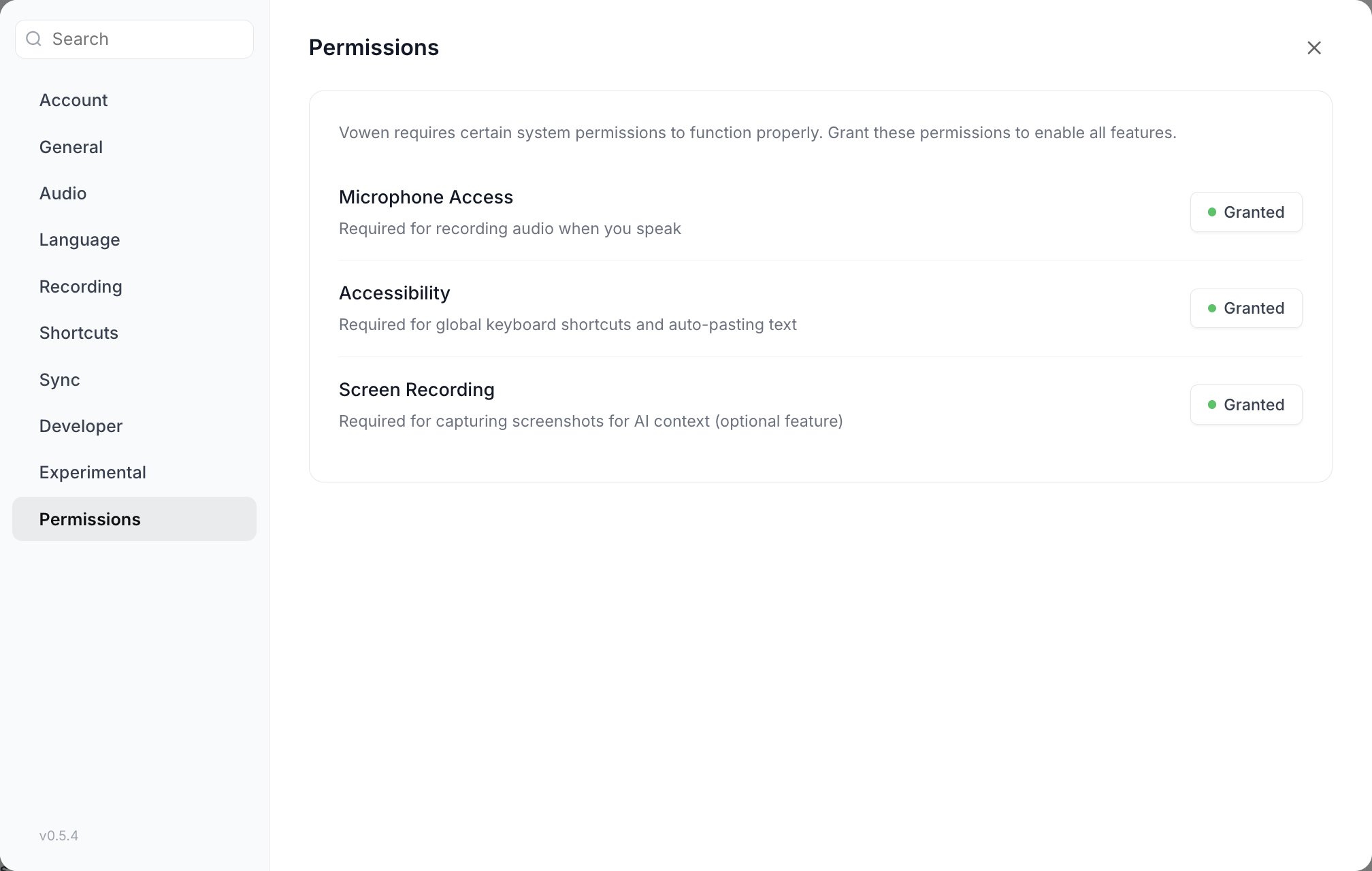
Each permission shows its live state. Anything not yet granted swaps the green Granted badge for a button that opens the matching pane of System Settings.
The Permissions section is deliberately left out of the settings search. These are system grants rather than settings, so they never turn up in results. Click Permissions in the settings sidebar to get to them.
The permissions banner
If a required permission goes missing after setup, a floating banner appears with a Configure button that takes you straight to the Permissions section. Dismissing the banner hides it for 24 hours. It comes back after that if the permission is still missing. Granting the permission removes it for good.Have a permissions question that isn’t answered here? See the Permissions troubleshooting page or the FAQ.