
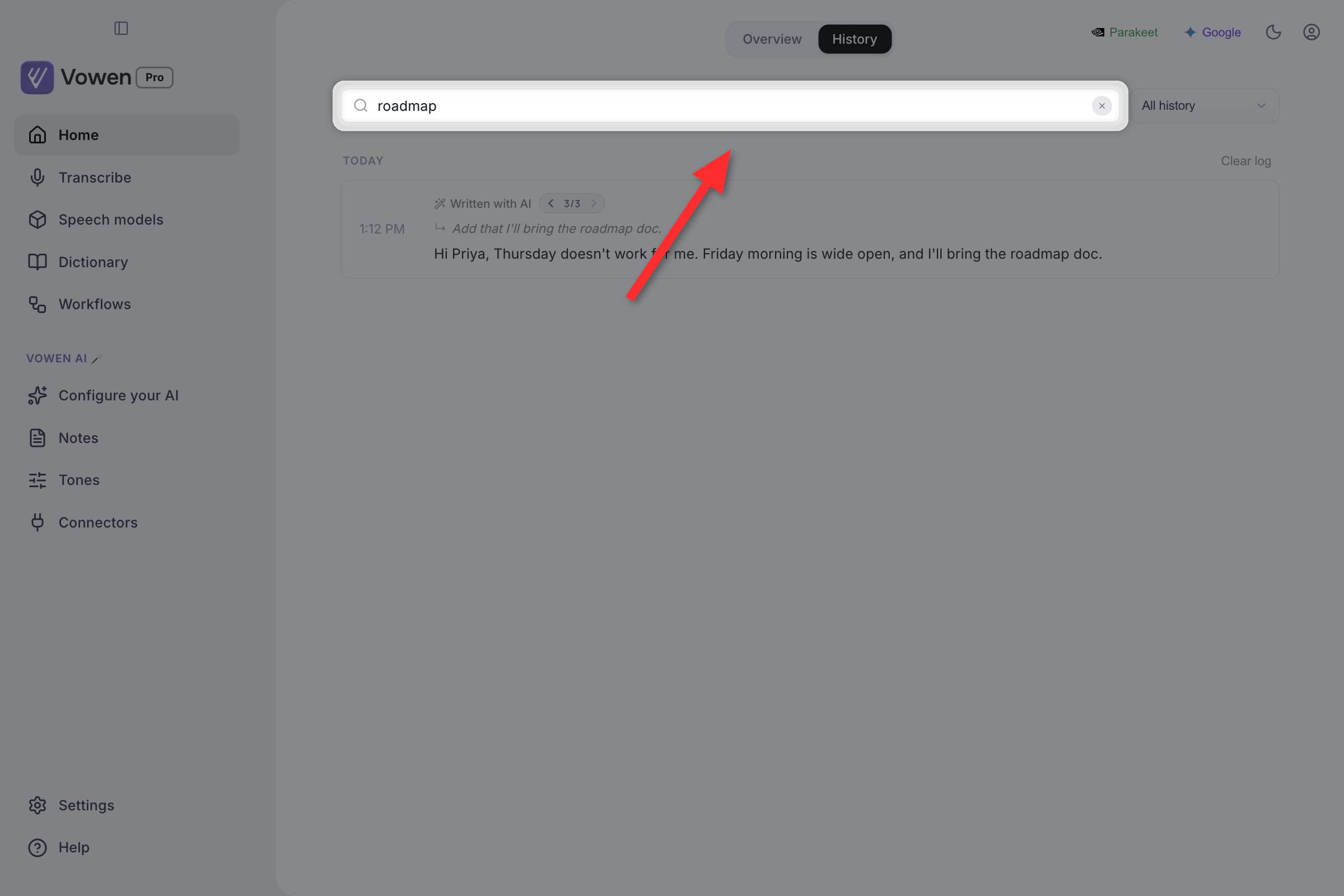
The History tab: search box on the left, filter dropdown on the right, entries grouped by day.
Searching
A search box sits at the top of the log. PressCmd+F (macOS) or Ctrl+F (Windows) to jump into it, or just press / when you are not already typing in a field. Whatever is in the box gets selected, so a second search overwrites rather than appends.
Search matches more than what you see on screen:
- The displayed text.
- The original, pre-AI transcription, so an entry stays findable by what you actually said even after enhancement rewrote it.
- The error message on failed entries.
- Every version of a multi-turn Command Mode thread, so a phrase you later refined away still finds the thread it came from.
Filtering
The dropdown next to the search box narrows what is shown:What an entry shows
Each row has the time on the left and the text on the right. Clicking the text copies it to the clipboard. Entries that went through AI carry a badge above the text: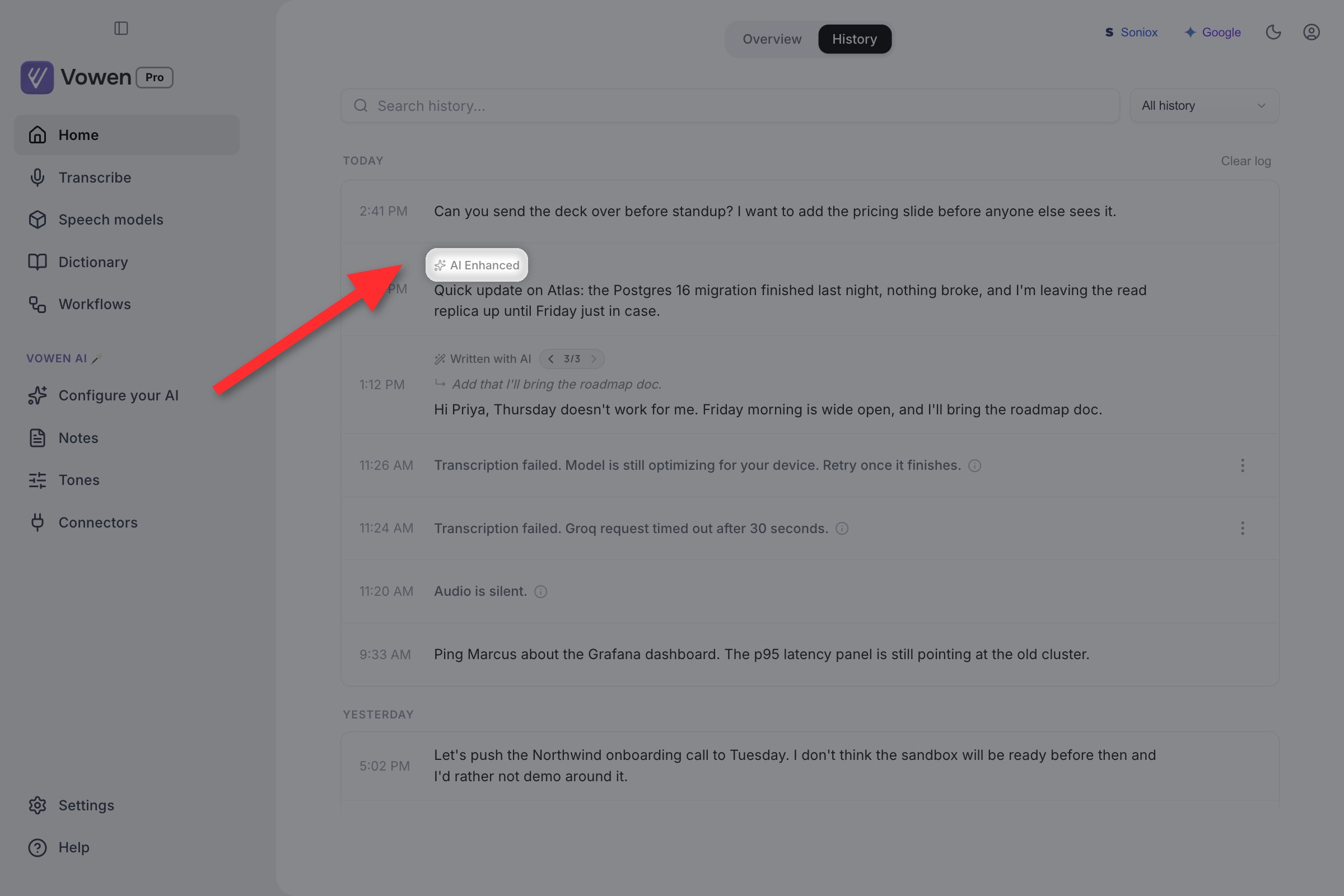
Look above the text of each row: AI Enhanced marks a cleaned-up dictation, Written with AI marks a Command Mode result.
Per-entry actions
Each row has a Copy button and a kebab menu (the vertical dots) next to it. The menu holds: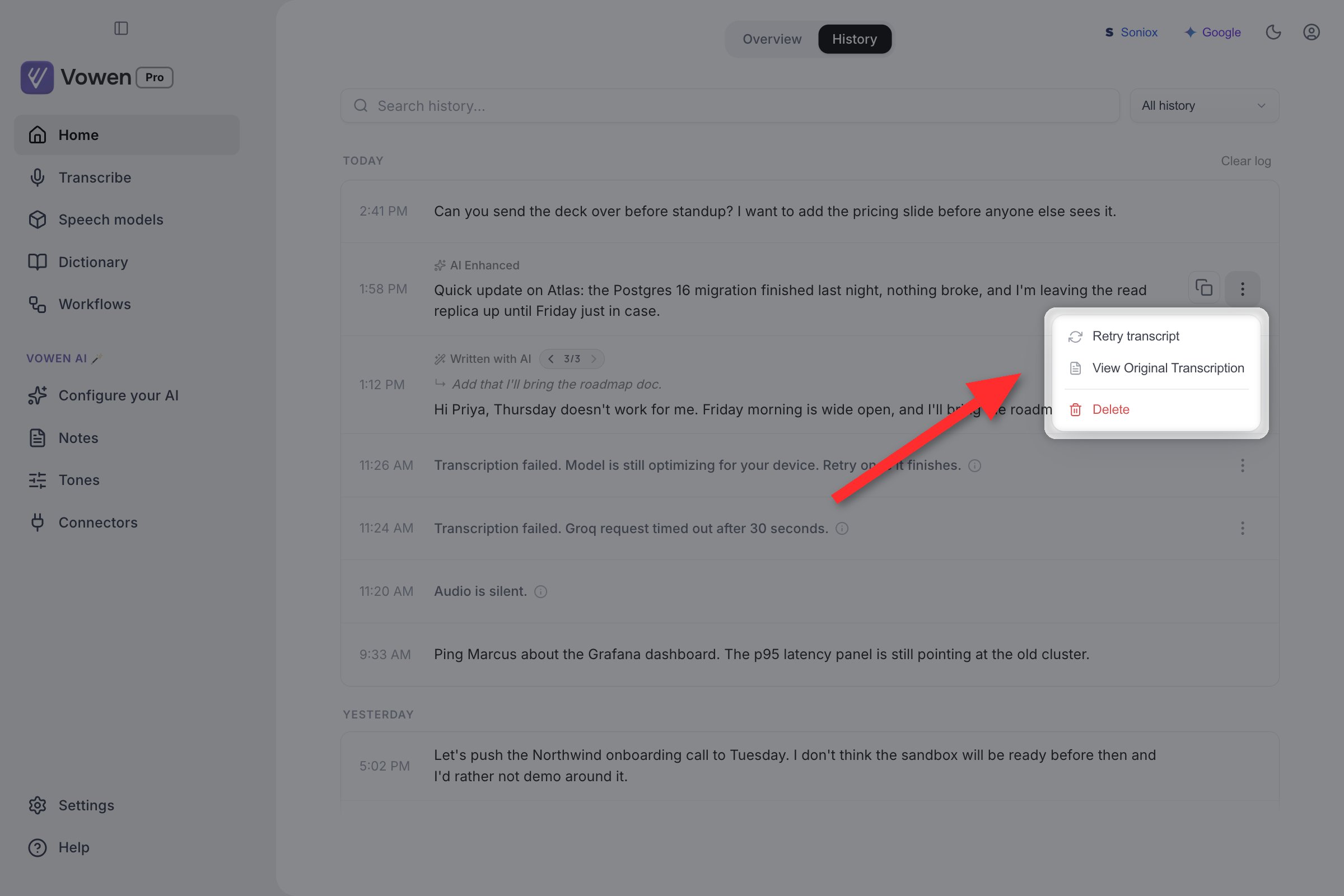
The kebab menu on a Voice Log row, holding Retry transcript, Show original and Delete.
Retry transcript
Retry transcript re-runs a saved recording through whatever model you have selected right now, and replaces the stored text with the new result. It is the fastest way to answer “would Large v3 have got that right?” without recording again. It only appears when the entry has a saved audio file. Audio is kept when Settings > Recording > Save audio recordings was on at the time you dictated, and for recordings Vowen saved automatically because they could not be transcribed.Show original
On AI-processed entries, Show original flips the row to the raw transcription from before AI cleanup, which helps when the enhancement rewrote something differently than you wanted. Show AI response flips it back.Multi-turn Command Mode entries
A Command Mode session where you refined the result several times collapses into one row, not several. The row shows the newest version, with a small pager (2/4) in the badge line.
- Use the arrows to page back through earlier versions.
- On any version after the first, the request you spoke for that turn appears above the response, prefixed with an arrow.
- Show original on turn one reveals the request that started the thread.
- A thread keeps up to 30 turns; older ones fall off the front.
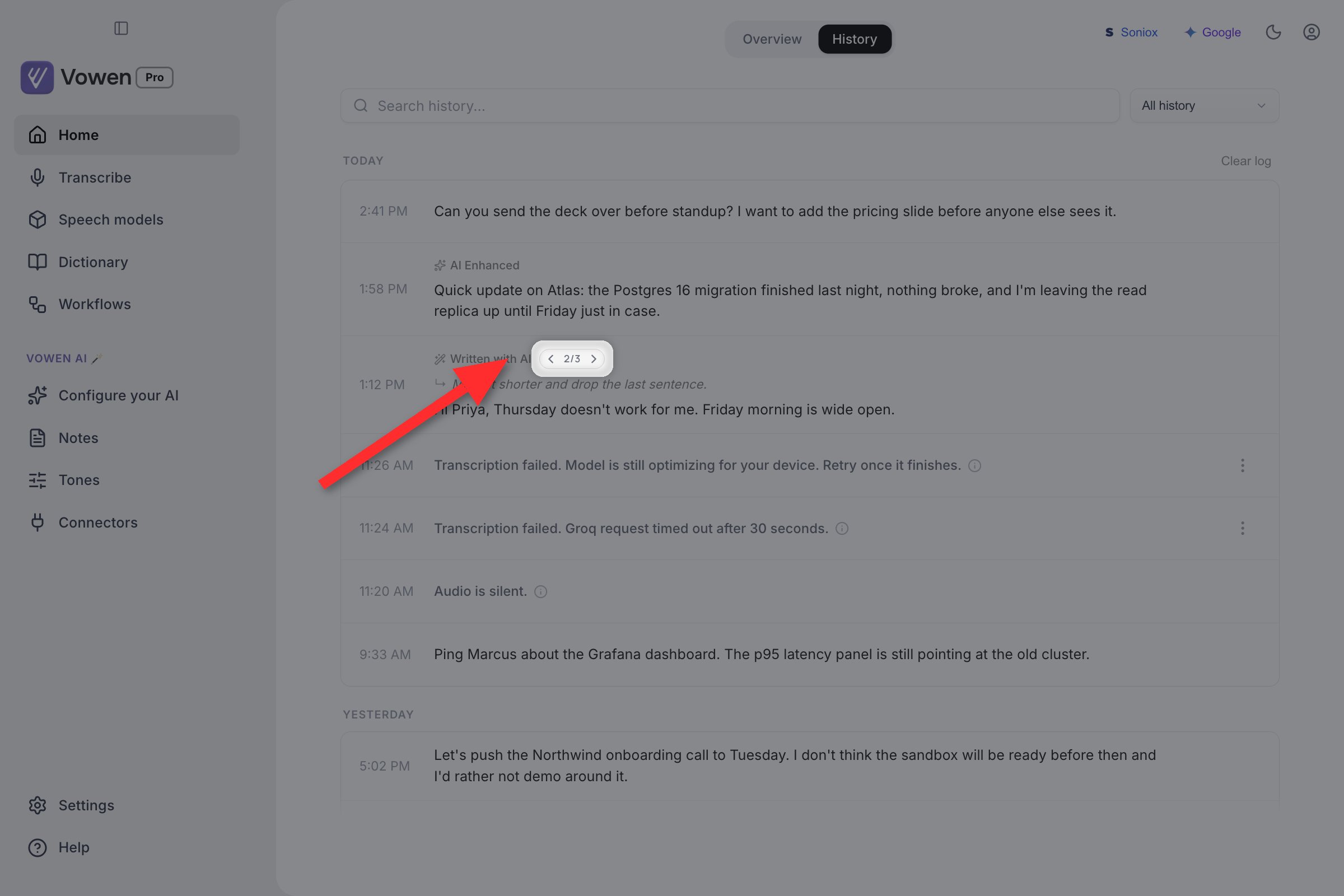
A refined Command Mode session in one row. The pager sits in the badge line, and the request you spoke for this turn is shown above the response.
Failed and silent entries
Vowen keeps recordings that produced no text, and gives each one a row.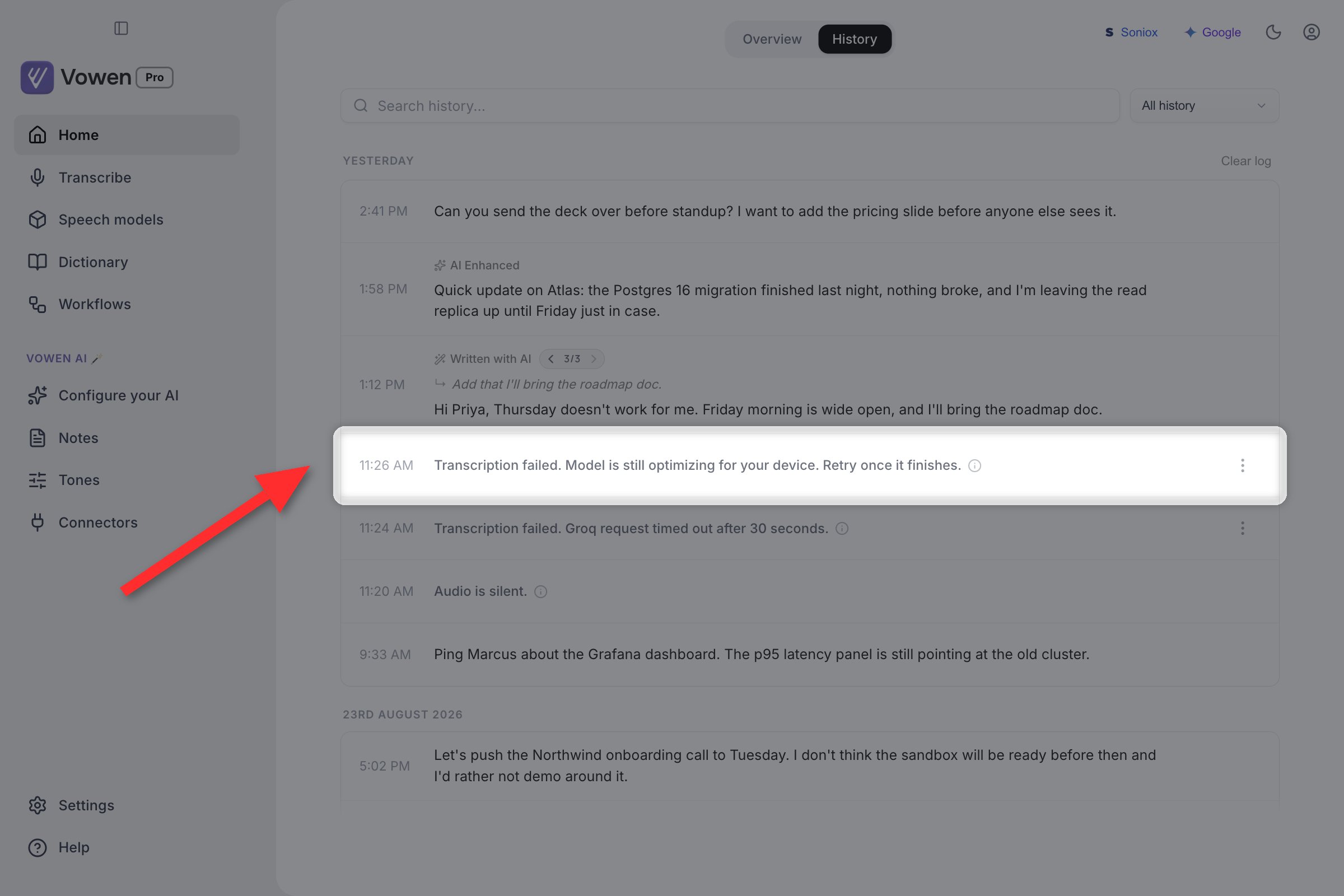
Recordings that produced no text still get a row: silent audio, a failure with its message, and a dictation started while the model was still optimizing.
One exception: on local Parakeet, an accidental hotkey tap shorter than about 0.3 seconds is discarded silently. It raises no error and leaves no row.
Clearing the log
Clear log sits at the right end of the first date header (Today, or whatever the newest group is). It removes every entry.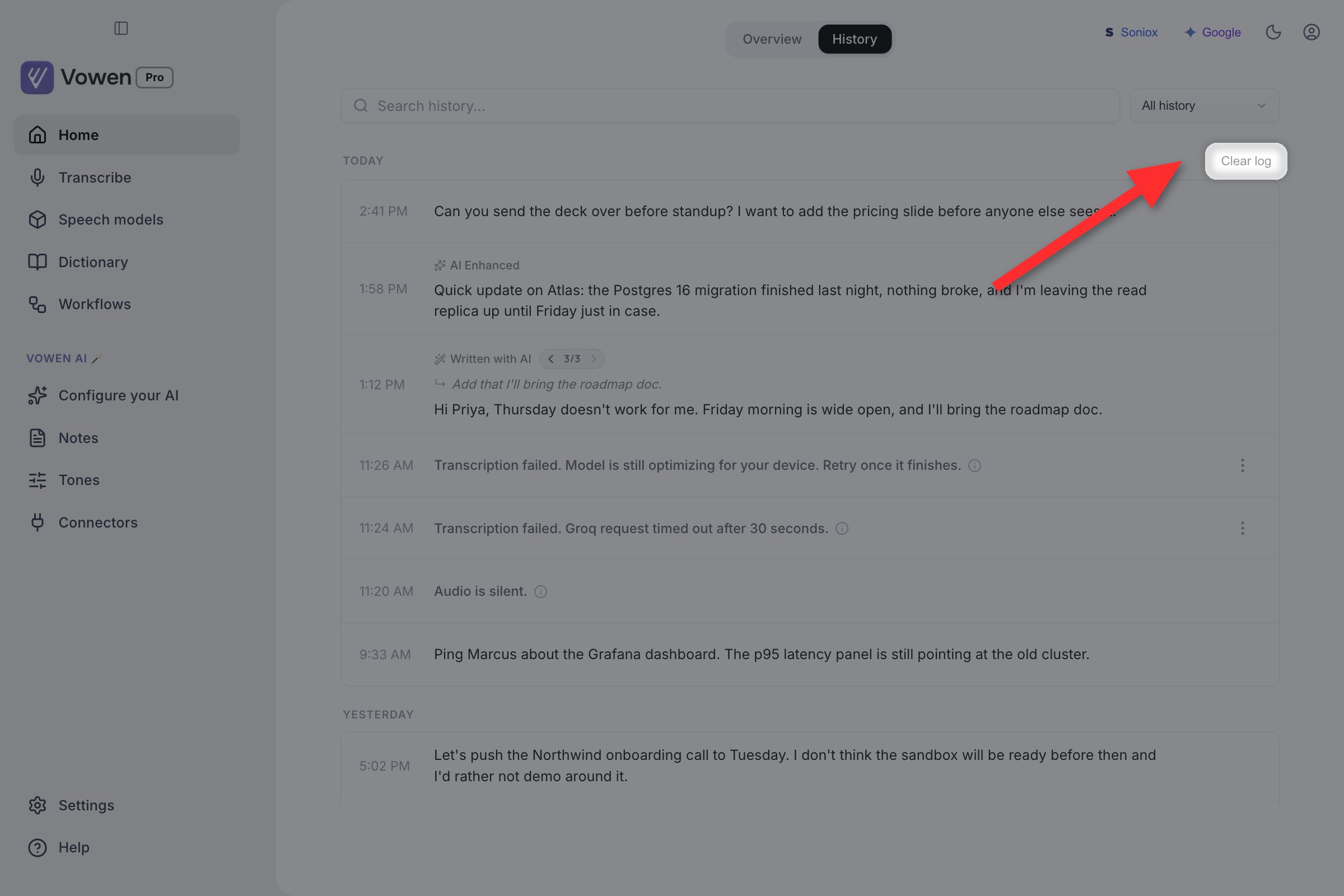
Clear log sits opposite the newest date header, not in a menu.