
Three different language settings
Vowen has three language settings and they do not affect each other. All three live in Settings > Language.
Changing the interface to German does not make Vowen expect German speech, and setting a Hindi dictation language does not translate the app.
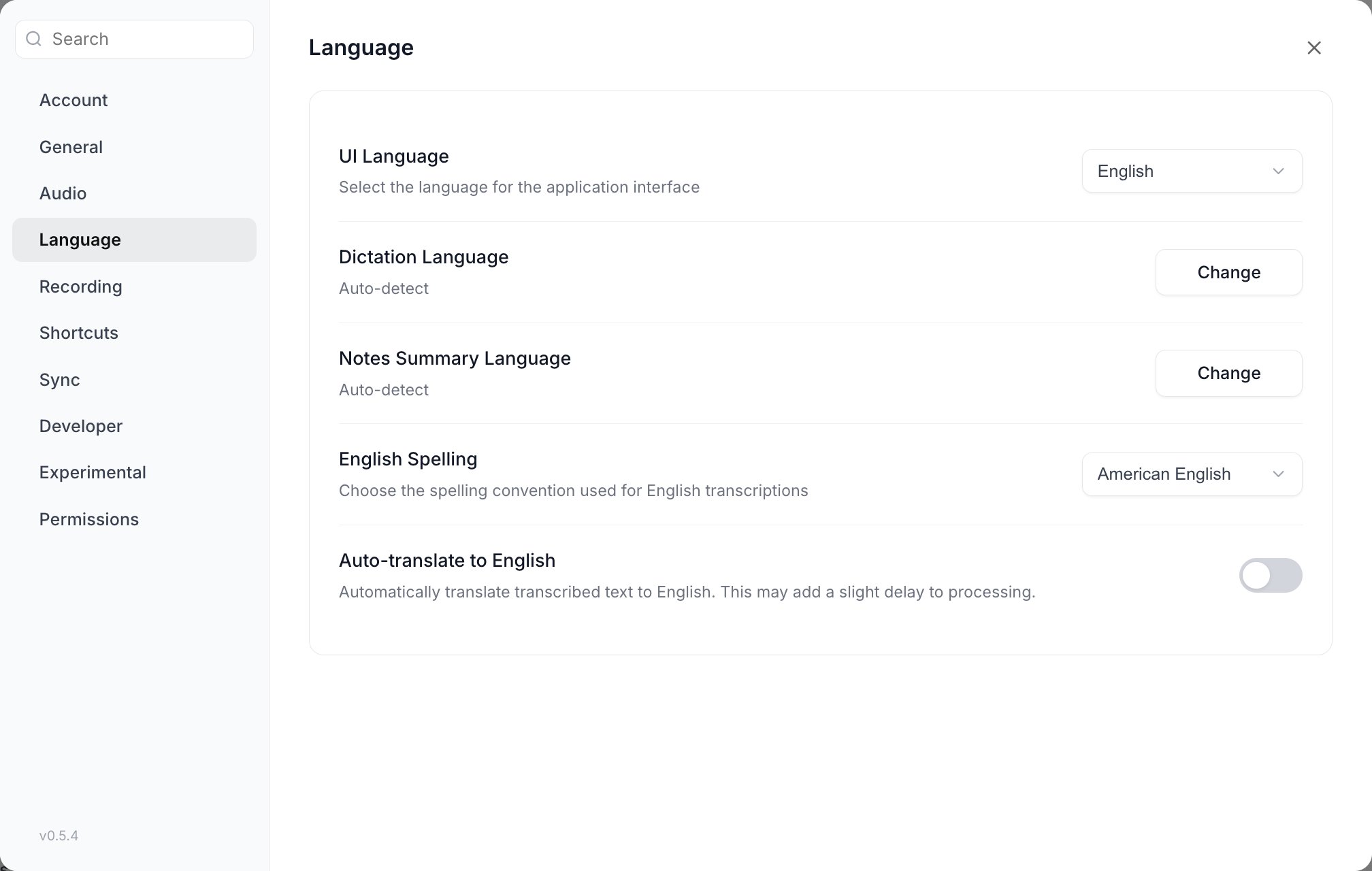
All three language settings live on one page in Settings > Language. They are independent of each other.
Setting your dictation language
Go to Settings > Language > Dictation Language and click Change. A grid of the languages your current model supports opens; pick one, or leave it on Auto-detect.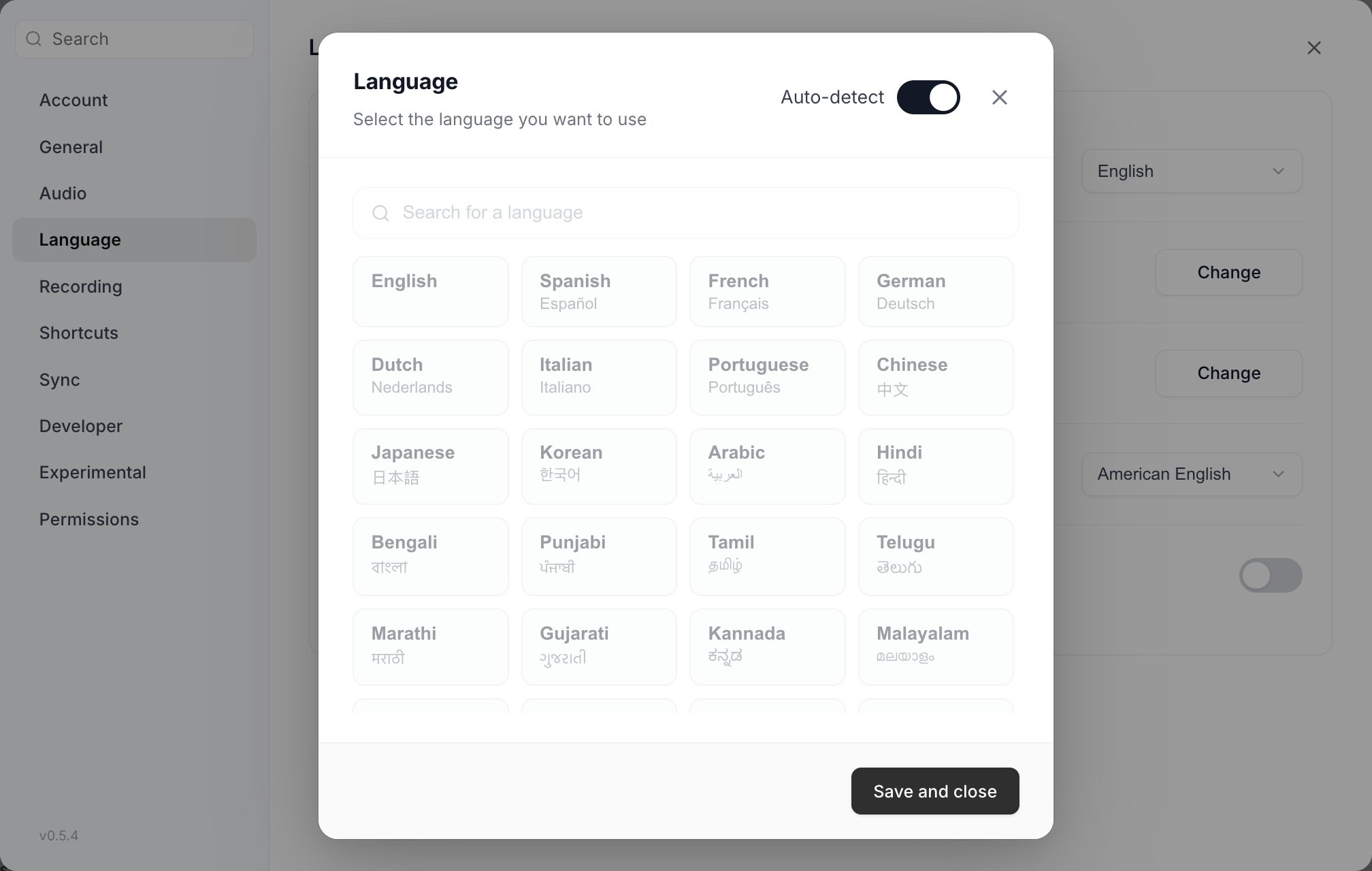
The picker shows only what your current model can transcribe. Auto-detect is the toggle in the top right.
The language list changes with your model
The language picker is not a fixed list. It shows exactly what your currently selected speech model can transcribe, and different models offer very different sets.
That has two consequences.
Parakeet and Nemotron EN lock the picker entirely. These models have a fixed language built into the weights, so the grid is greyed out and explains why: “Parakeet only supports auto-detect”, “Parakeet (English) only transcribes English”, “Parakeet (Japanese) only transcribes Japanese”, “Parakeet (Mandarin) only transcribes Mandarin Chinese”, or “Nemotron EN transcribes English only. Switch to Nemotron Multilingual for other languages.” The Dictation Language row shows the model’s effective language instead of your stored one.
English spelling
For British rather than American spelling, use Vowen’s native converter instead of an AI instruction. Set Settings > Language > English spelling to British English and Vowen rewritescolor to colour, organize to organise, center to centre, defense to defence, and so on, as the last step before the text is inserted.
- It runs on your device, deterministically. Nothing extra is sent anywhere.
- It works whether or not AI enhancement is on. When enhancement is on, Vowen also tells the model to use British spelling, and the converter acts as a safety net for anything it missed.
- American English is the default and applies no conversion.
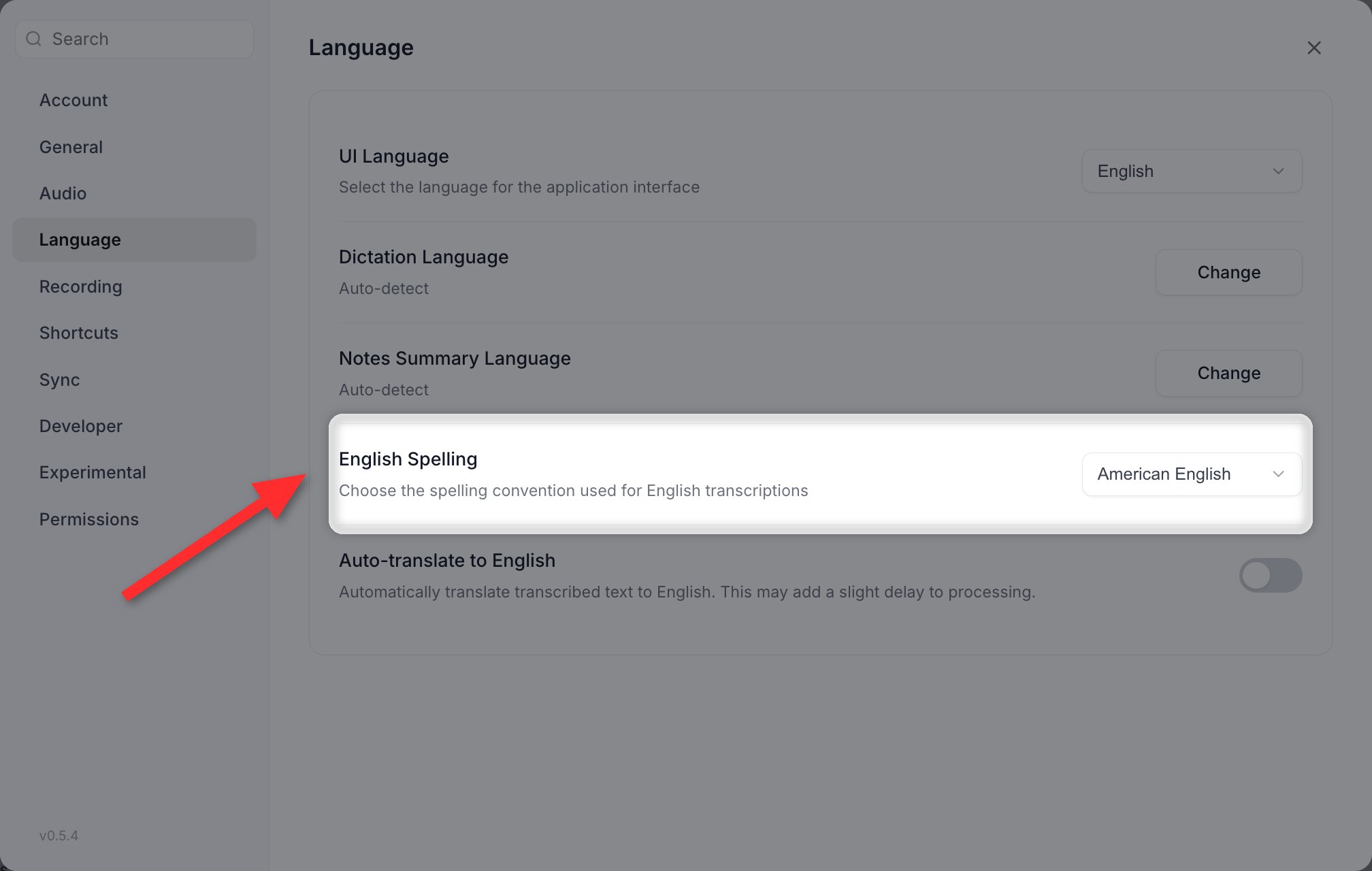
English spelling, in Settings > Language. A dropdown, not a toggle, and it needs no AI provider.
Auto-translate to English
Auto-translate to English is a Pro feature.
On a cloud model or Parakeet, enabling auto-translate sends your transcribed text to a third service (
translate.google.com) that you did not configure and that is separate from your speech provider. If that is not acceptable, use a local Whisper model for translation, or leave the setting off and translate through your own AI provider instead.
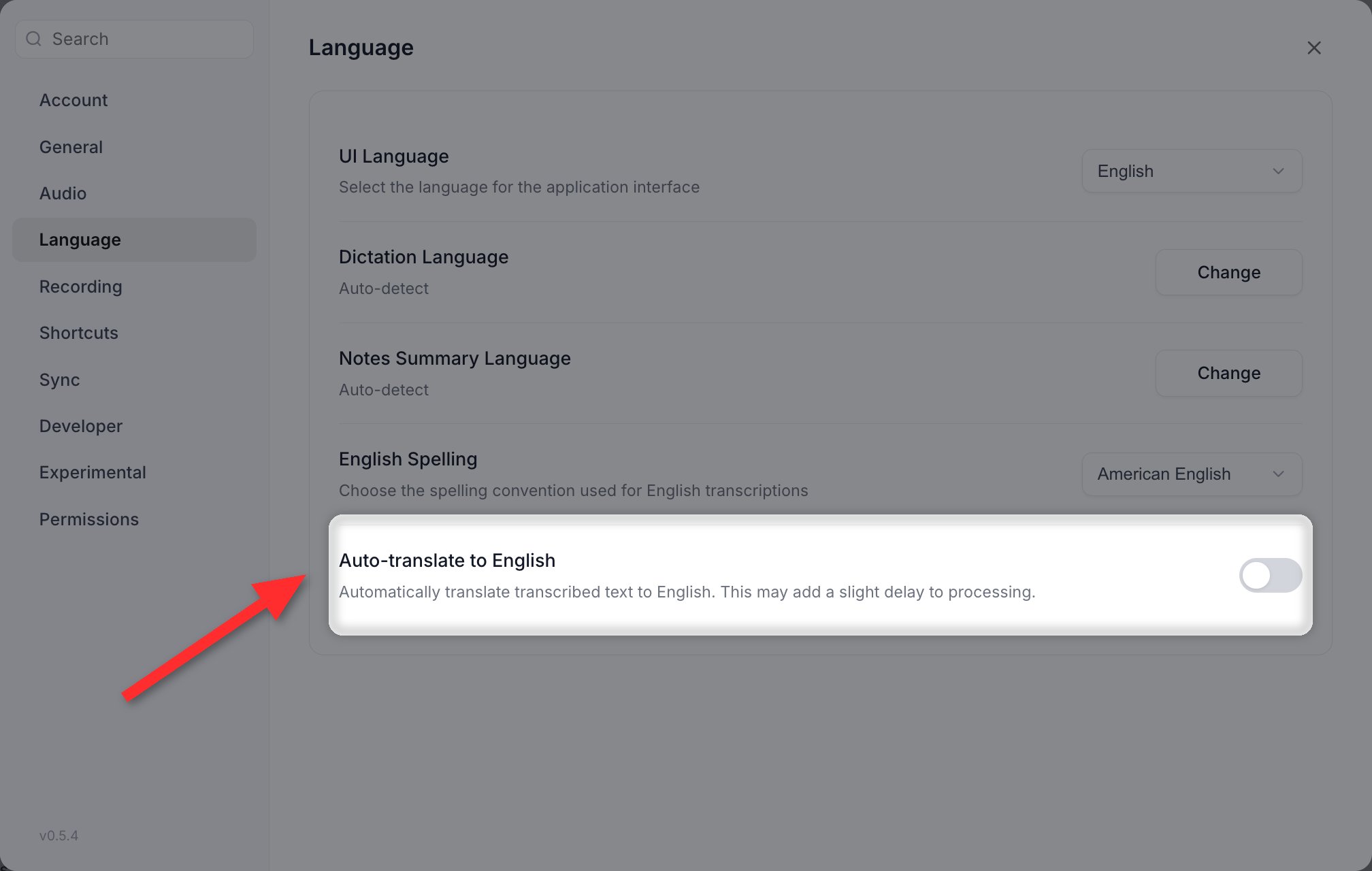
Auto-translate to English sits at the bottom of Settings > Language.
Nemotron Multilingual
Nemotron Multilingual (macOS, Apple Silicon) covers 31 languages: Arabic, Bulgarian, Chinese, Croatian, Czech, Danish, Dutch, English, Estonian, Finnish, French, German, Greek, Hindi, Hungarian, Italian, Japanese, Korean, Latvian, Lithuanian, Norwegian, Polish, Portuguese, Romanian, Russian, Slovak, Slovenian, Spanish, Swedish, Turkish, Ukrainian. Its partial results arrive already punctuated and capitalized, which no other local model does. See Models & Engines.Parakeet language support
Parakeet is four separate models with four different language coverages.- Parakeet V3 auto-detects across 25 European languages: Bulgarian, Croatian, Czech, Danish, Dutch, English, Estonian, Finnish, French, German, Greek, Hungarian, Italian, Latvian, Lithuanian, Maltese, Polish, Portuguese, Romanian, Russian, Slovak, Slovenian, Spanish, Swedish, Ukrainian.
- Parakeet V2 is English only and the fastest of the four.
- Parakeet Japanese transcribes Japanese only. macOS only.
- Parakeet Mandarin transcribes Mandarin Chinese only. macOS only, and it produces no timestamps.
Language-specific recommendations
GigaAM v3, the on-device Russian model, was retired in v0.5.2. If it was still your selected model when you updated, Vowen shows a banner saying it has been removed and dictation will not run until you pick another one. For Russian, use local Whisper Large v3 or Large v3 Turbo, Whisper Large v3 on Groq, or Soniox.
Tips for non-English transcription
- Use a multilingual model. The
.enWhisper models, Parakeet V2 and Nemotron EN are English-only. - Set the language explicitly instead of relying on auto-detect.
- Check the language row after switching models. An unsupported language is reset to Auto-detect without telling you.
- Add names and technical terms to your Dictionary. Only some engines act on them. See Accuracy.