
Get Vowen
Download for macOS
Apple Silicon and Intel
Download for Windows
Windows 10 and later (x64)
What is Vowen?
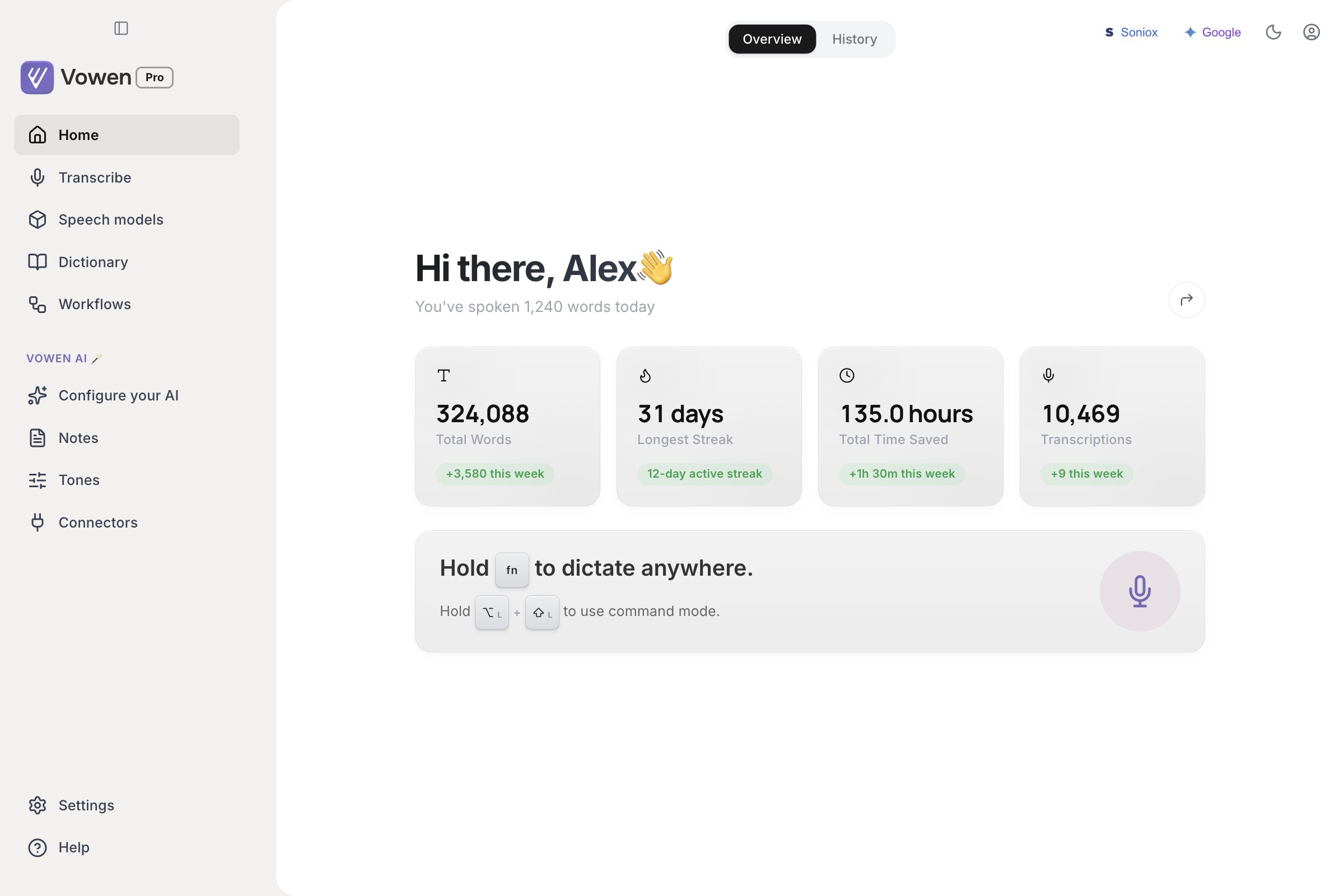
The Vowen window. Everything below lives behind the sidebar on the left; dictation itself happens outside the app, wherever your cursor is.
Universal voice input
Universal voice input
Hold a shortcut to dictate into any app on macOS or Windows. Push-to-talk for quick phrases, hands-free for long sessions, mouse buttons supported as triggers. Works system-wide, in every text field.
Choose your transcription model
Choose your transcription model
Local Whisper, Parakeet, and Nemotron run offline on your device. On top of those, Vowen supports 14 cloud models from 12 providers: Groq, Deepgram, ElevenLabs, AssemblyAI, Mistral, Soniox, Sarvam AI, xAI, Cartesia, Speechmatics, OpenAI, and Google Gemini. You can also point Vowen at your own server. Switch anytime to balance speed, accuracy, and privacy.
AI enhancement
AI enhancement
An optional polish layer that fixes grammar, punctuation, and filler words automatically. Bring your own API key from any of 10+ providers, including OpenAI, Anthropic, Gemini, and Groq.
Command mode
Command mode
Hold a dedicated shortcut to give voice instructions to AI. Vowen reads your selected text, clipboard, or screen as context. Say “summarize this” or “draft a reply”, and the result lands at your cursor.
Silent meeting capture
Silent meeting capture
Record meetings without a bot or a banner. Captures system audio plus your microphone from Zoom, Teams, Meet, Slack Huddles, or any app that produces sound. AI generates the summary, action items, and speaker labels.
Local transcription
Local transcription
On-device models transcribe without a network call. Your audio never leaves your machine unless you choose a cloud provider, and when you do it goes straight to that provider rather than through Vowen. API keys are stored encrypted on your machine and are never sent to Vowen servers.The application around the transcription is not fully offline: it checks for updates, fetches a model catalog, and sends product analytics. Privacy and data sets out exactly what leaves your machine, including the analytics that currently have no opt-out.
Custom vocabulary and shortcuts
Custom vocabulary and shortcuts
Add product names and jargon so the model recognizes them. Define text replacements, snippet expansions, and per-app writing styles. Build voice-triggered voice shortcuts for the tasks you repeat.
✦
Many of these features are unlimited on Vowen Pro. Command Mode, Meeting Notes, Text Expander, Voice Shortcuts, Memory, Tones, and Manual Transcriptions all run on the Free plan with sensible limits. Custom AI Instructions for dictation is free for everyone. Pro removes the caps and unlocks Real-time Preview, Speaker Diarization, Auto-translation, Cloud Sync, Obsidian & Webhook integrations, Chat with Notes, and more. See the full plan comparison →
How It Works
Vowen turns voice into pasted text in two steps:1
Dictate anywhere
Vowen transcribes your speech with either a local model (runs on your machine, fully offline) or a cloud model (faster, more accurate for complex vocabulary).
↳
AI Enhancement (optional). Before the text is pasted, you can route it through an AI language model that fixes grammar, removes filler words, and applies your formatting preferences. Bring your own API key from any of 10+ providers.
2
Auto-Paste
Vowen pastes the final text into whatever app has focus. No manual copy-paste needed.
Explore More
Quickstart
Get up and running with Vowen in under 2 minutes
Models & Engines
Pick a model for your use case
Plans & Pricing
Compare Free and Pro features
Privacy & Data
What leaves your machine, and where your data lives
Interface Tour
Every window Vowen can show you
FAQ
Answers to common questions