
Overview
Vowen uses AI in three places:- AI Enhancement polishes your transcriptions (spelling, grammar, formatting).
- Command Mode turns spoken instructions into text transformations and real actions.
- Meeting summaries turn a recorded transcript into structured notes.
Where the settings live
In the left sidebar, under Vowen AI, click Configure your AI. The page has three tabs: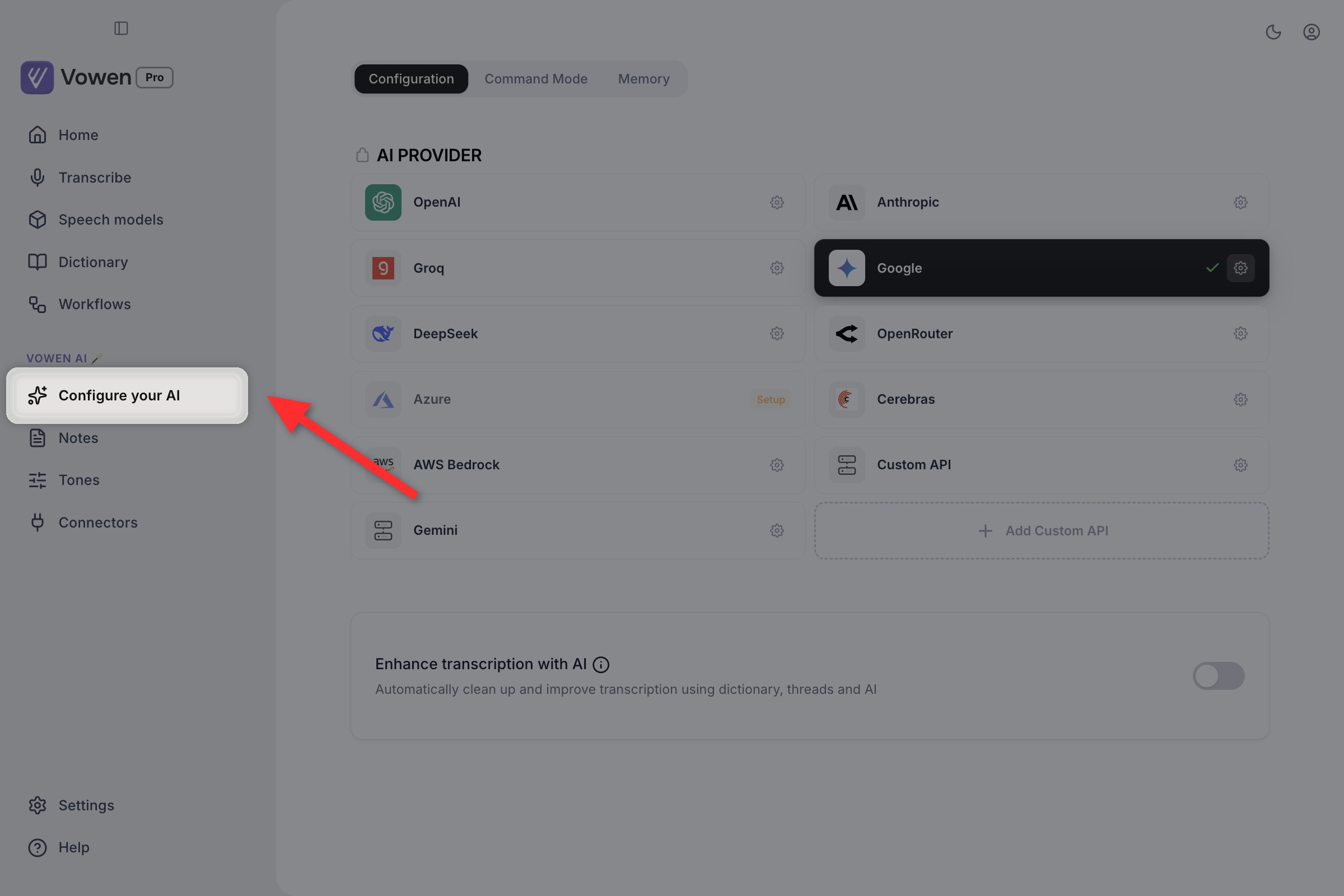
Configure your AI is the sidebar entry under Vowen AI. Opening it lands you on the Configuration tab with the provider grid.
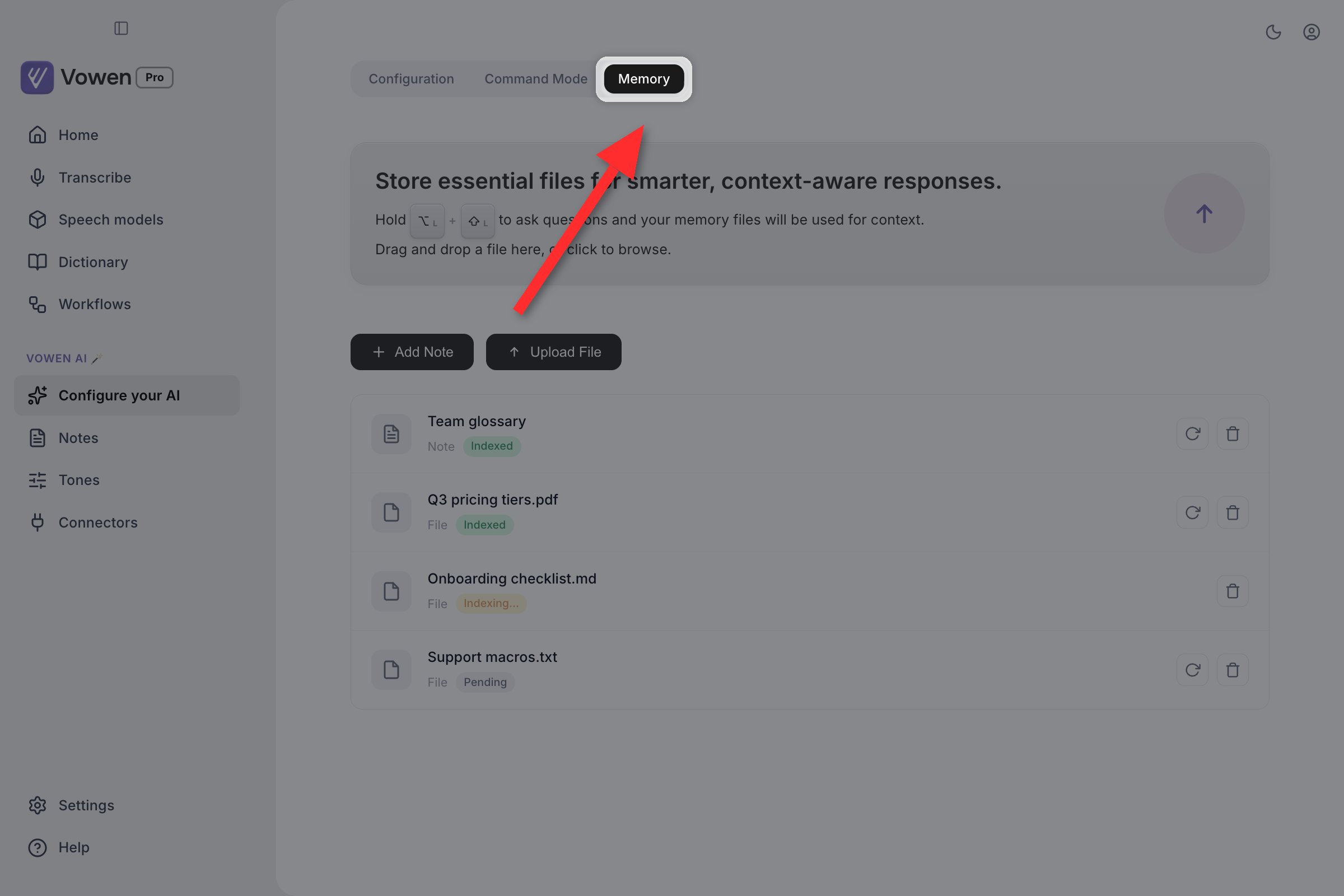
Memory is the third tab on the same page, not a separate sidebar item.
Supported providers
The provider grid lists 10 providers as selectable cards. Click a provider name below to go directly to the page where you generate an API key.Card states
The grid tells you a provider’s status at a glance: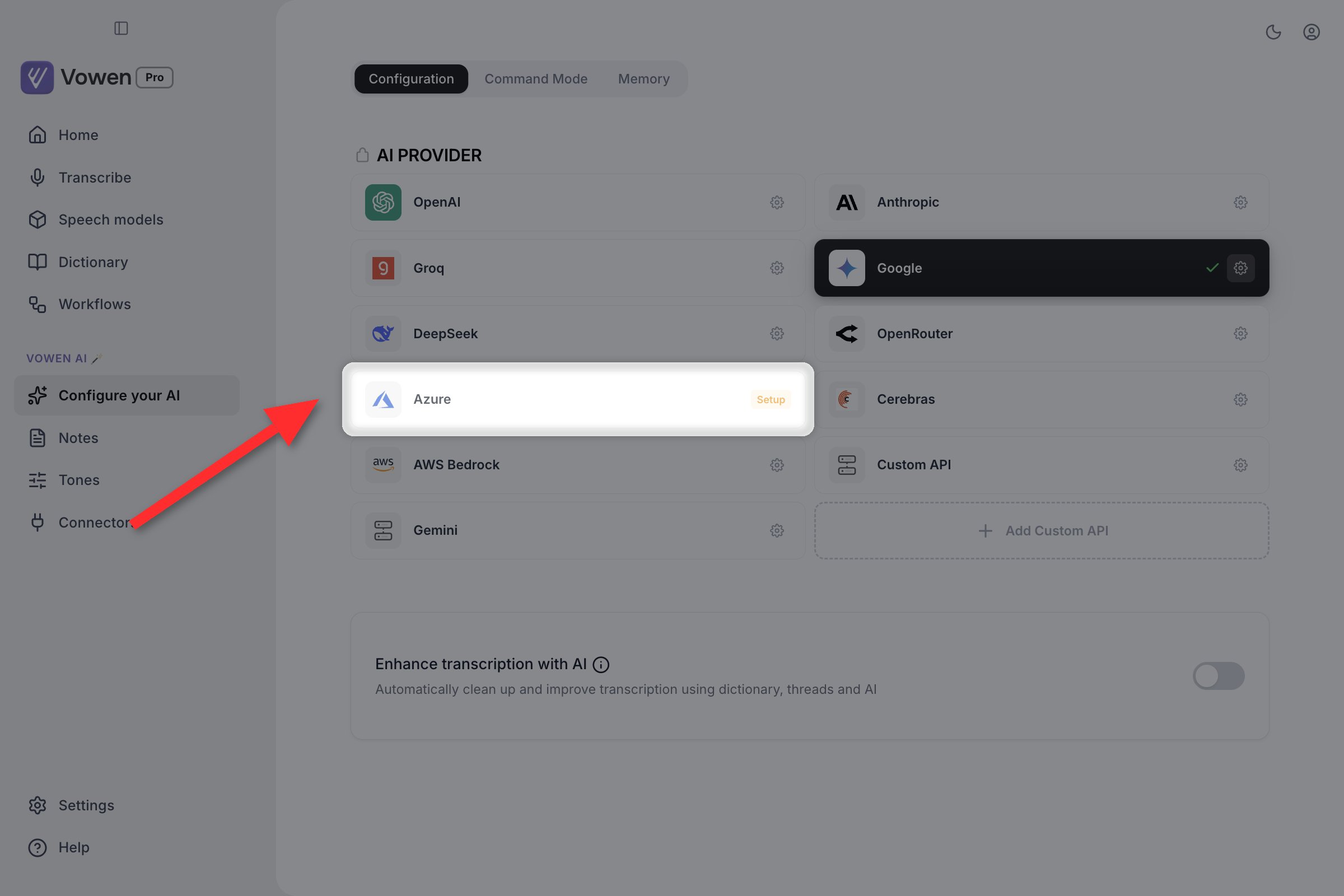
An amber Setup badge on the right edge of a card is the only sign that a provider has no key yet.
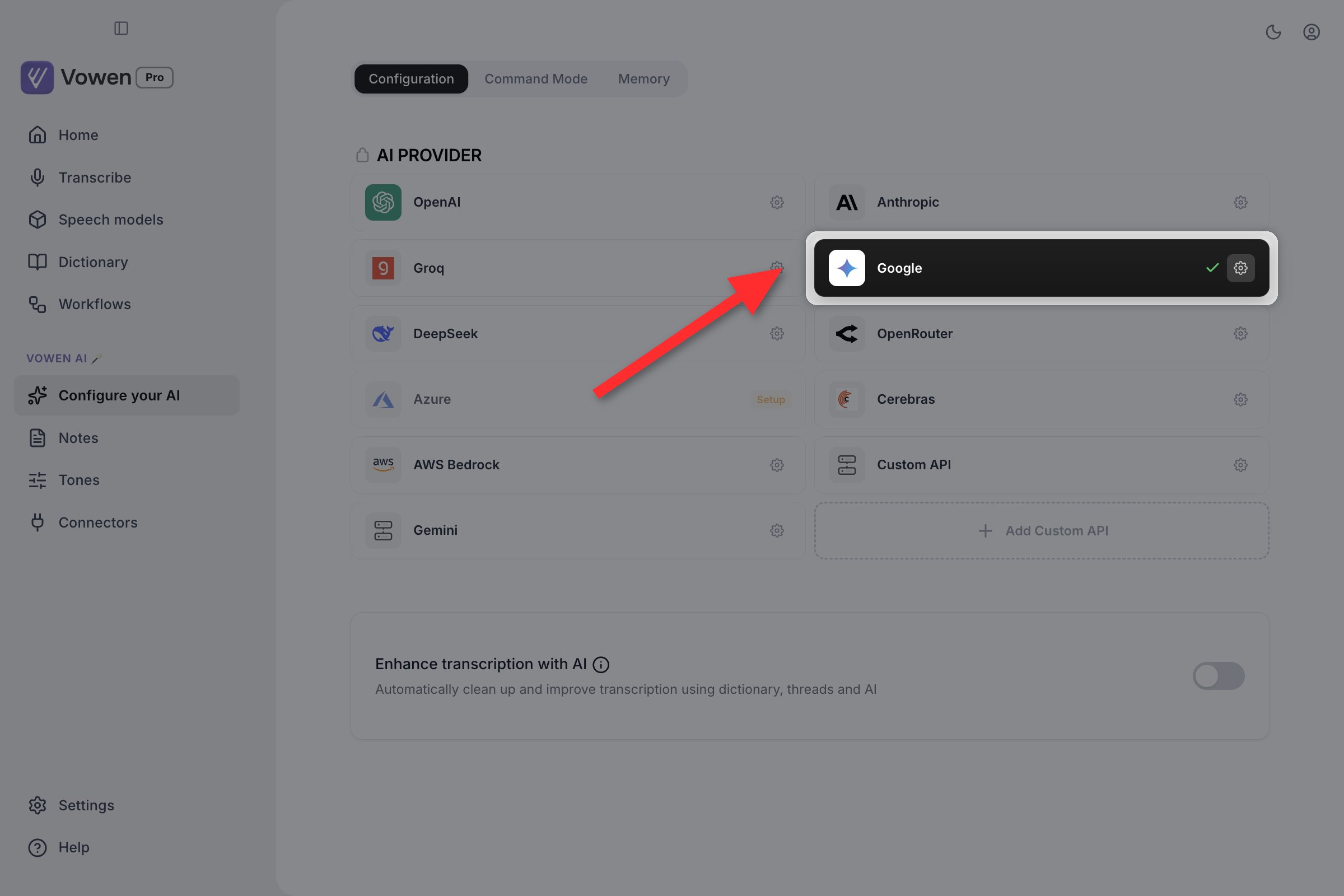
On a configured card the badge is gone. The gear opens its settings; the green checkmark beside it means this is the provider everything currently runs on.
Setup steps
Open Configure your AI
Click a provider card
Paste your API key
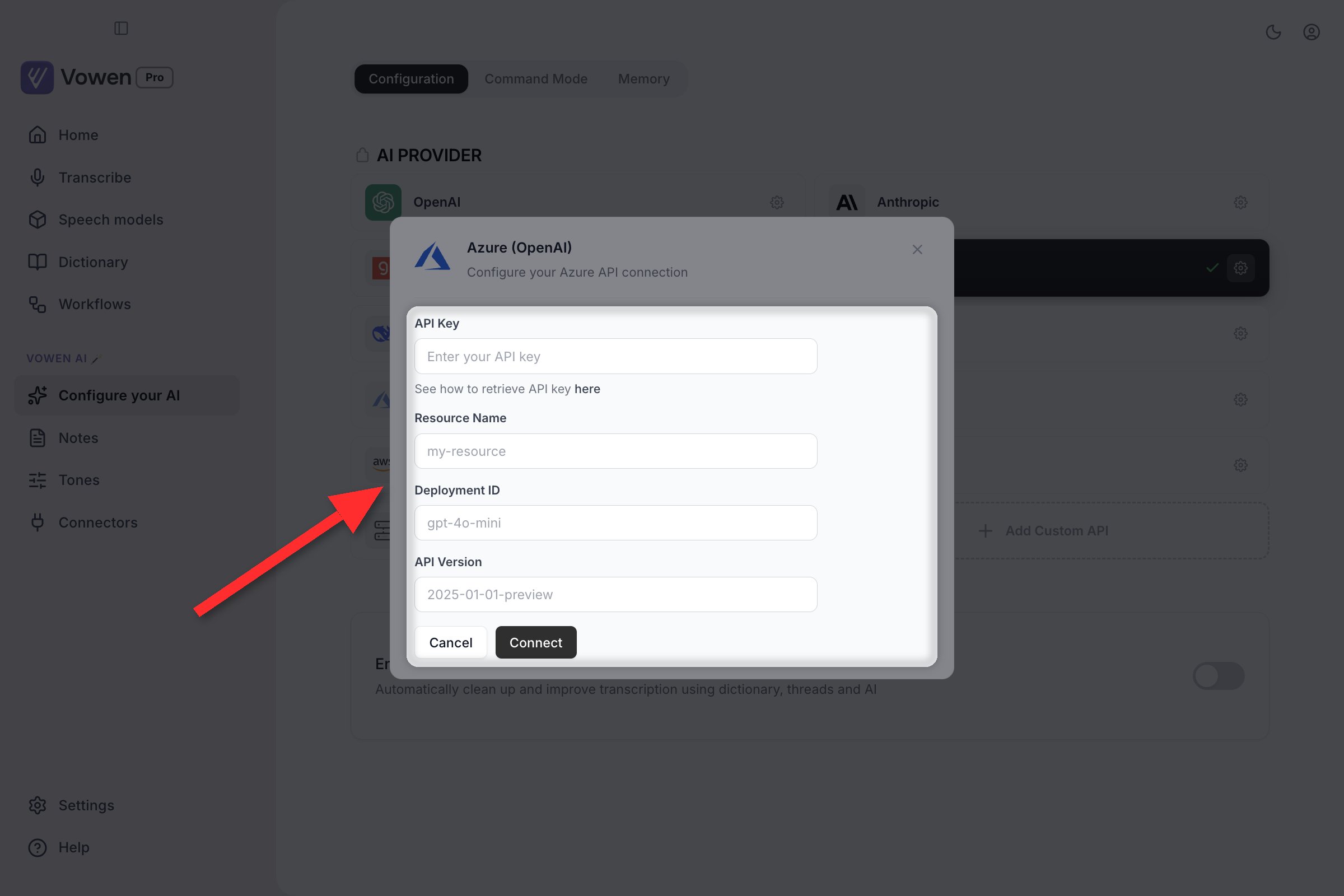
A provider you have not set up yet opens its panel when you click the card. Azure is shown here, which asks for deployment details instead of a model dropdown.
Pick a model
Click Connect
Custom API
The Custom API card works with any OpenAI-compatible endpoint: Ollama, LM Studio, vLLM, self-hosted models, internal gateways. Its panel has one extra field.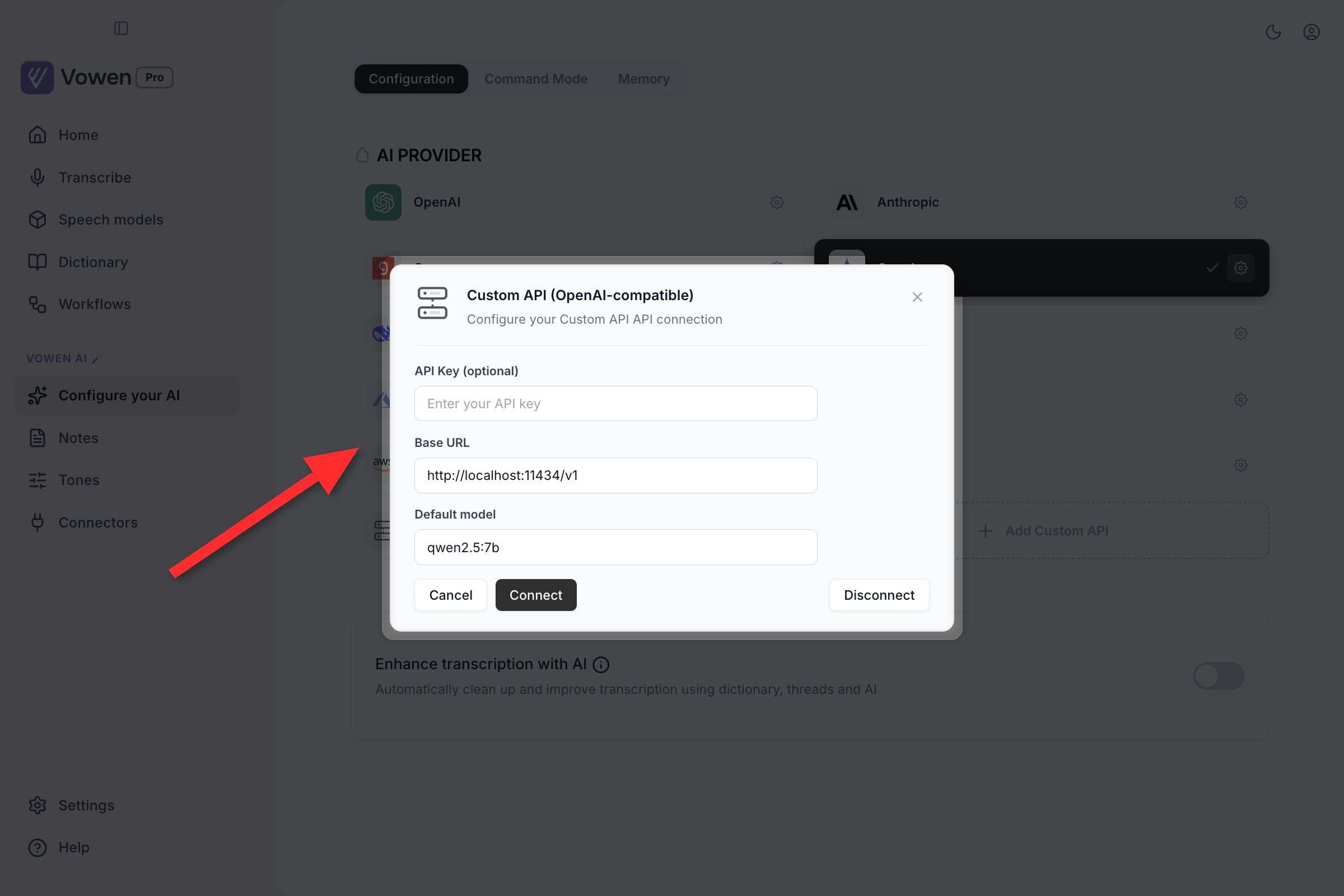
The Custom API panel: an optional key, the base URL of your endpoint, and the model name it serves.
- API Key (optional): leave blank if your endpoint doesn’t require auth.
- Base URL (required): point at your endpoint, for example
http://localhost:11434/v1for Ollama. - Model: a free-text field, because only your endpoint knows what it serves. Type the model identifier exactly as your endpoint expects it.
Multiple named Custom API entries
Below the provider grid there is a dotted Add Custom API card. It creates an additional, separately named Custom API entry with its own name, key, base URL, and model. Keep a local Ollama, a work gateway, and a staging endpoint side by side, each as its own card in the grid, each switchable in one click. Delete a named entry from its own card.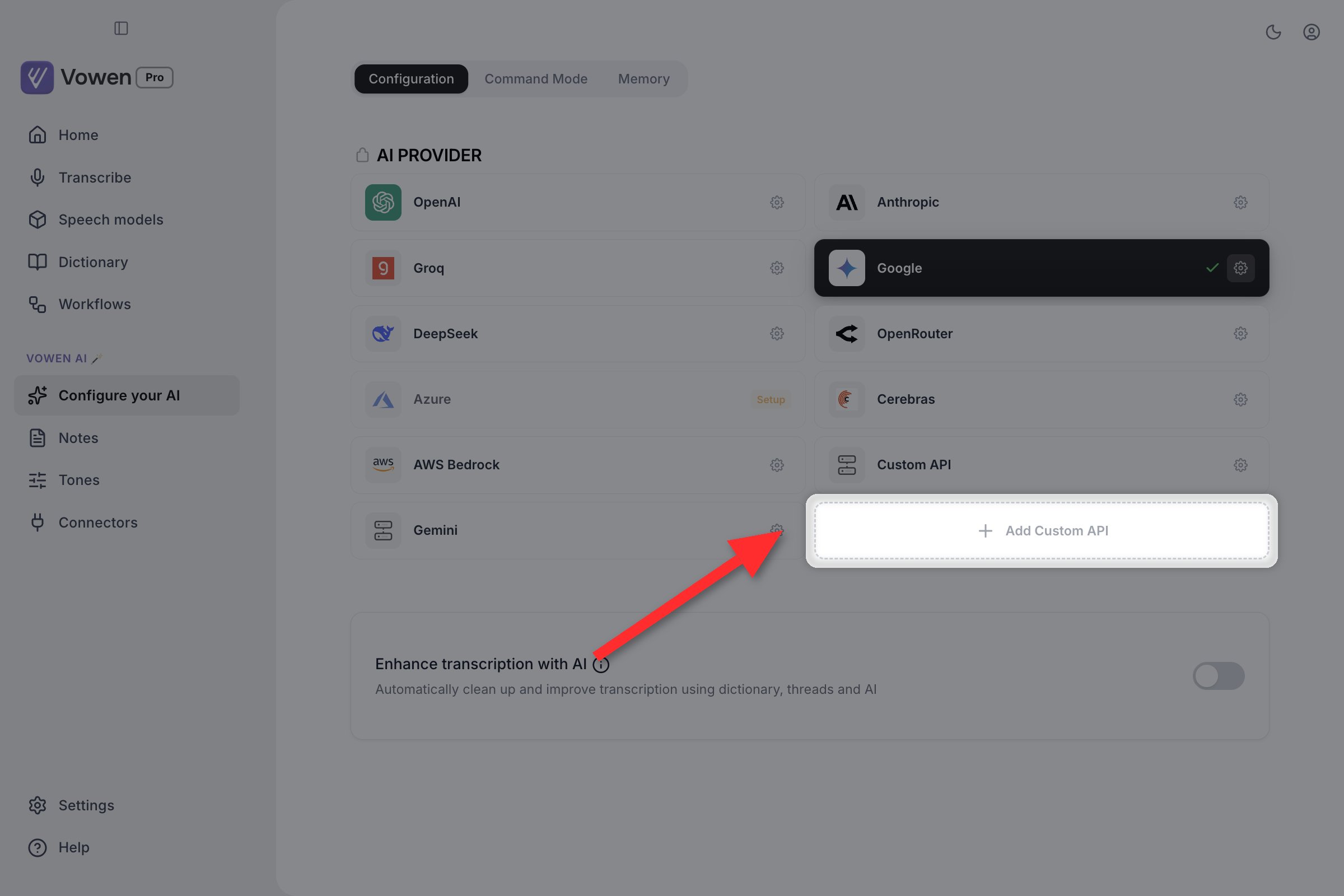
The dotted Add Custom API card sits at the end of the provider grid. It adds a new card rather than editing the built-in Custom API one.
Local coding agents (Claude Code and Codex)
If you have theclaude or codex CLI installed and signed in, Vowen detects it on disk and offers it as an AI provider. There is no key to paste and no card to configure. Availability is a property of your machine, so Vowen re-detects it rather than asking you to enter anything. Runs go through your existing subscription with your own default model, and no key ever reaches Vowen.
They show up where a summary provider is chosen (Notes settings and the per-note provider picker). The run is a plain completion with every built-in tool disabled and no MCP servers loaded, so it cannot touch your filesystem, network, or connectors, and Claude Code runs with session persistence off so meeting transcripts stay out of its history.
Disconnecting a provider
Open a configured provider’s panel with its gear icon. A Disconnect button sits at the bottom right. Disconnecting removes the key and, if that provider was active, offers a configured fallback to switch to.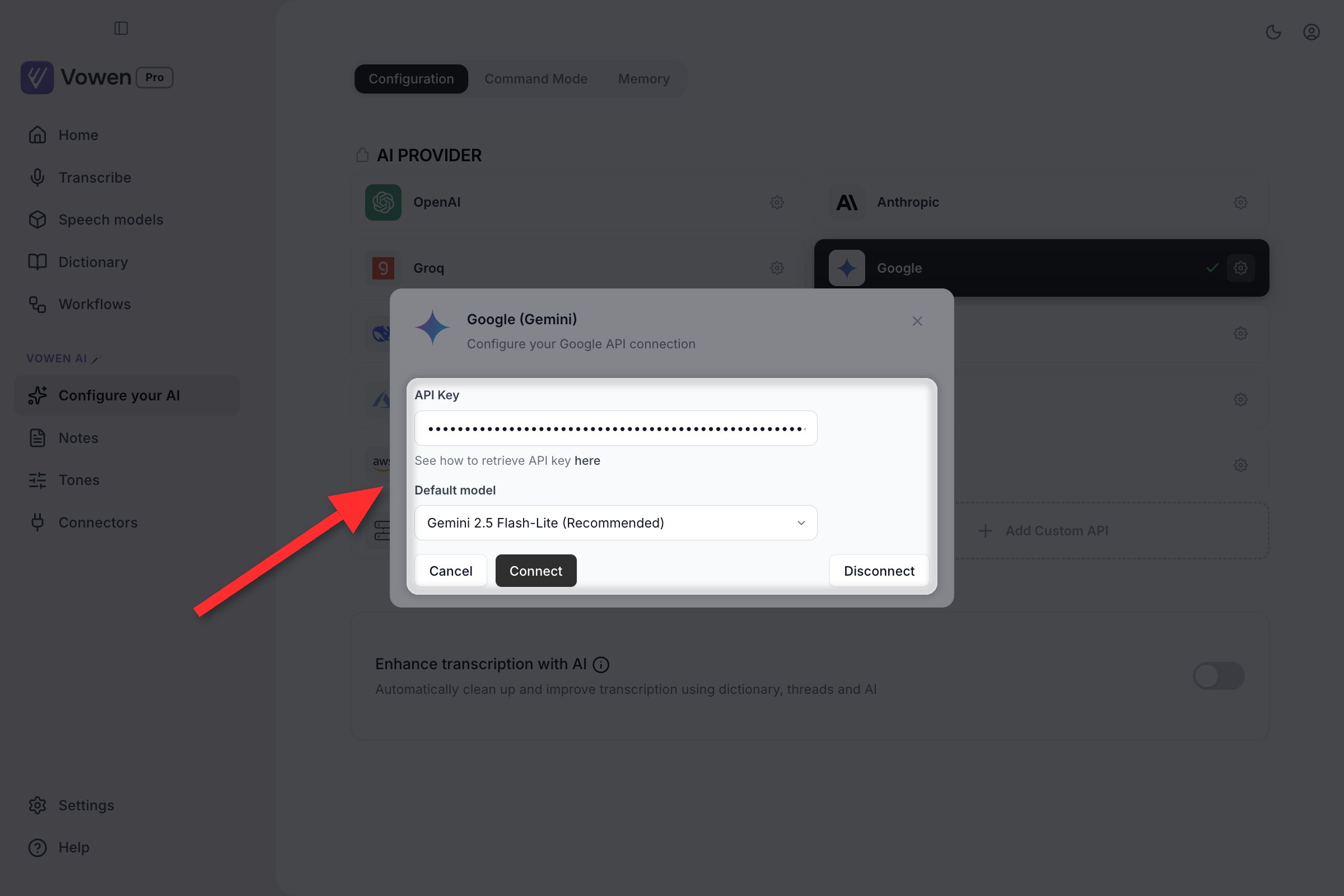
Reopening a connected provider's panel with its gear. Disconnect sits at the bottom right.
Where to get API keys
Free tier
Groq
Cerebras
DeepSeek
Paid
OpenAI
Anthropic
Azure
AWS Bedrock
Multi-provider gateways
OpenRouter
Self-hosted
Custom API
Switching providers
Configuring more than one provider is worth the two minutes. AI APIs go down and rate-limit, and a second configured provider means switching in one click instead of setting up a key mid-outage.- The active provider shows a checkmark on its card
- Click any configured card to make it active
- Keys stay saved, so switching back needs no re-entry
- When an enhancement or Command Mode run fails, the failure banner offers a chip per configured provider so you can retry without leaving your app
Model selection
Click the gear on a configured card to change its model. Models vary in:- Speed: how quickly responses come back
- Quality: how well the model follows instructions and formats text
- Cost: per-token pricing on paid providers
Rate limits
If you hit rate limits, especially on free tiers:- Switch to a second configured provider (Groq and Google alternate well)
- Move to a model with higher limits on the same account
- Wait a few minutes for the window to reset
- Move to a paid tier for heavy usage
Security
Your API keys are:- Encrypted on your machine, and never sent to Vowen
- Never sent to Vowen servers, only to the provider you selected
- Stored locally, never on our infrastructure