
There is no free trial. The Free plan has no time limit, so you can try meeting notes, file
transcription and Command Mode before you buy. If Pro is not for you, ask within 14 days of
purchase for a full refund.
Free plan limits
These are the limits you meet on Free. The full list, quota by quota, is in Plan limits.
The meeting hours, notes and file transcriptions never reset. On Free you also can’t delete
transcriptions or notes, so these work as lifetime totals.
If you installed Vowen before the paywall, some Free limits are looser: unlimited file
transcriptions and voice shortcuts, 20 Command Mode runs a day, and a few Pro features kept on.
See Plan limits.
What Pro adds
Dictation and transcription
Meeting notes
AI and productivity
Pro also includes priority support, early access to new features and all future updates.
How to buy and activate Pro
1
Buy a licence
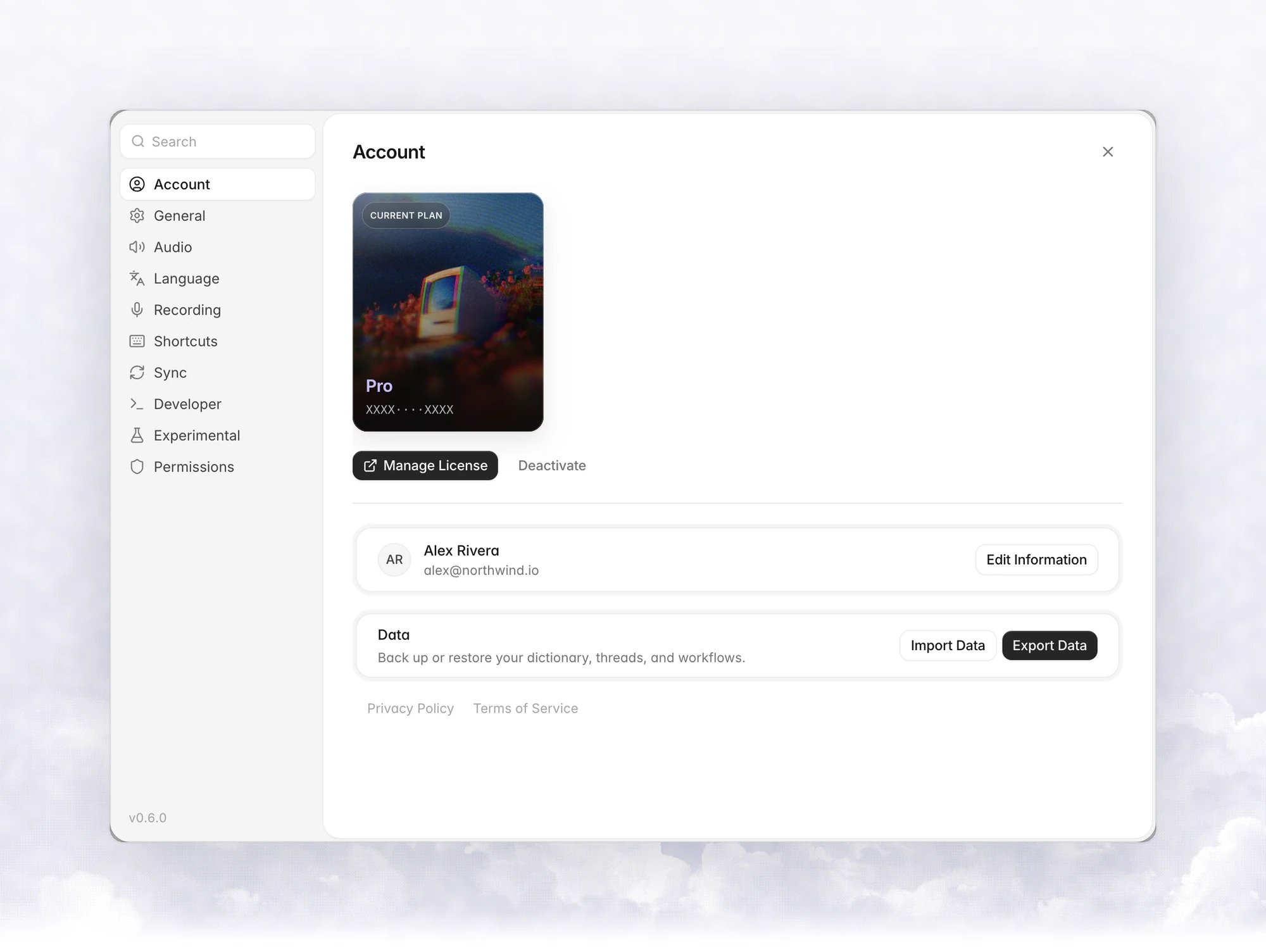
Open Settings › Account and click Buy License on the Pro card. You can also click
Upgrade to Pro wherever the app shows it. Your licence key arrives by email.
2
Open the activation dialog
In Settings › Account, click Activate License.
3
Enter your key
Under Already have a licence?, paste the key and click Activate. When it succeeds,
Vowen shows Pro Unlocked. Click Start using Pro.
The Pro intro
After you finish onboarding on the Free plan, Vowen shows a Free vs Pro comparison once. Click Stay on Free to close it, Compare plans to open the pricing page, or Buy License to purchase. You can enter an existing key there too.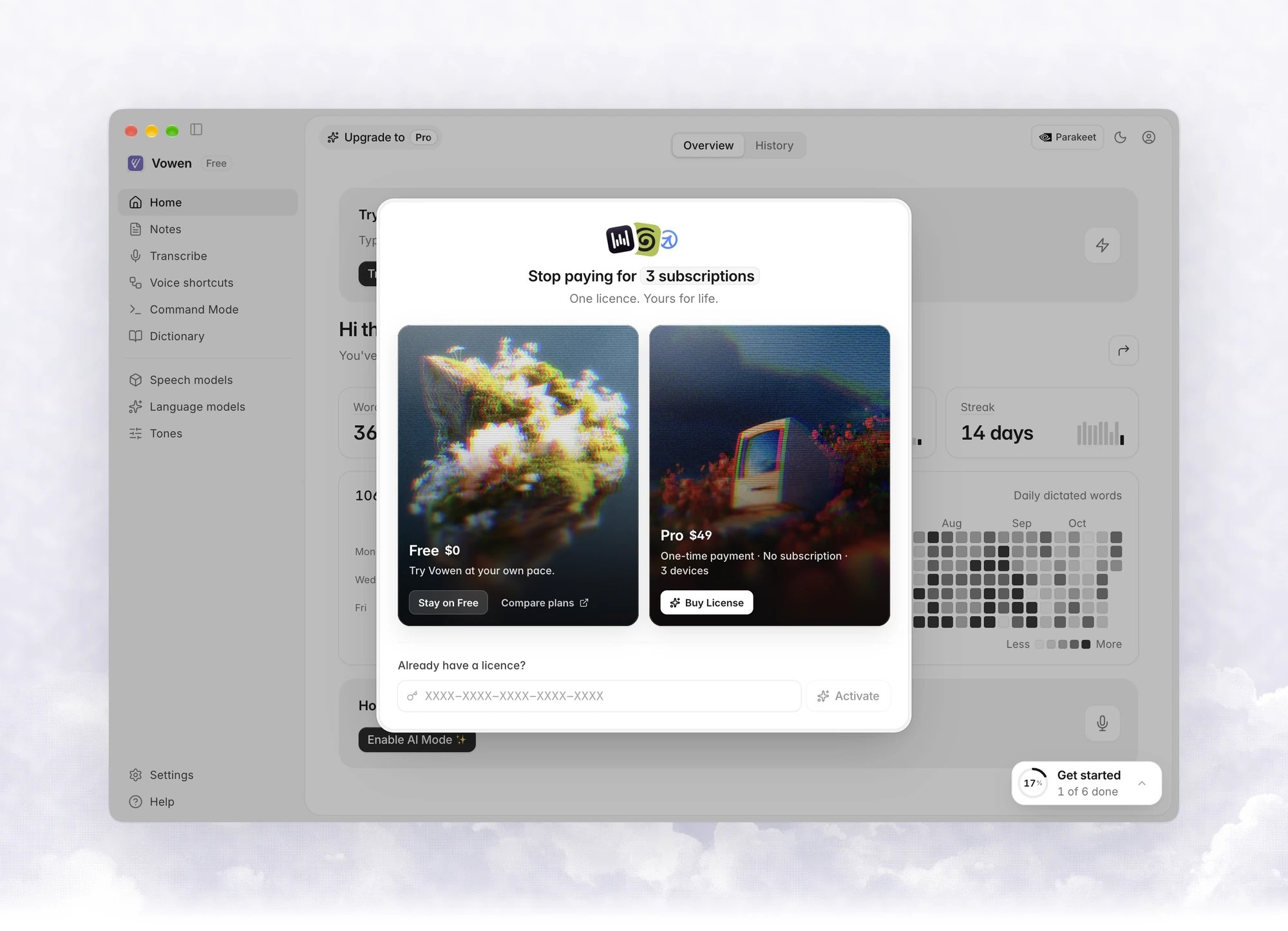
How to move your licence to another device
A licence covers 3 devices. To use it on a fourth, release one first.1
Deactivate on the old device
Open Settings › Account and click Deactivate. In the Deactivate License dialog,
click Deactivate. That device goes back to the Free plan.
2
Activate on the new device
Install Vowen, open Settings › Account, click Activate License and enter the same key.
Where to see your plan
The sidebar header shows Free or a Pro chip. Settings › Account shows your current plan. On Free, features that need Pro carry a Pro tag or an Upgrade to Pro button.Coming soon
These are on the roadmap and not in the app yet:- Teams. Shared workspaces, roles and team-wide settings for transcripts and notes.
- Mobile. Vowen on your phone, with your dictionary and notes.
FAQ
Is Pro a subscription?
Is Pro a subscription?
No. Pro is a one-time $49 payment. There are no recurring charges, and future updates are
included.
Do I need an account?
Do I need an account?
No. Free needs nothing. Pro needs only a licence key. The name and email in
Settings › Account stay on your device.
Does one licence cover Mac and Windows?
Does one licence cover Mac and Windows?
Yes. One licence works on up to 3 devices, in any mix of macOS and Windows.
What is the refund policy?
What is the refund policy?
Ask within 14 days of purchase and you get a full refund.
Will free features become paid later?
Will free features become paid later?
No. What is free today stays free. New advanced features may land on Pro.