
What are Threads?
Threads are text replacement rules. When you speak a trigger phrase, Vowen replaces it with your configured text in the transcription output. The replacement happens after the engine has finished, so it works identically on every transcription engine, local or cloud.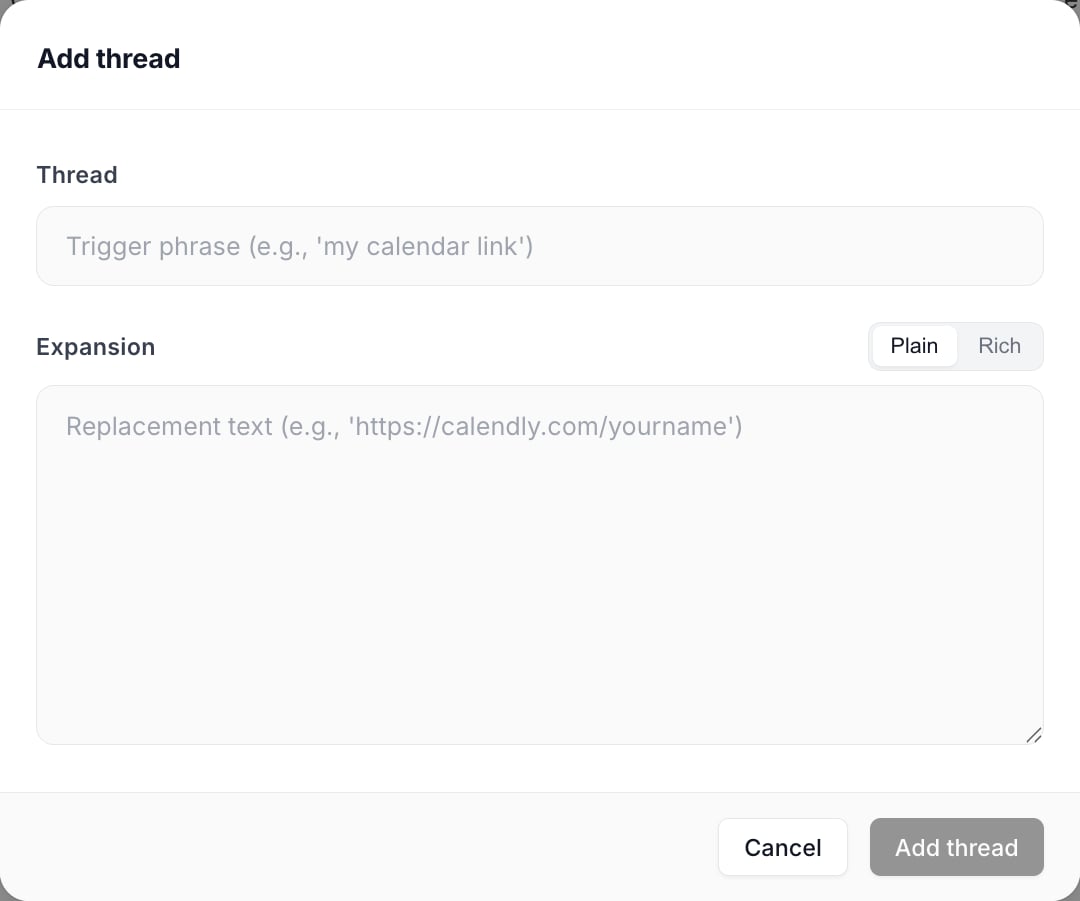
A thread is a trigger phrase and the text it becomes. The Plain and Rich toggle decides whether formatting survives.
Creating a Thread
1
Open the Threads tab
Click Dictionary in the left sidebar, then switch to the Threads tab.
2
Add a thread
Click Add Thread in the window toolbar.
3
Enter the trigger
Type what you say, or more precisely what the engine writes down when you say it.
4
Enter the replacement
Choose Plain or Rich at the top of the field, then write what you want pasted instead.
5
Save
The thread is live on your next dictation. No restart needed.
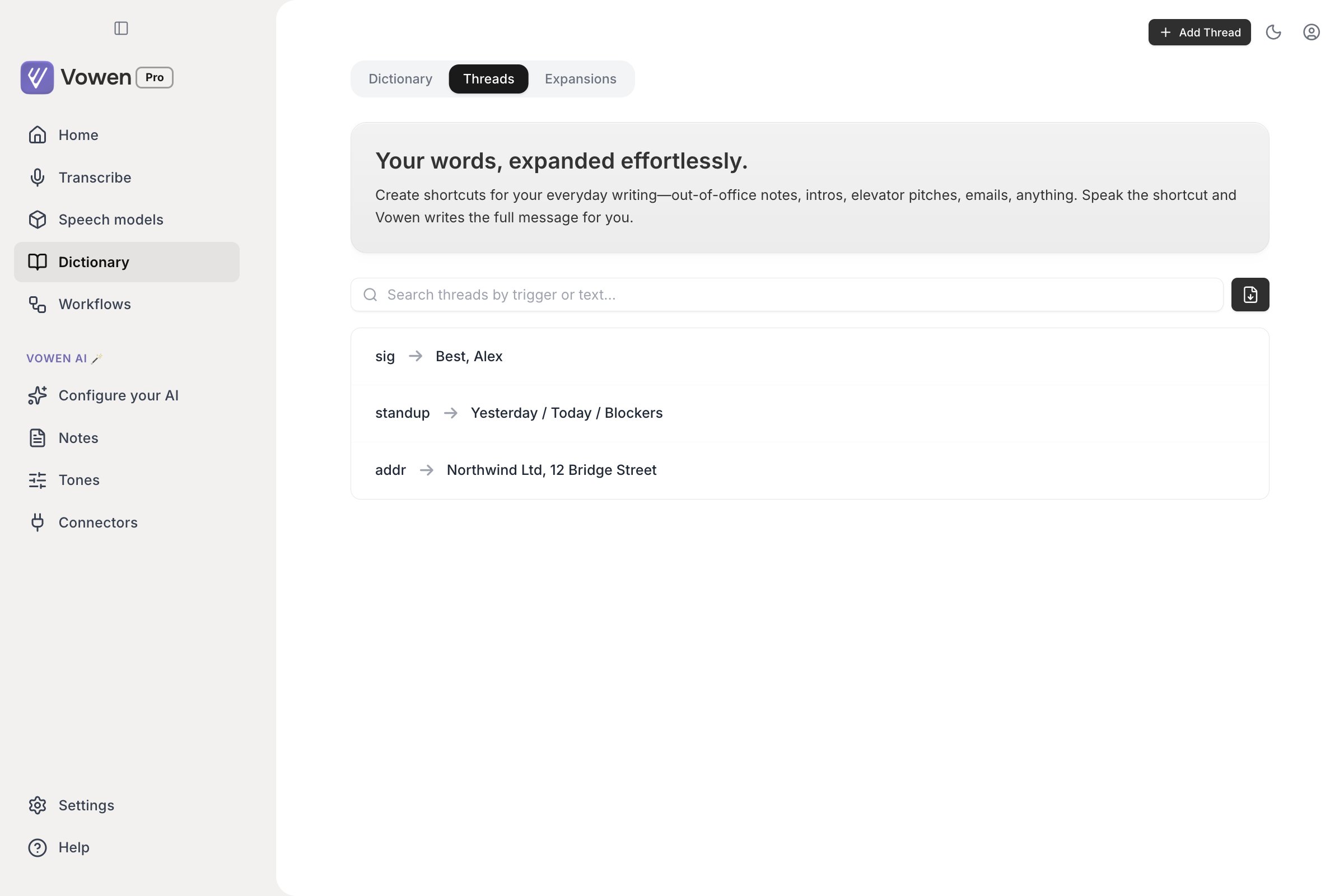
Each thread is a trigger on the left and the text it becomes on the right.
/ or Cmd+F (Ctrl+F on Windows) to focus it. Triggers must be unique; Vowen refuses a duplicate when you save.
Examples
How matching works
- You speak your phrase normally.
- The engine transcribes it, for example as “post gress”.
- Vowen scans the finished transcript for trigger matches.
- Matching text is replaced before pasting, giving “PostgreSQL”.
my email matches “My Email” and “MY EMAIL” equally.
Triggers are anchored as whole phrases. A trigger matches only where it is not glued to a letter, digit or underscore on either side, using Unicode-aware lookarounds. A thread triggered on sig therefore leaves the middle of “design” alone, and cal leaves “calendar” alone.
Each side of a trigger is anchored independently, based on its own first and last character. A trigger that ends in punctuation, like
etc. or :), gets no anchor on that side, so it can still fire when it runs straight into the next word.Unsegmented scripts
Word boundaries do not exist in scripts that are written without spaces, so anchoring a trigger whose edge falls in one of them would mean it could never fire. Characters in these ranges are exempt from anchoring:- Thai and Lao
- Khmer
- Myanmar
- Hiragana and Katakana, including half-width Katakana
- CJK Unified Ideographs, Extension A, and Compatibility Ideographs
- Hangul Syllables
Priority and ordering
Threads are sorted longest trigger first, and every one of them is then applied in turn to the text as it stands after the previous ones. Longest-first only decides who claims an overlapping span first. It does not mean the shortest threads are skipped. If a longer trigger matched part of your speech, a shorter trigger can still fire on whatever the longer one did not consume, and on any other occurrence elsewhere in the same transcript. Every occurrence of a trigger is replaced, not just the first. Your Dictionary misspellings are folded into the same pass as implicit threads, using identical anchoring. They do not count towards thread matching for the purposes of the enhancement skip described below.Rich-text threads
The Add Thread dialog has a Plain / Rich toggle. In Rich mode you get a small formatting editor: bold, italic, lists, links, headings, colors, highlights and alignment. Threads that use it are marked with a rich pill in the list. When a rich thread fires, Vowen places both a formatted and a plain version on the clipboard. Apps that read rich content (Gmail, Notion, Apple Mail, Word, Google Docs) receive the formatting; apps that only read plain text (Terminal, code editors, single-line inputs) receive the plain fallback. Rich paste is also skipped when your text insertion method is set to Direct Input, since that method types characters rather than pasting.Simple thread usage skips AI enhancement
If a dictation is essentially just a thread trigger, Vowen recognizes that and pastes the snippet immediately instead of sending it to a model. When at least one thread matched and six or fewer non-filler words remain around it, Vowen skips AI enhancement for that dictation. Filler words (“um”, “uh”, and the rest of the filler list) are removed before counting, so “um, my signature, uh” still counts as zero residual words. The snippet is already exactly what you wrote. Sending it to a model adds latency and risks rewording your own signature block. Saying “my signature” pastes instantly; dictating three paragraphs that happen to contain “my signature” still gets enhanced normally. There is no setting for this. A shortcut explicitly configured to always enhance still enhances.Smart spacing
After threads are applied and any enhancement has run, Vowen inspects the text on either side of your cursor and fixes the spacing at the insertion point, so a snippet dropped mid-sentence does not arrive jammed against the previous word. This is on-device and always on. Smart spacing applies to dictation output, including thread replacements. It does not apply to Text Expander injections, which go through a separate path.Bulk import from CSV
Click the Import from CSV button in the search row to add many threads at once.- Two columns per row: trigger, then replacement
- A header row is optional and detected automatically
- Existing triggers are detected and skipped, with a count shown in the preview before you commit
- Imported threads are always plain format
vowen-threads-sample.csv with the expected shape.
Use cases
- Correct consistent misspellings: “cube nets” becomes “Kubernetes”
- Paste boilerplate: “my signature” becomes your full email signature
- Insert links: “portfolio link” becomes “yourportfolio.com”
- Expand abbreviations: “ETD” becomes “estimated time of delivery”
- Fix names: “john smith” becomes “Jon Smyth”, when the engine always gets it wrong