Connectors link Vowen to external apps and to your own Mac so the AI can pull in relevant
information while it answers you. Once a connector is linked, Vowen’s AI features can look things up
in the background (search your Linear issues, read a Notion page, find a file in Google Drive, check
a Vercel deployment) and fold the results into the response. You don’t run a special command; it
happens as part of asking the AI.
In shipping builds, only read tools reach the model. Vowen filters the tool list down to look-ups
(search, list, get, read, find) before the AI ever sees it, so a connector cannot send an email,
open an issue, or edit a document on your behalf. This is a build setting rather than an
architectural guarantee. The underlying catalogs do define write actions, and Vowen excludes them
before the model is given the toolset.
Connectors are gated twice. Clear both gates in this order.
1
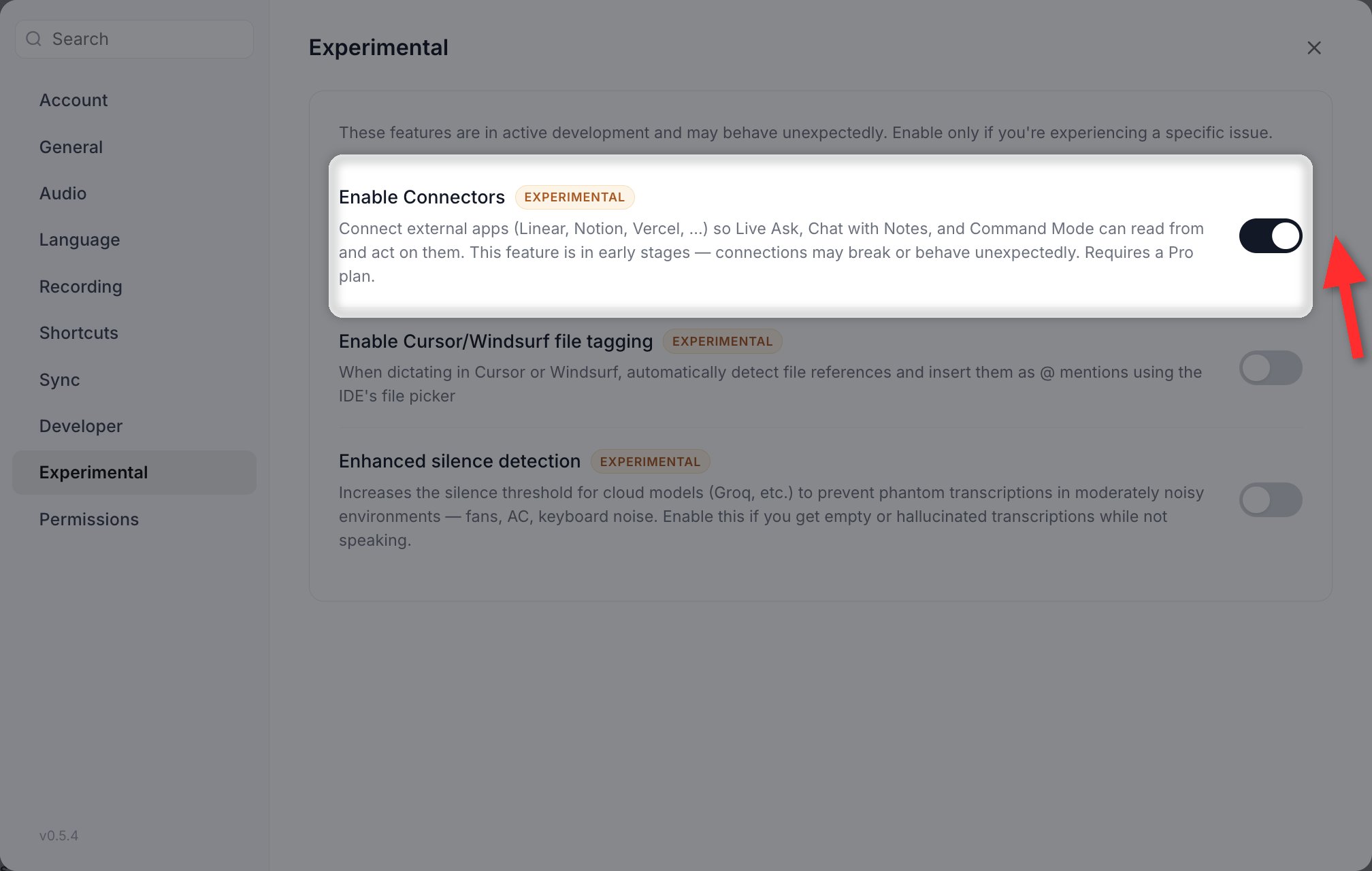
Enable the experimental flag
Open Settings > Experimental and turn on Connectors. Until you do, the Connectors
item does not appear in the sidebar at all, and the Command Palette will not find it.
Enable Connectors is the first row under Settings > Experimental. Turning it on is what puts Connectors in the sidebar.
2
Be on Pro
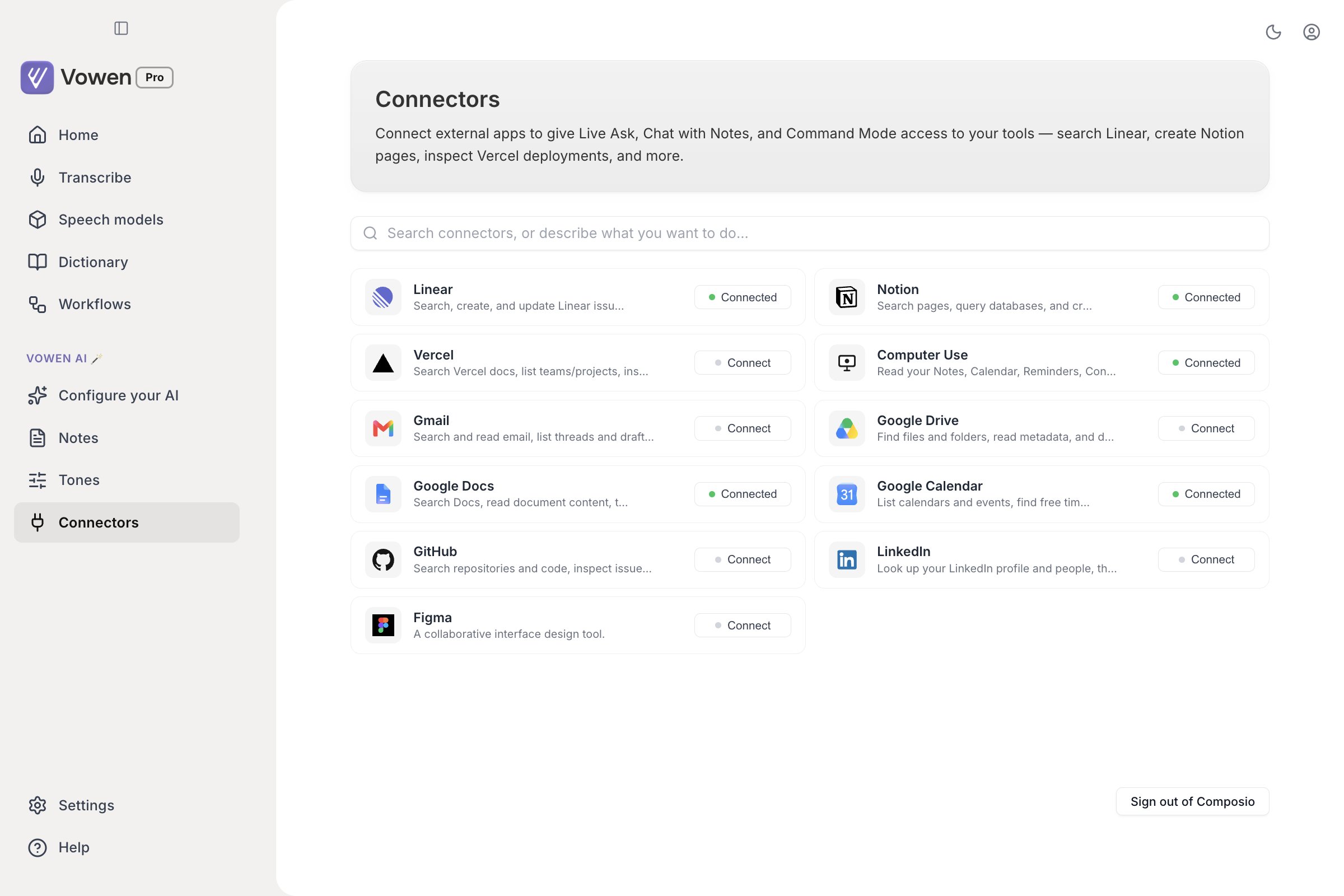
With the flag on, open Connectors from the sidebar (under Vowen AI). Free users see an
upgrade prompt here instead of the connector cards.
The feature is early. Connections can break, a tool may not fire when you expect it to, and the set
of supported apps will keep changing.
Click Connect on the card. A browser window opens for you to authorize Vowen. After you approve,
the authorization is remembered on this device, so reconnecting later is one click. Disconnect
clears the saved authorization, and the next connect starts the browser sign-in again.
Gmail, Google Drive, Google Docs, Google Calendar, GitHub, and LinkedIn go through
Composio. You need your own Composio account; the free tier covers everyday
use.There are two authorizations, and only the first one is with Vowen.
1
Sign in to Composio
The first time you connect any Composio-backed app, a browser opens for Composio itself. The
card shows Signing in to Composio… while this leg is in flight. This happens once. Every
Composio connector shares the session afterwards.
2
Authorize the app
Composio then hands back an authorization link for the app itself (Google, GitHub, LinkedIn).
Vowen opens it and waits until the connection reports as active. The card shows
Opening browser… during this leg.
Because the second authorization lives in your Composio account rather than on your machine, a
connector you authorized on another device, or before a reinstall, comes back already connected and
skips the browser entirely.
Disconnect on a Composio card removes that app’s connection from your Composio account. It
deliberately leaves the shared Composio session alone, so dropping one app does not force a
re-authorization for the rest.Disconnecting your last Composio app therefore still leaves a signed-in Composio session cached. To
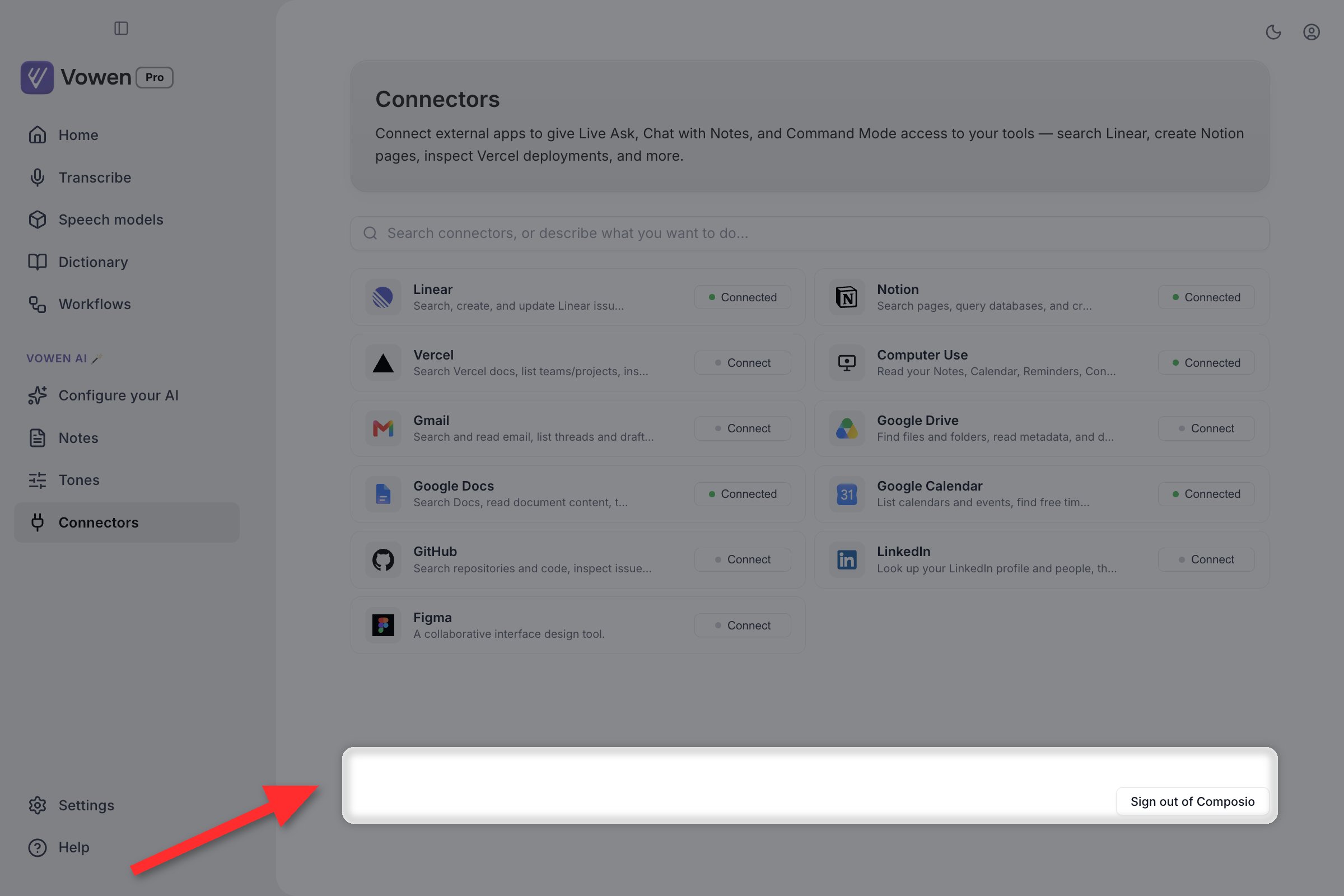
clear it, use the Sign out of Composio button at the bottom of the Connectors page. It
disconnects every Composio-backed connector and forgets the session.
Sign out of Composio is tucked into the bottom corner of the Connectors page, away from the cards. It is the only control that clears the shared session.
The Computer Use connector runs entirely on your Mac. There is no account and no sign-in, so
connecting simply makes its tools available.The first time the AI actually calls one, macOS prompts for access:
Automation: a separate prompt per app it scripts (Notes, Calendar, Reminders, Contacts,
Finder, and your browser)
Calendars, Reminders, and Contacts: the standard privacy prompts for those data types
Full Disk Access: additionally required to read Safari bookmarks
It can read Notes, Calendar, Reminders, Contacts, Spotlight file searches, your current Finder
selection, and the active tab and bookmarks of common browsers (Safari, Chrome, Brave, Edge, Arc).
Read-only throughout.
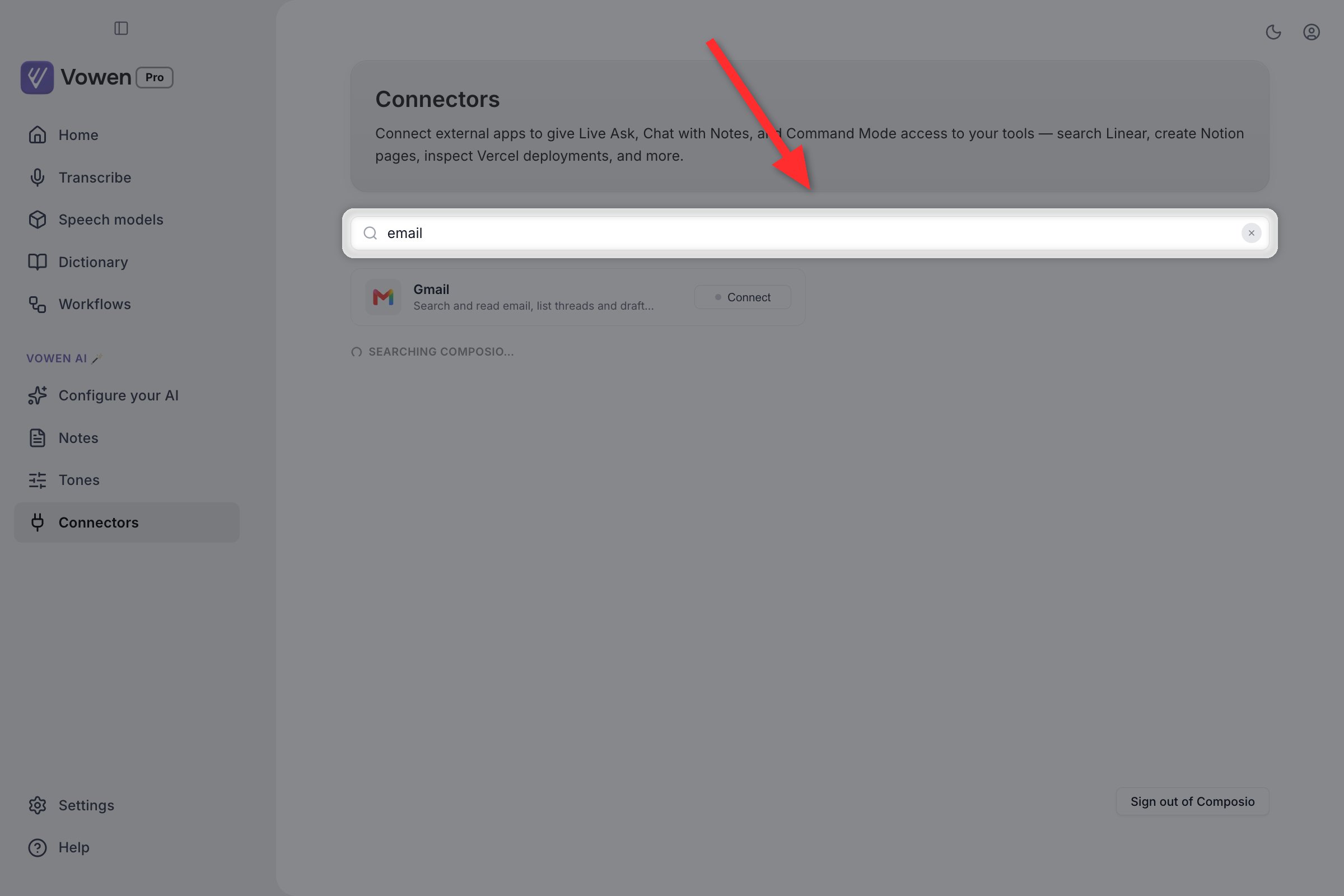
The search bar at the top of the Connectors page does two things at once. It filters the cards you
already have, matching on name, description, and id, so typing email finds Gmail without you
knowing the name.
Typing email narrows the grid to Gmail on description alone, and the catalog lookup starts underneath at the same time.
Type at least two characters and it also queries Composio’s full catalog underneath the cards,
under the heading From Composio’s catalog. The search is use-case driven, so you can describe
what you want to do rather than name an app. Click Connect on a result and it becomes a normal
card: same connect flow, same routing, same read-only filtering. Discovered connectors are
remembered across restarts.
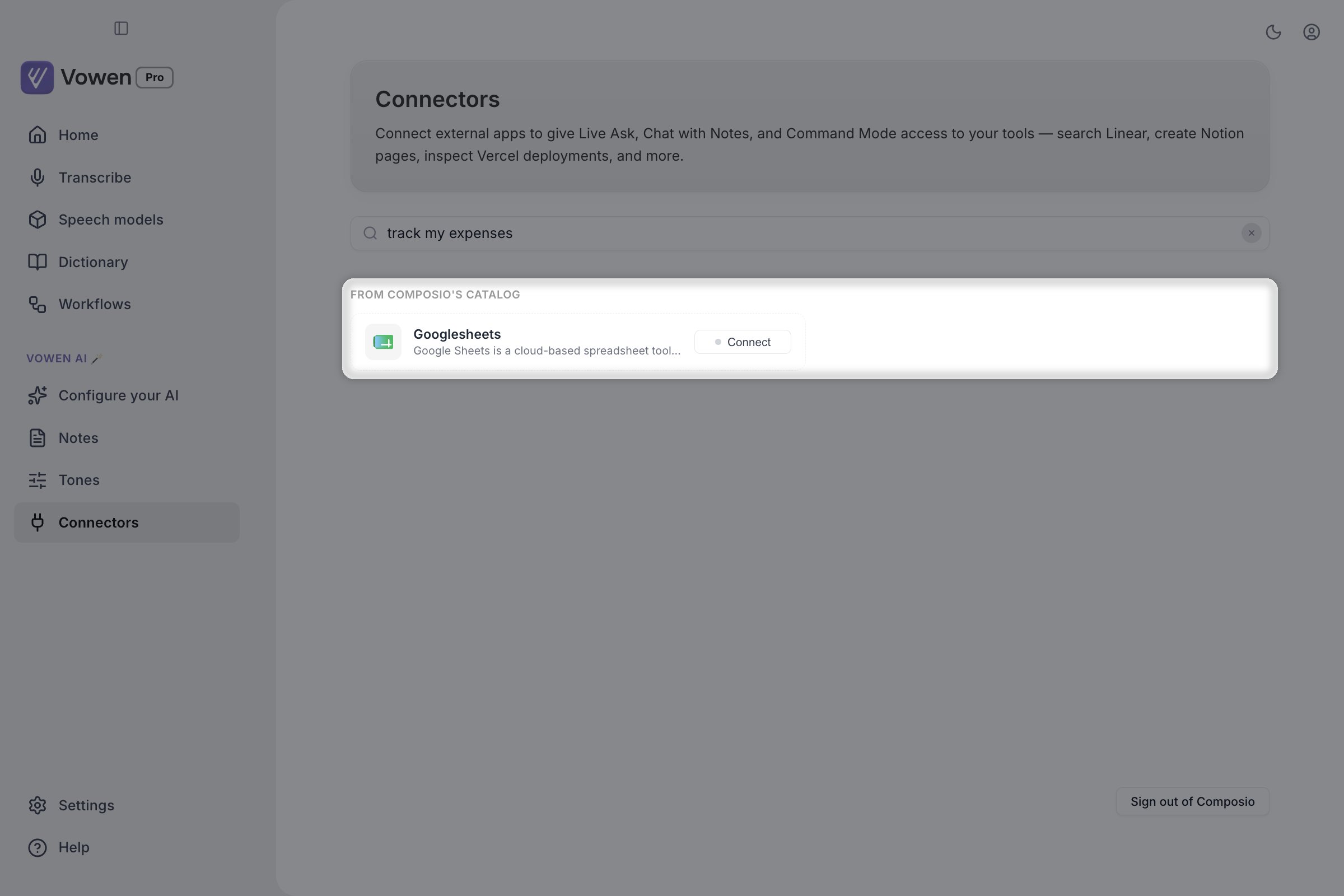
Describing a task rather than naming an app still works: track my expenses surfaces Google Sheets under From Composio's catalog.
The ten built-in connectors have hand-verified tool lists. For a connector you discover through
search, Vowen classifies each tool as read or write heuristically, from the verb in its name. A
tool whose name does not follow the usual convention could be misclassified, so treat a
runtime-discovered connector as less predictable than a built-in one.
Searching the catalog requires a Composio session, so sign in to Composio first.
Vowen decides which connected apps are relevant to each request from the words you use. Mention
issues or a sprint and it considers Linear; mention a deployment and it considers Vercel; mention
email or your inbox and it considers Gmail; mention a note, calendar, or file and it considers
Computer Use. If nothing in your message matches, no connector is used, which keeps requests fast
and focused. When a tool runs, you’ll see a brief inline note in the response showing which app it
called.Click a connected card to see exactly which tools are exposed for it.Connectors work with any AI provider whose models support tool calling: Anthropic, OpenAI (and
OpenAI-compatible providers like Groq, DeepSeek, OpenRouter, and Cerebras), and Google Gemini.
Connector authorizations are per-device and are not part of cloud sync.
Connecting Linear on your laptop does not connect it on your desktop.
Tokens live in your local settings, encrypted at rest. Nothing about a connector is written to any
sync category.The exception is Composio-backed connectors. Their app authorization lives in your Composio account,
not on the device, so once you sign in to Composio on a second machine those connectors come back
already connected.