
Check which model you are on first
Changing model is the single largest accuracy lever.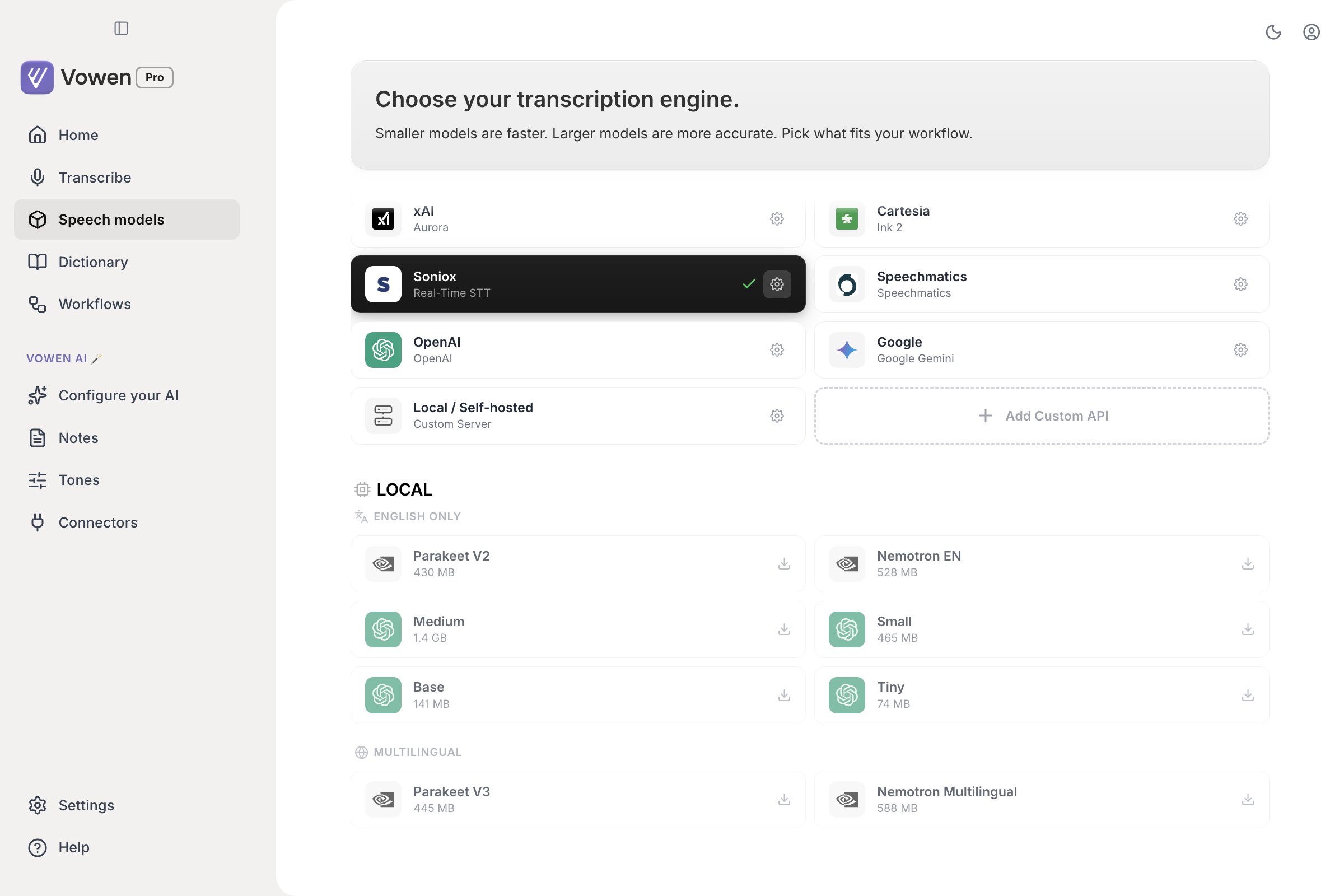
The Speech models page. The active model is the dark card; local models show their download size.
What custom vocabulary actually does
It depends entirely on your engine. Some use your Dictionary well, some use it weakly, and some ignore it completely. Each has its own ceiling on how many terms it will take.How each engine receives vocabulary
Engines that use your Dictionary well
Engines that use your Dictionary well
Engines that use your Dictionary weakly
Engines that use your Dictionary weakly
- Local Whisper Small and larger. Small, Medium, Large v3 and Large v3 Turbo, plus the English-only variants of Small and Medium. Tiny and Base are excluded, and get nothing.
- Whisper Large v3 and Large v3 Turbo (Groq)
- Custom speech servers running an OpenAI-compatible Whisper endpoint
- Sarvam Saaras v3, live dictation only
- Google Gemini, file transcription only
Engines that receive nothing at all
Engines that receive nothing at all
- Whisper Tiny and Base, including
tiny.enandbase.en - Parakeet, every variant, on macOS and Windows
- Nemotron EN and Nemotron Multilingual
- Sarvam Saaras v3, file transcription. Sarvam takes vocabulary during live dictation only.
- Cartesia, file transcription. Cartesia’s batch model takes no vocabulary.
- Gemini Live, used for live dictation. Only Gemini file transcription applies your terms.
- OpenAI’s diarization model (
gpt-4o-transcribe-diarize), which takes no vocabulary of any kind
Which terms get sent
Your Dictionary is listed alphabetically, so simply taking the first terms would give a user with 200 entries a vocabulary that effectively stops at “C”. Vowen prioritises by how often you have actually said each term, then how recently, then when you added it, and fits as many as the provider’s ceiling allows.What to do instead of vocabulary
If your engine takes no vocabulary, or it is not enough on its own, these all still work:Add a misspelling alias to the Dictionary entry
Use a Thread for consistent replacements
sig thread will not rewrite the middle of “design”.Turn on AI enhancement
Switch to an engine that uses your Dictionary
Set your language explicitly
Auto-detect occasionally picks the wrong language, and a wrong-language decode is far worse than a slightly weaker model.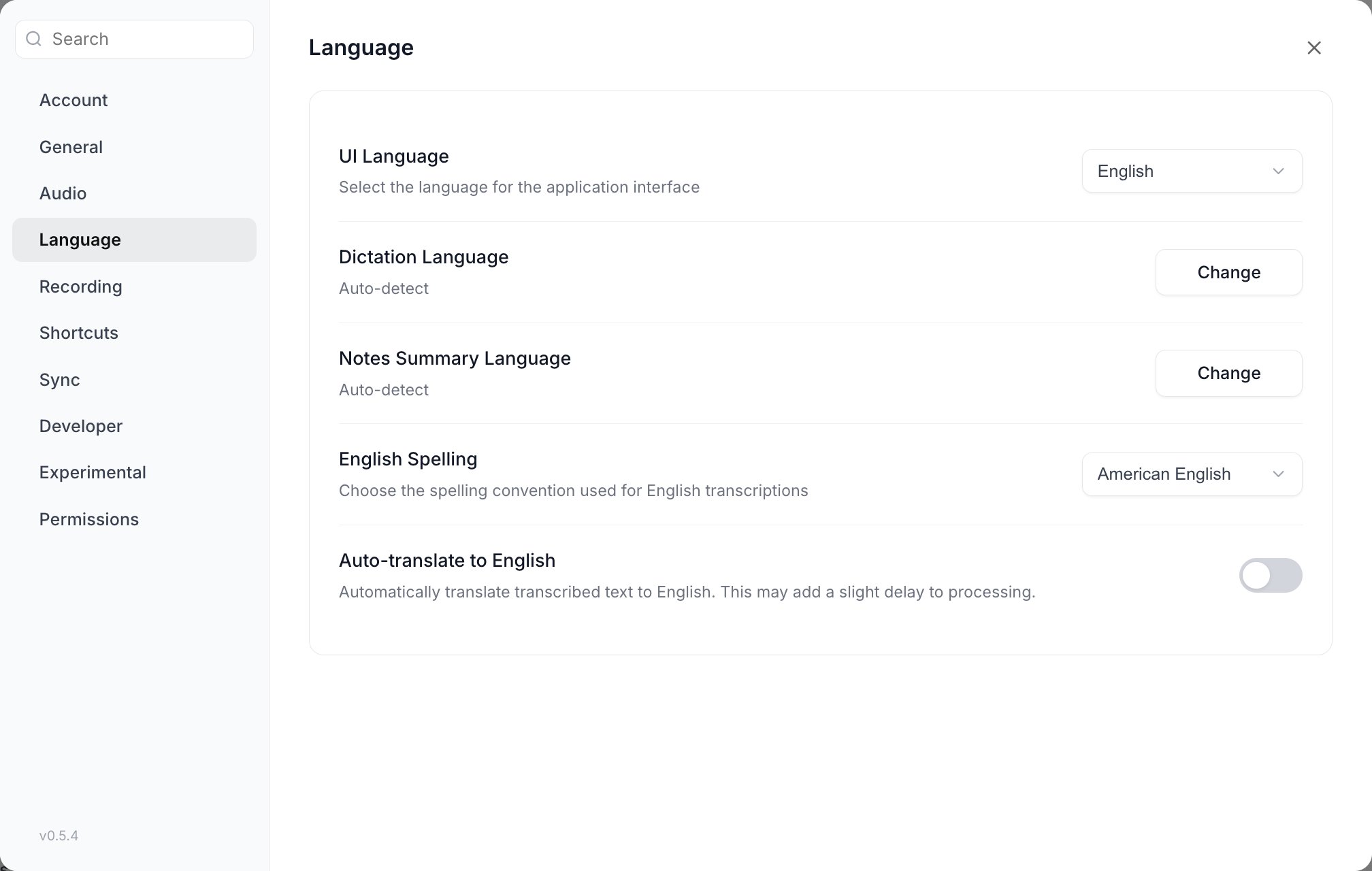
Settings > Language. Dictation Language is the one that reaches the speech model.
- Go to Settings > Language
- Set Dictation Language to your primary language
Turn on AI enhancement
AI enhancement catches and fixes most remaining transcription errors, and it receives your Dictionary terms as context. Turn it on at Configure your AI > Configuration > Enhance transcription with AI.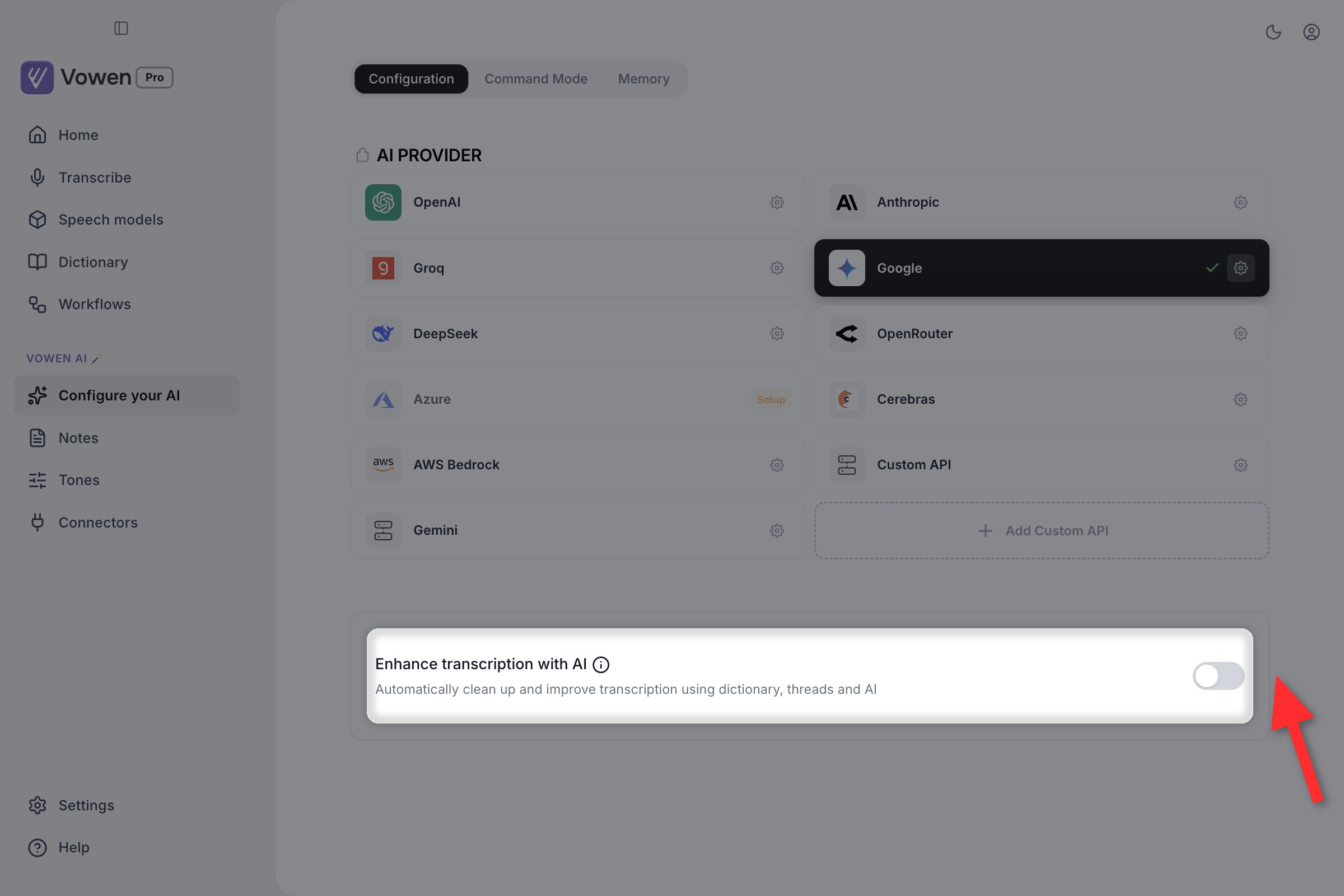
Enhance transcription with AI, under the provider grid in Configure your AI.
Specific issues
Words getting mixed up when speaking fast
Words getting mixed up when speaking fast
- Slow down slightly. Rapid speech is harder for every speech model.
- Switch to a cloud model. Nova 3 (Deepgram) and Scribe v2 (ElevenLabs) handle fast speech well.
- On a local Whisper model, move up a size.
Technical terms misspelled
Technical terms misspelled
- Whisper Tiny or Base, Parakeet, or Nemotron: vocabulary does nothing. Use a Dictionary misspelling alias, a Thread, or AI enhancement, or move to an engine that takes vocabulary.
- An engine that uses your Dictionary well: add the terms to your Dictionary (the top-level sidebar page, not a settings section) and recognition is steered towards them directly.
- Local Whisper Small or larger, or Groq: add them to the Dictionary. They go in as a hint, which helps but is weaker.
Non-English accuracy is poor
Non-English accuracy is poor
- Use a multilingual model. Never a
.enWhisper variant, and never Parakeet V2 or Nemotron EN, all of which are English-only. - Set the language explicitly rather than relying on auto-detect.
- Parakeet V3 covers 25 European languages and is fast.
- Nemotron Multilingual is macOS only and streams with punctuation.
- For Japanese, Parakeet Japanese is a dedicated macOS-only model. For Mandarin, Parakeet Mandarin, also macOS only.
- For Indian languages, Saaras v3 (Sarvam AI).
- Whisper Large v3 covers 99 languages and remains the broadest option.
Output repeats or loops
Output repeats or loops
- Re-record the phrase, or use Retry on the Voice Log entry to re-run the saved audio through a different model
- Move up a model size, or to a cloud model
- AI enhancement detects and removes repetitions
Random 'Thank you' or invented text
Random 'Thank you' or invented text
- Start speaking as soon as you press the shortcut rather than holding it in silence
- Vowen already discards local results that are exactly “thank you”, “thank you.”, ”.” or ”.\n”. If something is reaching your app, it was not an exact match.
- Turn on Settings > Experimental > Enhanced silence detection for cloud models. A Sensitivity slider from 1 to 5 appears once it is on, defaulting to 2.
- Whisper-family audio already has its trailing silence trimmed before upload, precisely to reduce this.
Only the first word or a lone period is captured
Only the first word or a lone period is captured
- Hold the shortcut for the full duration of your speech, or switch that shortcut to Tap mode in Settings > Shortcuts so you are not fighting the key
- Parakeet requires at least 300 ms of audio. Anything shorter is silently discarded, with no error and no Voice Log entry, on the assumption you tapped the key without speaking.
- Check that your shortcut is not being consumed by the target app
The first or last word is missing
The first or last word is missing
Capitalisation and spacing are wrong around inserted text
Capitalisation and spacing are wrong around inserted text
American vs British spelling
American vs British spelling
Recommended setups
macOS, fast and accurate, fully local:- Speech: Parakeet V3, or Nemotron EN if you want punctuated live preview
- AI: Gemini 2.5 Flash-Lite or Claude Haiku 4.5
- Speech: Parakeet V3 locally, or Whisper Large v3 Turbo (Groq) in the cloud
- AI: Gemini 2.5 Flash-Lite
- Speech: Scribe v2 (ElevenLabs), Universal-3.5 Pro (AssemblyAI), or Nova 3 (Deepgram), all of which use your Dictionary well
- AI: Claude Sonnet 4.6 or GPT-5.4