
Public share links are a Pro feature. The Free plan can open links other people send, but cannot create its own.
Overview
Publish any meeting note as a page athttps://share.vowen.ai/n/<id>, where <id> is a 22-character
random string. Send the URL to anyone. They do not need Vowen, an account, or a login.
The published page shows the note’s title, its date, its length, the speakers it found, and then the
summary and the transcript as two tabs. Visitors get a copy-link button, a copy-text button and a
light/dark toggle. The page carries noindex, nofollow, noarchive, so search engines will not list it.
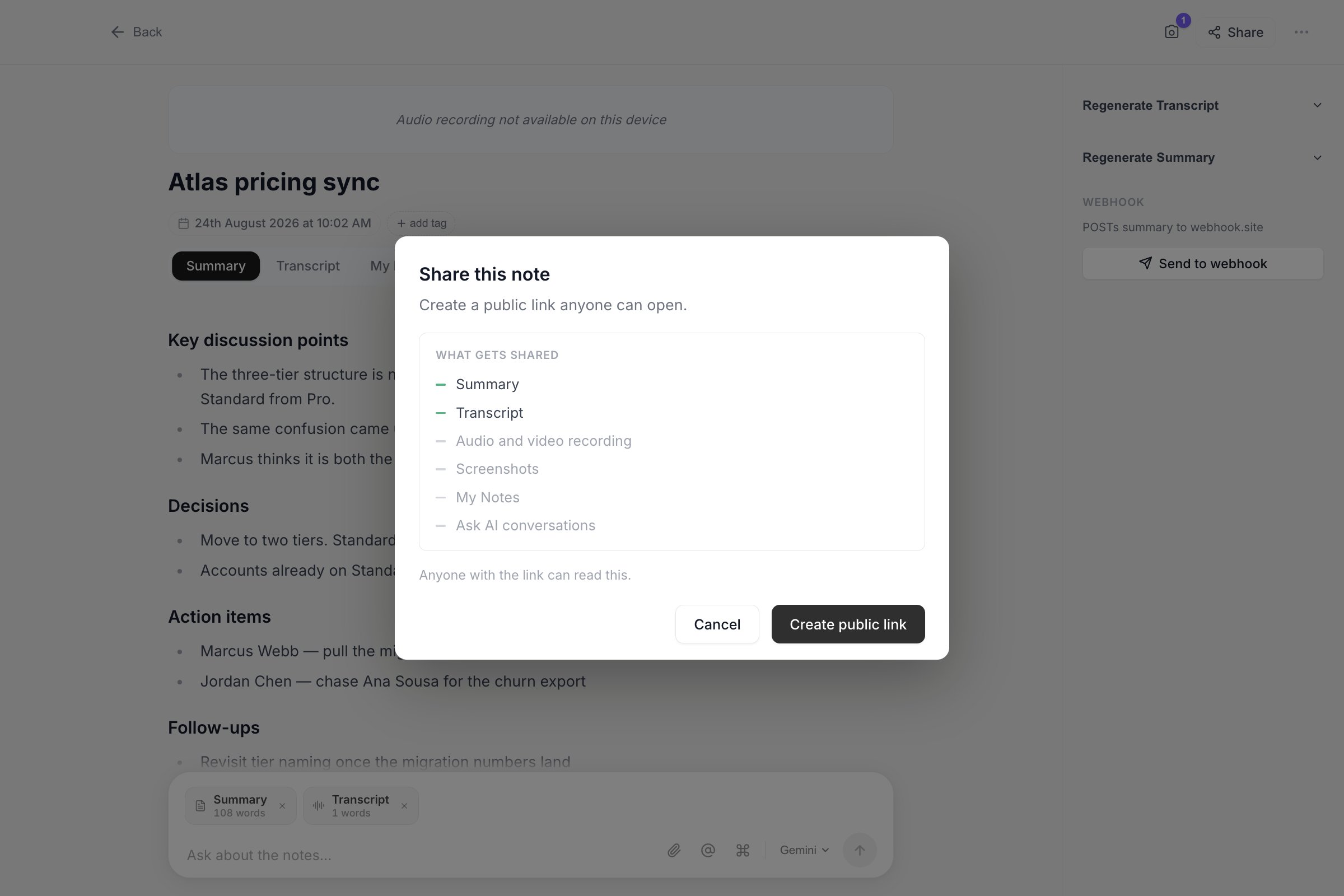
Share lists exactly what the public page will include before you create the link.
Publishing a note
1
Open the note
Go to Notes in the left sidebar and click the meeting note you want to publish.
2
Click Share
The Share button sits in the note’s header. It opens a dialog summarising what is about to be
published and what is held back.
3
Create the link
Click Create public link. Vowen uploads the note and copies the URL to your clipboard, then
confirms with a “Public link created and copied” toast.
A note must have a summary or a transcript before you can share it. A note that is still
processing, or one recorded with a transcript-only template that has not been transcribed yet, is
rejected with “This note has no summary or transcript to share yet.”
What is published
Vowen builds the upload from an allowlist in code, not from the note record as a whole. Only these fields are ever sent:
Your app language is sent too, so the page renders its date in the same locale.
What is never published
These are excluded deliberately, and the exclusion is enforced twice: once when Vowen builds the upload, and again on the server, which rebuilds the payload from its own allowlist before anything is written to storage.- The audio recording
- The video recording, if you recorded the screen
- Meeting screenshots
- My Notes (the context you typed during the recording)
- Ask AI conversations
- Important moments you marked during the recording
- Speaker voice embeddings and automatic speaker labels
- The Obsidian folder path the note was exported to
- Which summary template produced the note
Security model
The id is 22 base62 characters, roughly 131 bits of randomness, so guessing a valid URL is not a practical attack. The realistic risk is the link being forwarded, pasted into a shared channel, or left in a document.Updating a shared note
One note has one link, for its whole life. If you edit the summary, rename a speaker, or retag the note and then click Update in the share dialog, the same URL now shows the new version. You do not have to send a second link. The page is never cached, so an update is live for everyone the moment it finishes.Deleting a link
In the share dialog, click Delete link, then click again to confirm. The note content and the social preview image are deleted from the server straight away. The URL itself starts returning HTTP 410 Gone with a page reading “This link was deleted”, so whoever opens it learns the link was taken down rather than that they mistyped it. After 30 days the record is purged entirely and the URL falls back to a plain 404. Deleting the link does nothing to the note itself. The note, its audio and its transcript all stay on your machine.Links do not expire
A live share link has no expiry date. It stays up until you delete it. The 30-day window described above applies only to links you have already deleted.Across your devices
The share id and URL are stored on the note record, so they travel with cloud sync like any other note field. A note you shared on your laptop shows as Shared on your desktop, with the same link. Whenever you open the share dialog, Vowen checks with the server whether the link is still live. If you deleted it from another device, the local record is cleared and the note stops advertising a dead link. If you are offline the check is skipped and the link you have locally is shown as-is.Limits
200 active links per licence
200 active links per licence
Once you have 200 live links, creating another is refused with “You have reached the limit of
active share links. Delete one to create another.” Deleted links do not count.
50 new links per day
50 new links per day
Counted per UTC day, and only for links that are genuinely new. Pressing Update on an
existing link does not consume any of the 50.
2 MB per note
2 MB per note
Summary plus transcript text. A three-hour meeting lands around 150 KB, so normal use does not
run into this. Oversized notes are refused rather than published truncated, so you never hand out
a silently clipped copy of a meeting.
Troubleshooting
"No active licence found" or "Your licence could not be verified"
"No active licence found" or "Your licence could not be verified"
Vowen could not seal a valid licence credential for the request. Open Settings > Account and
confirm your licence is still active, then try again.
"Could not check your licence right now"
"Could not check your licence right now"
A transient failure verifying the licence. Wait a moment and retry. Nothing was published.
The link preview in Slack or iMessage shows a generic card
The link preview in Slack or iMessage shows a generic card
Vowen renders a per-note preview image and uploads it separately from the note itself. If the
card fails to render or upload, you still get your link. When there is no card the page falls
back to a generic Vowen image. Press Update to try generating it again.
Someone reports the page says the link was deleted
Someone reports the page says the link was deleted
The link was revoked, either by you or from another one of your devices. Share the note again to
mint a fresh link, then send the new URL.